

iOS 13 / iPadOS 13: Profile Must Be Installed Interactively
Problem
Section titled “Problem”During the activation of a new iPhone or iPad enrolled through the Apple Device Enrollment Program (DEP), this error appears:
Installation of profile failed. The profile "com.capasystems.profile.final" must be installed interactively.When you restart the device, the same error appears again, and the device is stuck in a loop.
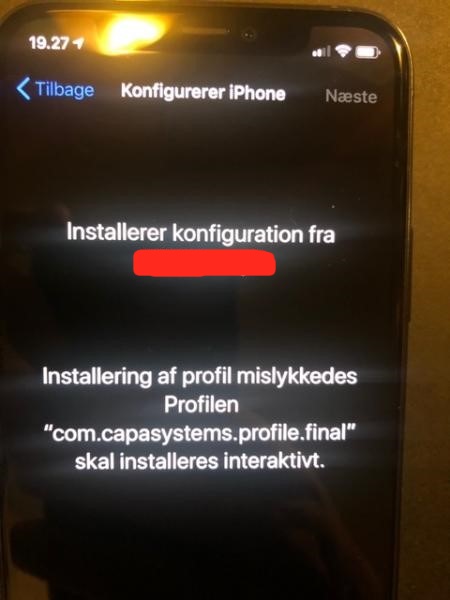
The error occurs on iOS 13 and iPadOS 13 when a system update is in progress. The profile can’t be installed while the system is about to be updated.
Workaround
Section titled “Workaround”- Erase the device. In some cases, you also need to download and restore the operating system again.
- During the initial setup, answer no when the device asks to update automatically.
You can also skip the software update step in the DEP profile.