

Distribution Server properties
You set up and customize the Distribution Server from its Properties, which are available in both System Administration and Configuration Management. The settings are then stored in the database, where they are accessible to the Replicator. These settings establish the location of each Management Server and the policies for replicating packages between Management Servers. The different properties are described below.
General
Section titled “General”The General tab enables you to establish the basic properties of the container, including its name, location, and synchronization policy.
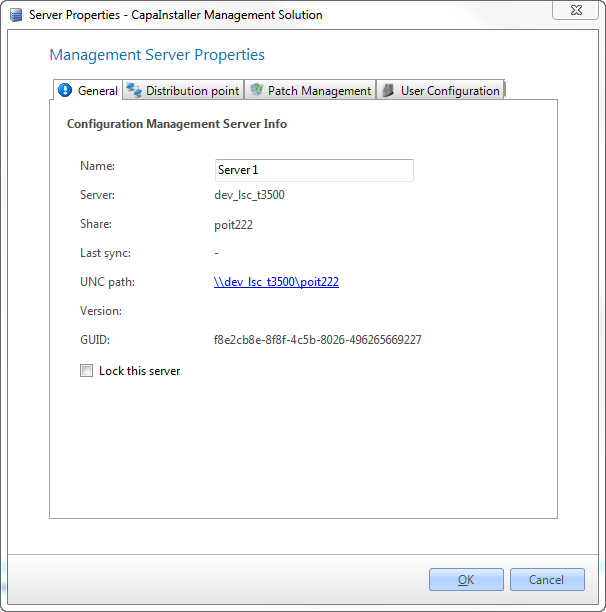
| Element | Description |
| Name | This is the name of the Management Server in the CMS console. |
| Server | This is the name of the server. |
| Share | This is the name of the share on the server. |
| Last sync | The last date the server was synchronized. |
| UNC path | This is the path to the \server\share |
| Version | This is the Version of the Management Server |
| GUID | This is the unique identification of the Management Server in the CMS system. |
| Lock this server | Locks the server and prevents synchronization. This option isn’t shown for a Distribution Server (BAADS). |
Distribution Points
Section titled “Distribution Points”| The purpose of “Distribution-point” is to allow clients to automatically use the nearest Container when downloading packages. A Distribution server and a Management server can service defined networks. This information can be specified as a property for the server (Distribution points). If the branch office network uses the same IP addresses internally (e.g. 192.168.1.x) it’s possible to specify the Mac address for the default gateway. Hereby the client will always be able to download content from the nearest server |
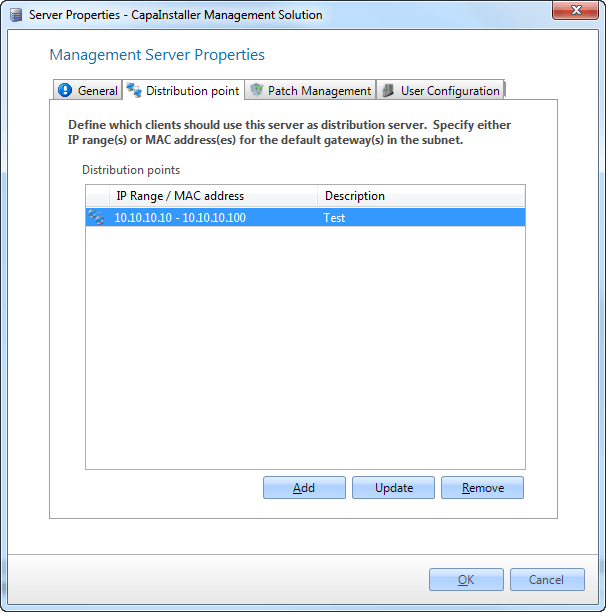
| Element | Description |
| Add IP Range/MAC | Enter an IP range or Mac address |
| Description | An internal CMS description. |
| Distribution points | List of all IP ranges for this Management Server. |
Patch Management
Section titled “Patch Management”The Patch Management tab is only available when Patch Management is licensed.
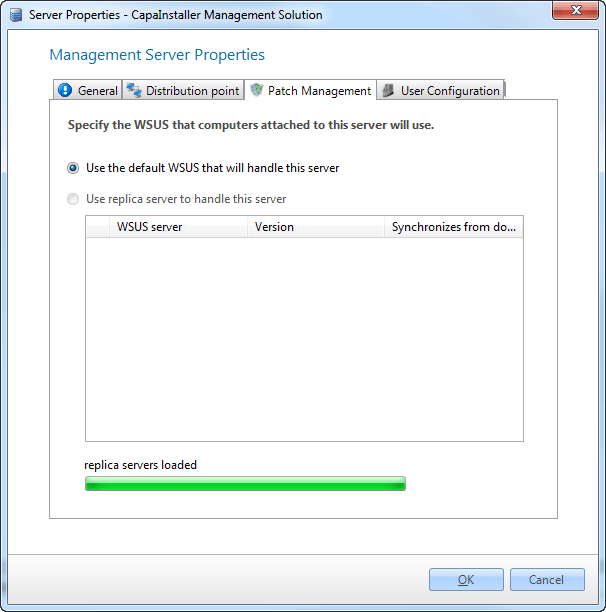
| Element | Description |
| Use the default WSUS Server to handle this | The default WSUS server will be used to handle this Management Server. |
| Use the WSUS Proxy server to handle this Management Server | A specific WSUS replica server can be selected to handle this server. |
BaseAgent Service
Section titled “BaseAgent Service”For a Distribution Server (BAADS), the BaseAgent Service tab is shown. It shows the CPU usage, memory usage and compliance of the BaseAgent Service, and lets you change the Distribution Server settings: Service Mode, Preload Schedule, Cache Location, CacheMaxSize, CacheMinFree and Max Requesters. For a description of the settings, see Distribution Server (BAADS) and Deployment.