

Use query based membership
Use query based membership to link new or unassigned computers to a group based on inventory values. You select one or more CapaInstaller reports, and the computers the reports return are linked to the group.
- Only Windows computers that aren’t linked to a group are added. If a computer is already linked to a group, it isn’t moved. To move a computer from one group to another, do it manually. See Customize computers.
- Computers in Excluded computers are never added.
- The Patch Management Service checks the reports at every computer synchronization, which runs every 10 minutes.
Set up query based membership
Section titled “Set up query based membership”-
In the Patch Management tree, right-click the group and select Query based membership.
-
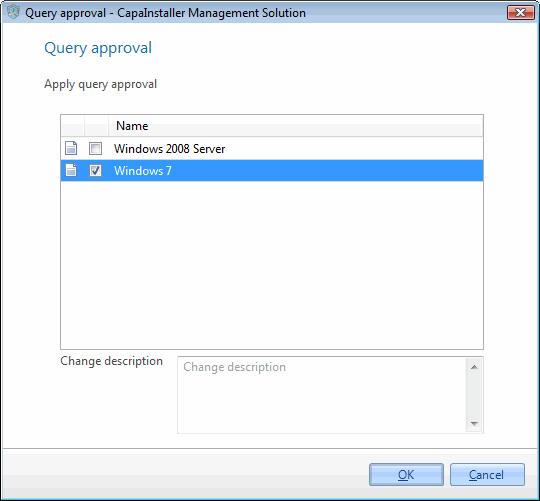
Select one or more CapaInstaller reports to use for query based membership for this group.
-
If necessary, write a change description.
-
Click OK to save the configuration.