

Configure a disk
Disk configurations are created on the root deployment point. After you create a disk configuration, promote it to the other deployment points where you want to use it.
Add a disk configuration
Section titled “Add a disk configuration”| Step | Action |
|---|---|
| 1 | Right-click the root deployment point and select Disk configuration. |
| 2 | The following window appears.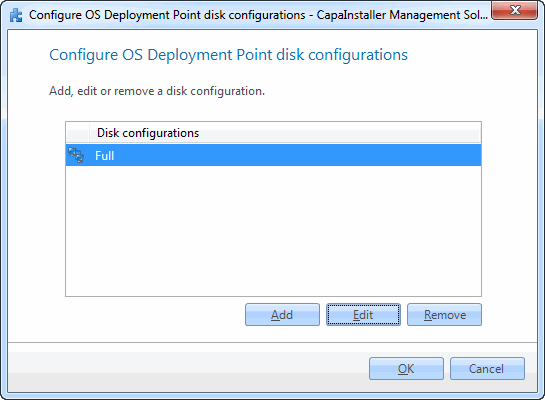 |
| 3 | Click Add new. |
| 4 | The following window appears.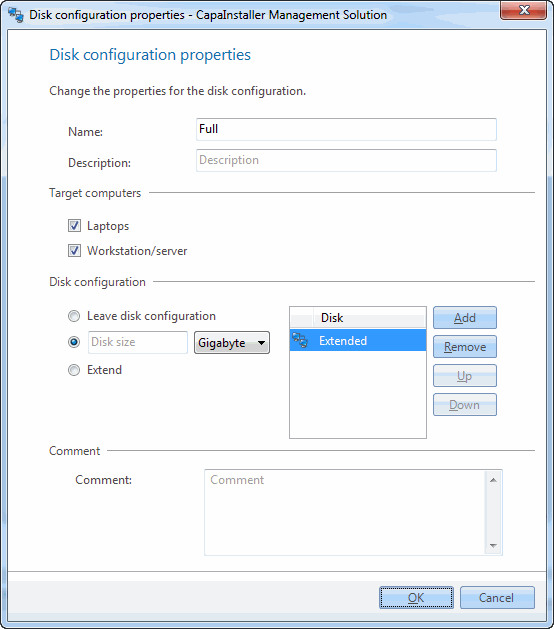 |
| 5 | Enter a name, select the target computers (Workstations and/or Laptops), add the partitions, and click OK. |
Related tasks
Section titled “Related tasks”| If you want to… | You can… |
|---|---|
| Edit an existing disk | Right-click the root deployment point, click Disk configuration, select the disk configuration, click Edit, and make the necessary corrections. |
| Know more about the details | See Disk configuration. |