

Create a user
You can create a user unit manually, for example to assign user packages before the user logs on for the first time.
Create the user
Section titled “Create the user”-
In Configuration Management, expand your Configuration Management Point and then Units.
-
Right-click Users (or a folder under Users) and select Create user….
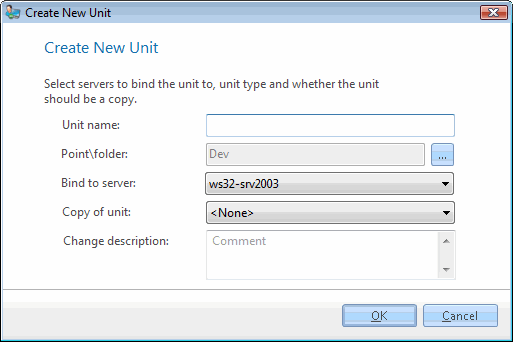
The Create New Unit dialog opens with Unit type set to User.
-
In Unit name, enter the user name. The name can be up to 150 characters, and a user with the same name must not already exist.
-
In Bind to server, select the Management Server the user is linked to.
-
Optional: in Copy of unit, select an existing user. The new user is added to the same groups as that user.
-
Optional: in Change description, enter a comment for the change log. If your system requires a change description, you must enter one.
-
Click OK.
The user appears under Units → Users, or in the folder you right-clicked.