

Use export
Introduction
Section titled “Introduction”Export is used to export application groups (with their group queries and metering executables), unmanaged software queries, and known files to an XML file. The XML file can be taken to another system, and imported into that system.
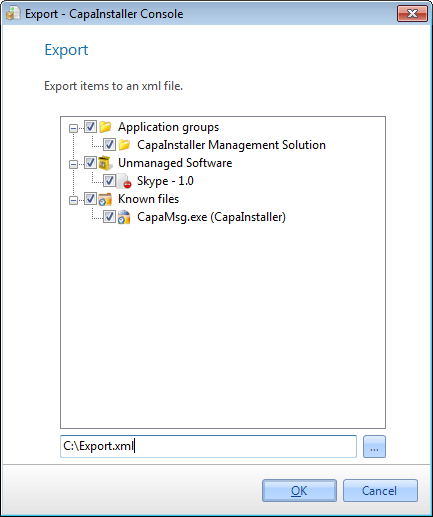
| Step | Action |
| 1 | In Asset Management, click File → Export…. |
| 2 | Select the items to export in the tree view by checking the boxes. |
| 3 | Locate the file to export to, by clicking the browse button. By default, the file is saved in %APPDATA%\CapaInstaller\Asset Export\. |
| 4 | Click OK to export the selected items to the file. |
| If you want to… | You can… |
| Import items into another system | Use import to see how. |