Apple Activation Lock (Find my iPhone)
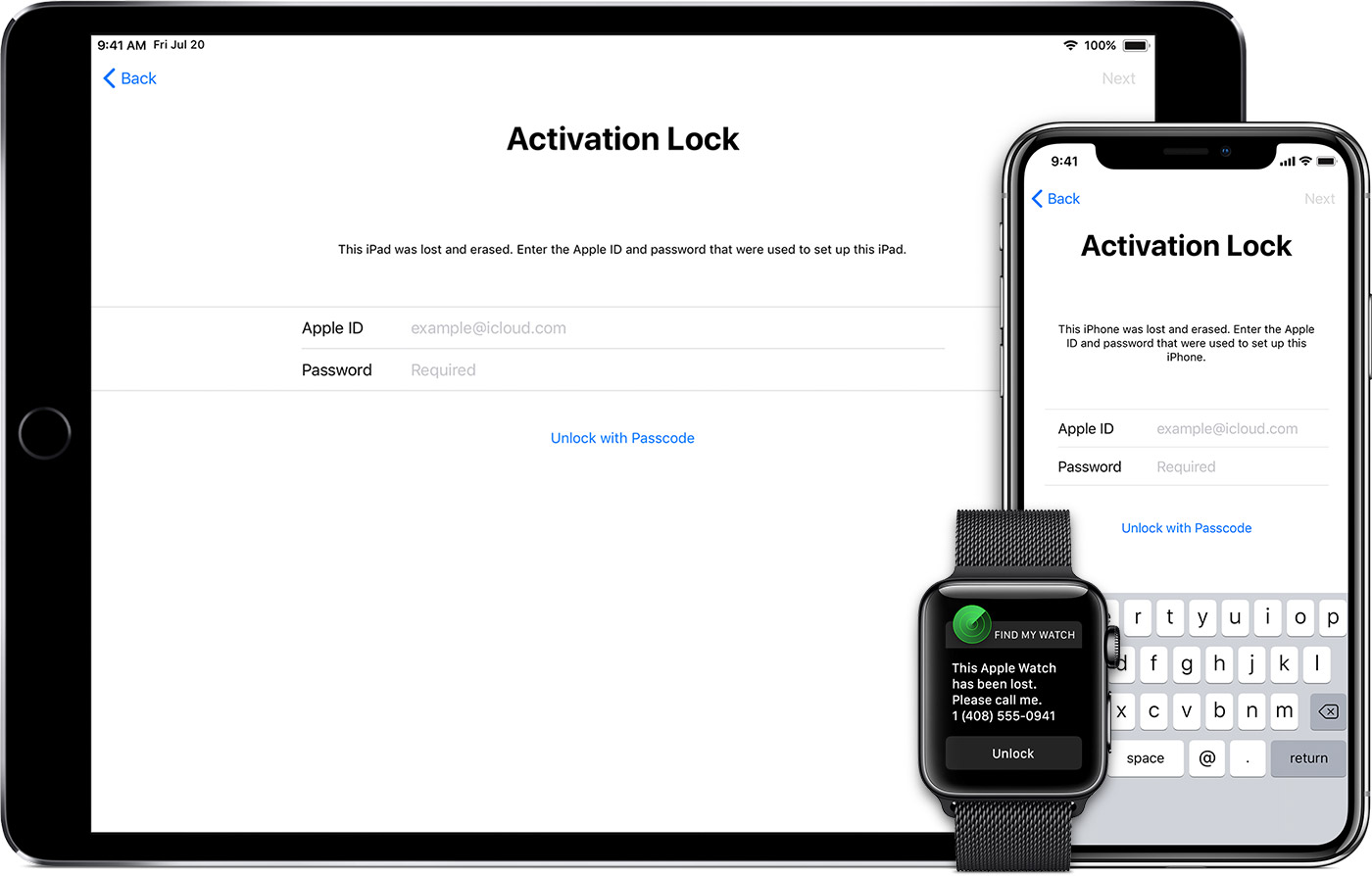
Apple devices have a build-in feature named “Activation Lock”, a part of the feature called “Find my iPhone” available on iPhone / iPad / iPod.
Activation Lock is a countermeasure made to prevent theft of Apple devices. The Activation Lock feature (if enabled) requires that the user who enabled Activation Lock on the device enters the Apple ID after an iOS device has been wiped.
If a user/thief is unable to enter the correct Apple ID, then the device can’t be activated and is useless.
Read more
Section titled “Read more”- Apple Support Article - Find My iPhone Activation Lock
- Apple Support Article - Turn off Find My iPhone Activation Lock
Can I see if a device is Activation Locked?
Section titled “Can I see if a device is Activation Locked?”Apple has discontinued the activation lock check home page and there is no easy way to check if an iOS device is Activation Locked.
There is another way to check it from Apple Support. Visit Apple’s Support and from their support website try and send a device for repair. To do this select iPhone. Click on a search category related to hardware, for example, Battery, Power & Charging or Repairs & Physical Damage, then select a specific problem like Buttons not working.
On the next page, you should see an option to Send in for Repair. If the item is not listed, go back and select a different device problem from the previous screen. Clicking through Send in for Repair will retrieve a page that allows users to Enter your serial number, IMEI, or MEID.
Enter the IMEI of a target device to check its Activation Lock status.
Bypassing the Activation Lock
Section titled “Bypassing the Activation Lock”Apple has made it possible for MDM solutions to retrieve an Activation Lock Bypass Code for enrolled devices. But in order to retrieve a bypass code, the device needs to be Supervised. CapaInstaller will automatically retrieve a bypass code if the device is enrolled, Supervised and if Activation Lock isn’t already applied by the user.
Where Can I Get An Activation Lock Bypass Code?
Section titled “Where Can I Get An Activation Lock Bypass Code?”The Activation Lock bypass code is read from the Device and stored as part of the Hardware Inventory. The hardware inventory value is called “Activation Lock Bypass Code” and if a code is present it is of the form “XXXXX-XXXXX-XXXX-XXXX-XXXX-XXXX”.

How to use the Activation Lock Bypass Code on a Device
Section titled “How to use the Activation Lock Bypass Code on a Device”When the device is Wiped either remote or by entering the wrong passcode, then the device will start as new. But during the normal setup, the device will show the following screen
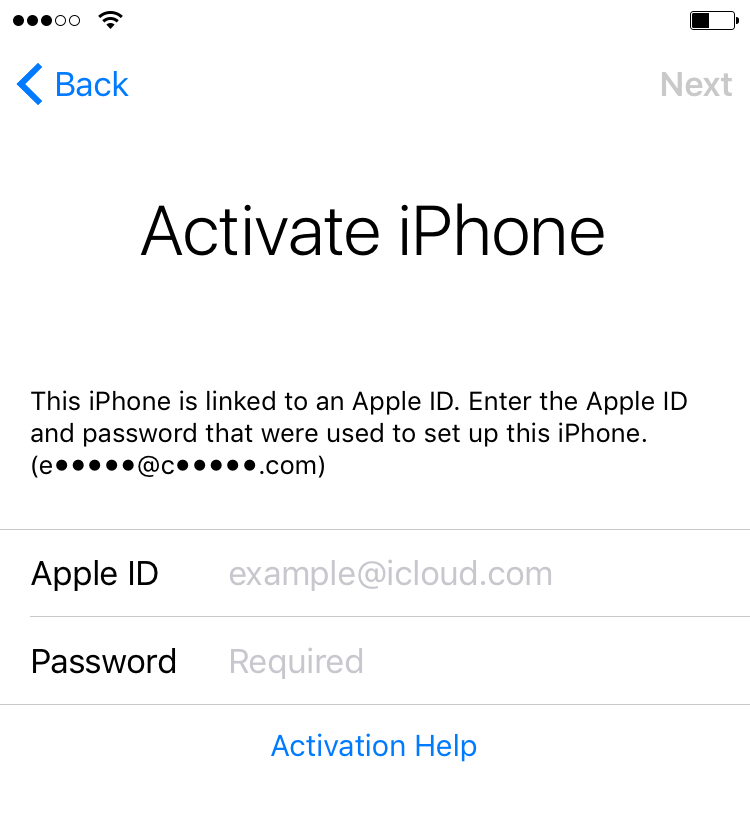
In order to use the device, the user with correct Apple ID needs to enter the credentials (the initial letters for the Apple ID is listed in the parenthesis).
If the correct Apple ID isn’t available the “Activation Lock Bypass Code” which was retrieved BEFORE the device was wiped can be used instead of the Apple ID.
The “Activation Lock Bypass Code” must be entered into the Password field (leave the Apple ID field empty). Please be aware that the code must be entered with Dashes and capital letters EXACTLY as it can be seen from the Inventory. In the following example the “Activation Lock Bypass Code” is the following string “92Q80-RJ15M-GHNY-GT0A-4U68-64V4”
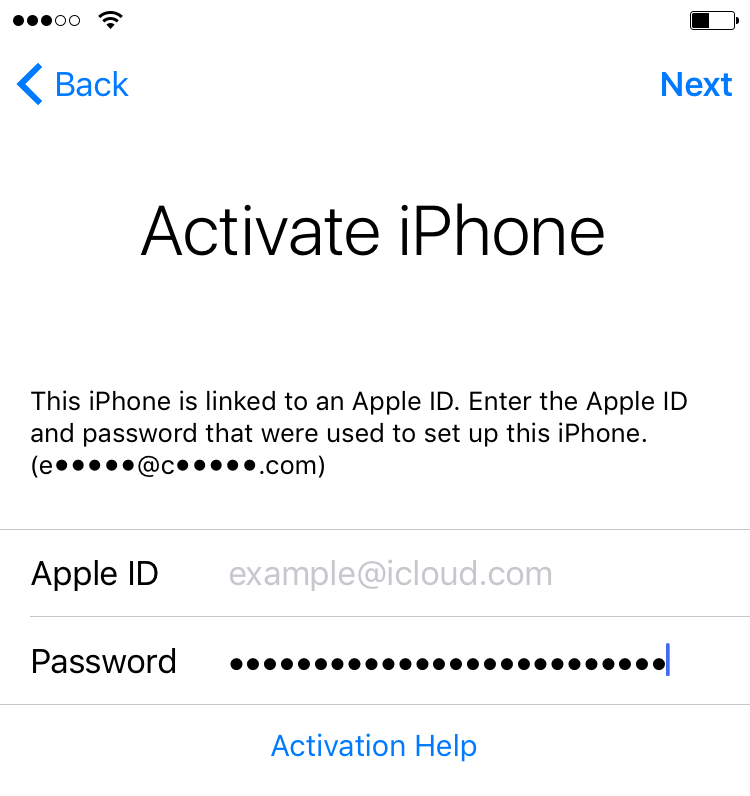
If the Activation Lock Bypass Code is correct then the device will be unlocked and can be assigned a new user.
How to Bypass Activation Lock from CapaInstaller Console
Section titled “How to Bypass Activation Lock from CapaInstaller Console”In the CapaInstaller Console, you can send a command to Apple that the device to bypass the Activation Lock
From Configuration Management→ Point → Units - Computers and Devices → iOS device
Right-click on the device and select Send Command → Activation Lock Bypass.
.
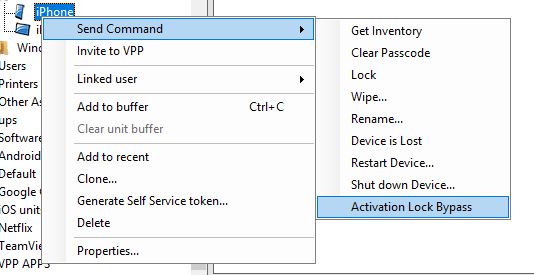
Check the Changelog on the device and wait for the command to successfully execute.

If you are on the Activation Lock Screen on the device, select go back and wait for a few seconds. Then the device setup should continue without the Activation Lock and a new Apple ID can be used.
How to Bypass Activation Lock Device with Passcode
Section titled “How to Bypass Activation Lock Device with Passcode”On the device click on Unlock with a passcode and enter the passcode