

Editing installation scripts
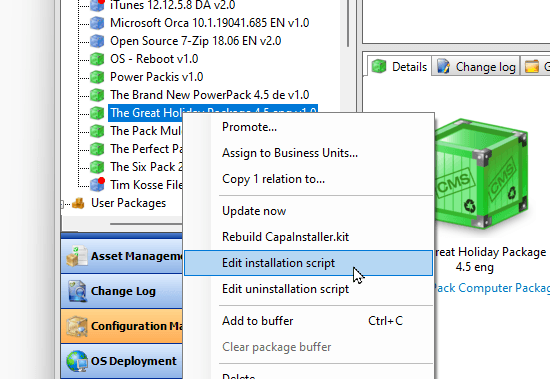
To edit a package script, right-click the package and select Edit installation script or Edit uninstallation script. Which editor opens, and where the script is stored, depends on the package type.
VBScript-based packages
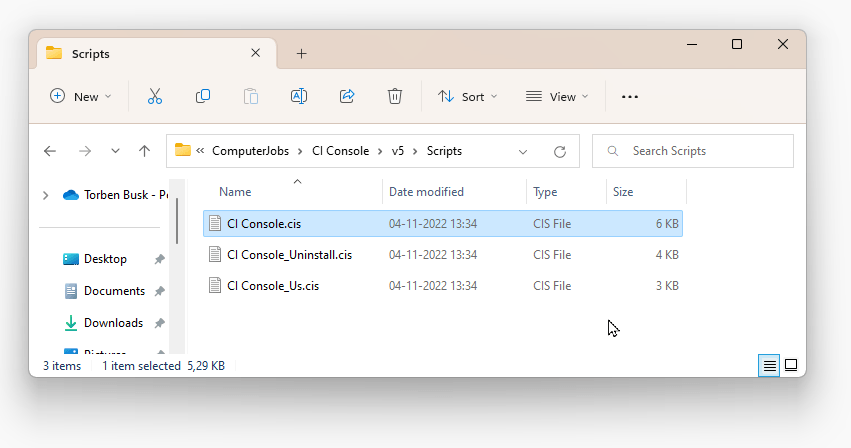
Section titled “VBScript-based packages”For VBScript-based packages, the console opens the script file directly in the package’s Scripts folder on the Configuration Management Point share, for example ...\ComputerJobs\<package name>\<version>\Scripts\<package name>.cis. The script opens in the default editor.
PowerPacks
Section titled “PowerPacks”For PowerPacks, the installation scripts are stored in the CapaInstaller database, not on disk. When you select Edit installation script (or Edit uninstallation script) on a PowerPack, the console saves the script to a temporary folder, C:\Users\<your username>\AppData\Local\CapaInstaller\CMS\TempScripts, and opens it in the PowerPack editor. The temporary folder is emptied each time Configuration Management starts.
The console monitors the file and detects the changes when you save them. To make sure that the changes were deliberate, the change log dialog opens so you can add a reason for the edit.
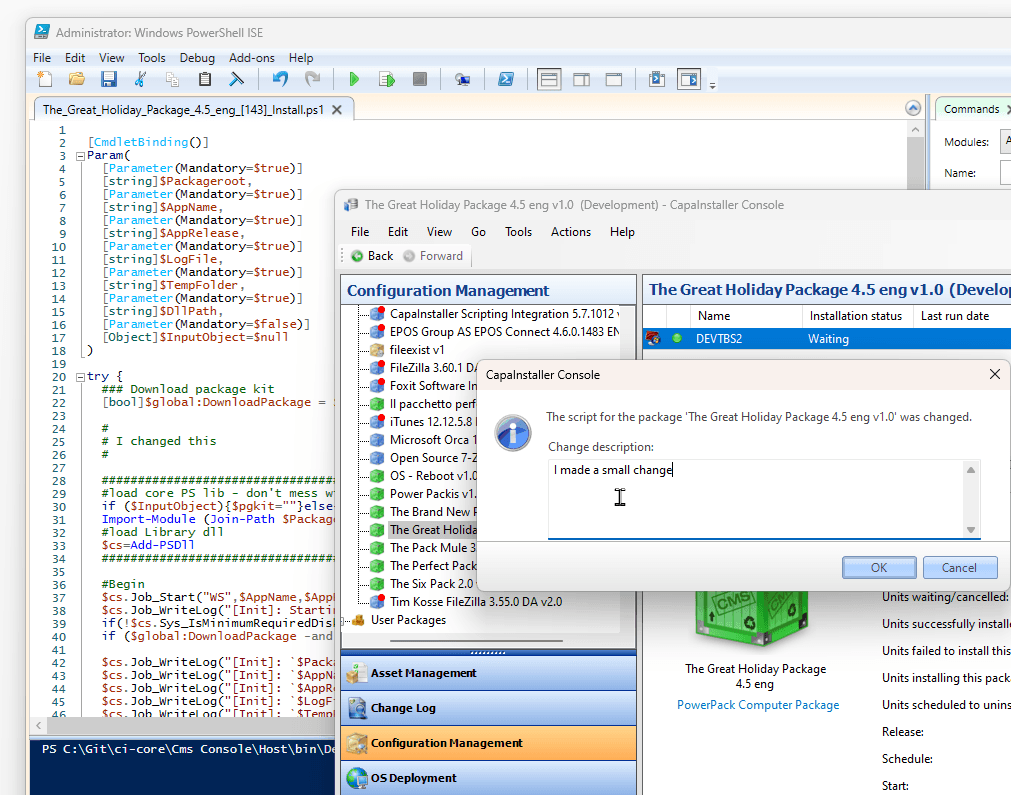
When you click OK, the script is saved to the database.
Because the installation scripts are stored in the database, you can edit a script and install the package without starting an Update now synchronization to other containers. This means that changes to the installation script of a PowerPack take effect immediately for every client that installs the package, on any Front-end Service in the installation. This also applies to clients that receive the CapaInstaller.kit file from their own file cache, a nearby peer (file sharing), or a Distribution Server, because the installation and uninstallation scripts are always fetched from the database.
Choose the editor
Section titled “Choose the editor”You set the editors in Tools → Options → General:
| Setting | Used for | Default |
|---|---|---|
| Default editor | Scripts of VBScript-based packages | Notepad |
| PowerPack editor | Scripts of PowerPacks | Windows PowerShell ISE |