

Report Static Criteria
Static criteria are unit properties that aren’t part of the collected inventory, for example Department, Unit State, or Business Unit. You find them under Unit Inventory in the Hardware tree view. Add them to a report as a column, or use them as criteria to limit the report.
Add a static criterion
Section titled “Add a static criterion”-
Select the Reporting and Queries plugin.
-
On the toolbar, select Hardware.
-
Expand Unit Inventory.
-
Right-click the property you want to use, and then select Select with criteria…. To add the property as a column only, select Select item.
-
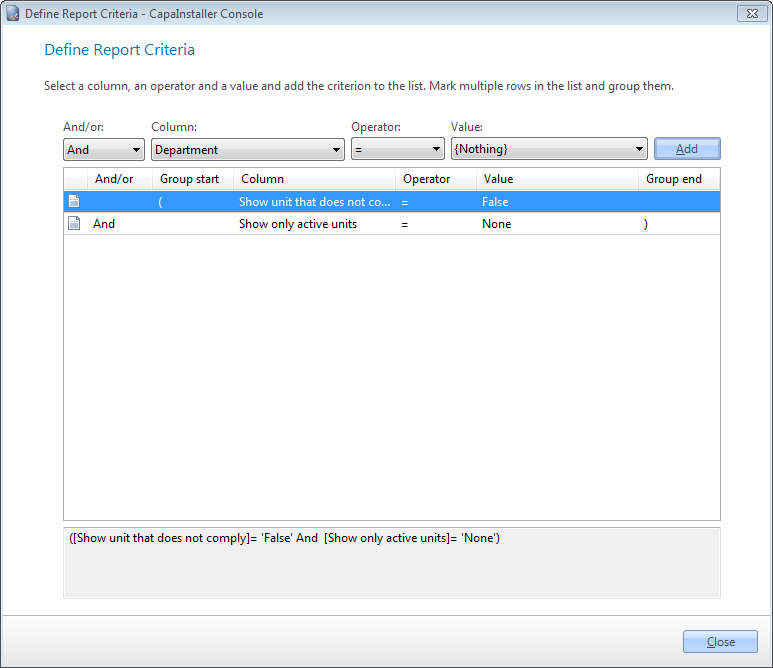
In the Define Report Criteria form, create the criterion. For more information, go to Define report criteria.
Available unit properties
Section titled “Available unit properties”| Property | Description |
|---|---|
| Department | The department of the unit. |
| Unit last executed | The last time the agent ran on the unit. |
| Unit Enrollment date | The date the unit was created in CapaInstaller. |
| Unit State | The state of the unit. |
| Unit is Domain | Whether the unit is a member of a domain. |
| Unit Location | The location of the unit. |
| Unit unhealthy | Whether the unit is marked as unhealthy. |
| Unit Device type | The operating system name of the device. |
| Unit Os Version | The operating system version of the device. |
| Unit hardware name | The hardware name of the device. |
| Unit hardware version | The hardware version of the device. |
| Business Unit | The Business Unit of the unit. |
| Management Point | The Management Point of the unit. |
| Device online | Whether the device is online. |
| Unit Label | The label of the unit. |
| Unit Hostname | The host name of the unit. |
| Unit Capability | The capability of the unit. |
| Unit Primary user | The primary user of the unit. |
Related tasks
Section titled “Related tasks”| If you want to… | You can… |
|---|---|
| Create a custom made report | Create a report to see how. |
| Define criteria on report items | Define report criteria to see how. |
| Preview a report | Preview a report to see how. |
| See recent reports | Select File → Recent reports. A list of the recently used reports is shown. |
| Set up columns | Column setup to see how. |
| Export to reporting services | Deploy to reporting services to see how. |
| Change column order | Reporting column order to see how. |
| Open an existing report | Open an existing report to see how. |