

Use CapaInstaller Package Creator views
CIPC can be used in one of two views: advanced or standard. The view setting controls which settings are displayed in the tree view. The advanced view includes more settings, thereby exposing more complexity in the editing window. Typically, the extra settings exposed by the advanced view will be left at their default settings for nearly all projects. Items that are hidden in the standard view still use their default value when you generate the package.
| Standard view | Advanced view |
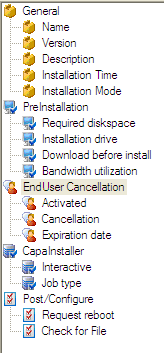 |
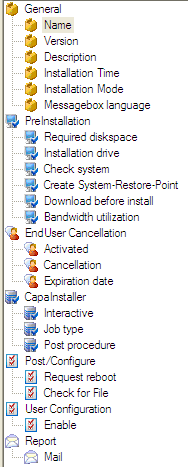 |
How to change between the different views
Section titled “How to change between the different views”- Select View → Advanced View.
When the advanced view is active, the menu item shows a check mark. When the standard view is active, no check mark appears. Package Creator remembers the view the next time you start it.
How to customize the view
Section titled “How to customize the view”You can choose which items only show in the advanced view. The change is saved in the CapaInstaller database, so it applies to everyone who uses Package Creator with that database.
-
Right-click the item you want to move to or from the advanced view, and select Edit Item.

-
In Template settings for item, select or clear Only show in advanced view, and click OK. An item that only shows in the advanced view must have a Default value.
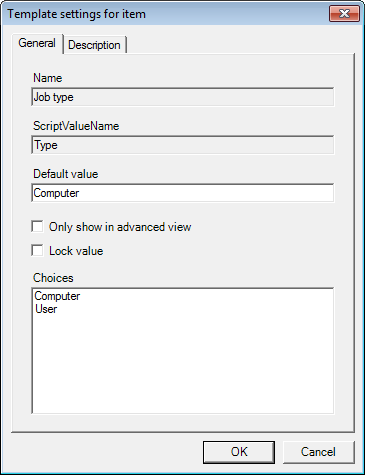
In the same dialog, you can change the Default value and the description of the item. Select Lock value to prevent users from changing the value of the item in the tree view.