

Models
The following is a description of a model, its purpose and functionality. A model should be seen as a computer model. The idea is to define the drivers needed for a specific model. When they have been identified, the drivers are uploaded to the solution and used whenever a computer of that type is installed. By using this strategy to install drivers, you can ensure that no conflicts occur when new computers arrive with updated drivers. If a driver is updated for a computer model, you upload the new driver to the solution. New computers are afterwards installed with the updated drivers. Existing computers have to be updated with a package deployed from the configuration management solution. By default, two models are created: Common and Default.
| Element | Description |
| Common | The Common model should contain common drivers for the created models. Typically chip set drivers will be located here. The drivers in Common are downloaded to every computer, in addition to the drivers of the matching model. |
| Default | The Default model is used if the installed computer does not match any of the created models. |
You can’t delete the Common and Default models or change their properties.
How a computer is matched to a model
Section titled “How a computer is matched to a model”During the deployment, the OSD client reads the computer’s model name (the SystemProductName value that the firmware reports, which is normally the same as the Model value in Windows). It then looks for a model on the OS Deployment point with a matching SM Bios name:
- An exact match is case-insensitive.
- An SM Bios name that ends with an asterisk (
*) matches every model name that starts with the text before the asterisk. - If no model matches, the Default model is used.
The model name that the OSD client found is available to scripts in the ModelName registry value. For details, see Create a new script.
Model properties
Section titled “Model properties”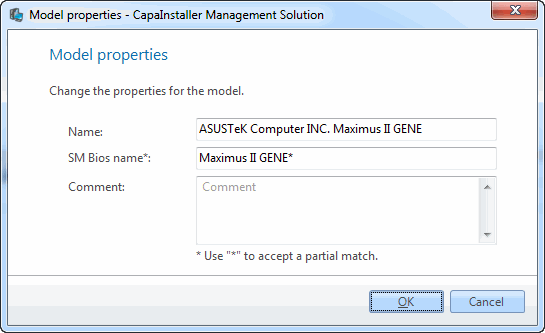
| Element | Description |
| Name | Specify a name for the model. |
| Description | Enter a description of the model. (Optional.) |
| SM Bios name | Specify the SM Bios name that matches the created model with a physical computer type. Add an asterisk (*) at the end of the string to make computer models with a certain prefix use this model definition. When you create a model, you can specify several SM Bios names separated by a vertical bar (|). In the model properties, you add and remove SM Bios names in a list. An SM Bios name can only belong to one model. |
| Change description | Enter a custom description that will be added to the change log. |
Right-click options
Section titled “Right-click options”Right-clicking a model gives you the following options:
| Element | Description |
| Create driver | Adds new drivers to the model. See Create a new driver to learn how. |
| Promote | Lets you promote the items on the CapaInstaller OS Deployment Point (DP) to another DP. This option is only available if a child DP has been created. 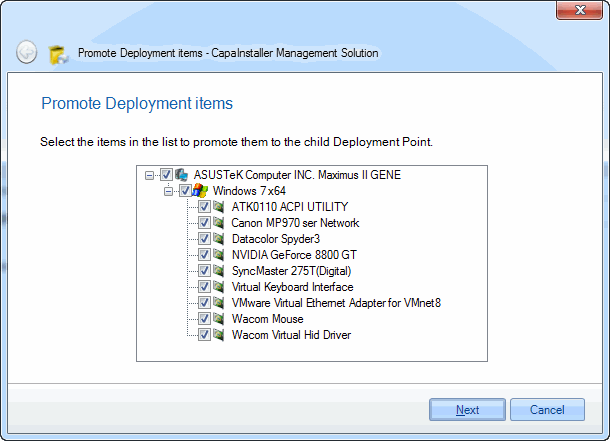 |
| Server assignment | Selects the OS Deployment servers that the model is available on. |
| Open in Windows Explorer | Opens the model’s driver folder on the OS Deployment point. |
| Import / Export | Imports or exports the model and its drivers as a zip file. See Use Export in OS Deployment. |
| Delete | Lets you delete the model. You are asked to confirm this. 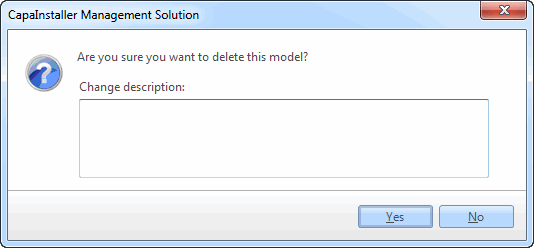 |
| Properties | Shows the properties for the model. For a detailed description of the individual fields, see above. |