

Manage Reporting Services
The Report Manager holds the folders and reports that you have deployed from CapaInstaller. From the Manage Reporting Services form, you can create and delete folders, and delete reports. Make sure security in Reporting Services is set up to match the workflow and processes of your company.
-
Select File → Manage reporting services….
-
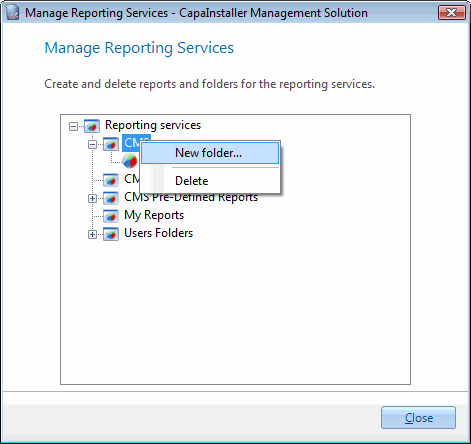
To create a subfolder, right-click the folder you want as the parent folder, and then select New folder….
-
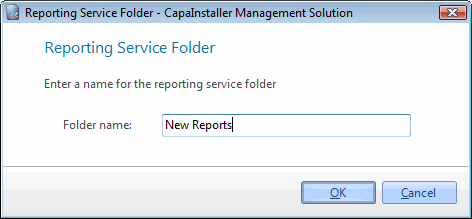
Enter the folder name, and then select OK.
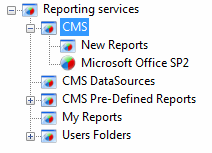
The new folder is listed in alphabetical order.
-
To delete a folder or a report, right-click it and select Delete.
-
Select Close.
Related tasks
Section titled “Related tasks”| If you want to… | You can… |
|---|---|
| Create a custom made report | Create a report to see how. |
| Preview a report | Preview a report to see how. |
| Export to reporting services | Deploy to reporting services to see how. |
| Deploy predefined reports | Deploy predefined reports to reporting services to see how. |
| Create linked reports | Create linked reports to Business units to see how. |