

Agent Configuration Payload
This payload contains two parts that can be used independently of each other or together.
Enterprise Profile Removal Passcode
Section titled “Enterprise Profile Removal Passcode”This payload can be used to set a password which is required to unenroll the device.
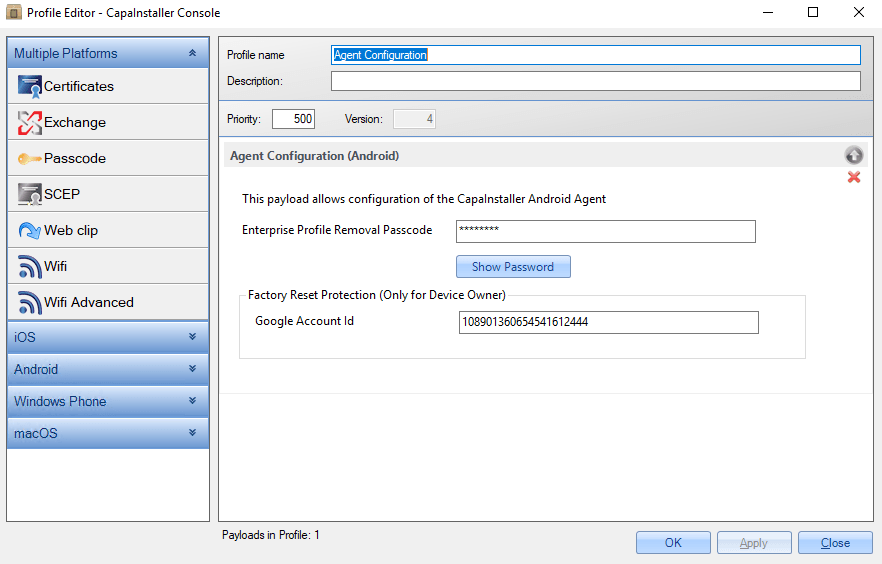
Configurations
Section titled “Configurations”| Configuration | Description |
|---|---|
| Enterprise Profile Removal Passcode | Configure a passcode that is needed for unenrolling (case sensitive). |
| Google Account Id (Factory reset protection, only for Device Owner) | Account Id consists of 21 numbers |
Factory Reset Protection (only for Device Owner, Android 8.1 or later)
Section titled “Factory Reset Protection (only for Device Owner, Android 8.1 or later)”Factory Reset Protection
| Step | Configuration |
|---|---|
| 1 | Enroll your Android device as a DEVICE OWNER: |
| 2 | Click on this link, and click “Execute”. Login with your Google account: https://developers.google.com/people/api/rest/v1/people/get?apix=true&apix_params=%7B%22resourceName%22%3A%22people%2Fme%22%2C%22personFields%22%3A%22metadata%22%7D |
| 3 | Every Google account is associated with an account ID. The 21-digit number present against id is your account ID 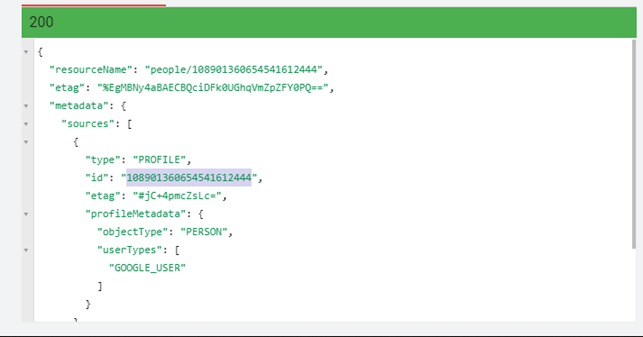 |
| 4 | You have to copy your Google Account ID, and paste it in the Agent configurator payload: |
| 5 | On your device, you have to login with another google account. |
| 6 | In the console, add the payload to buffer, and paste it to the device: |
| 7 | Verify the payload is on the device |
| 8 | On your android-device, start it in Recovery mode, and wipe it. |
| 9 | When you start the android device, you will be prompted to connect to Wifi |
| 10 | Connect to wifi. Now you have to use the google-account, you used to get your Google Account ID. If you use another google-account, you will be rejected. 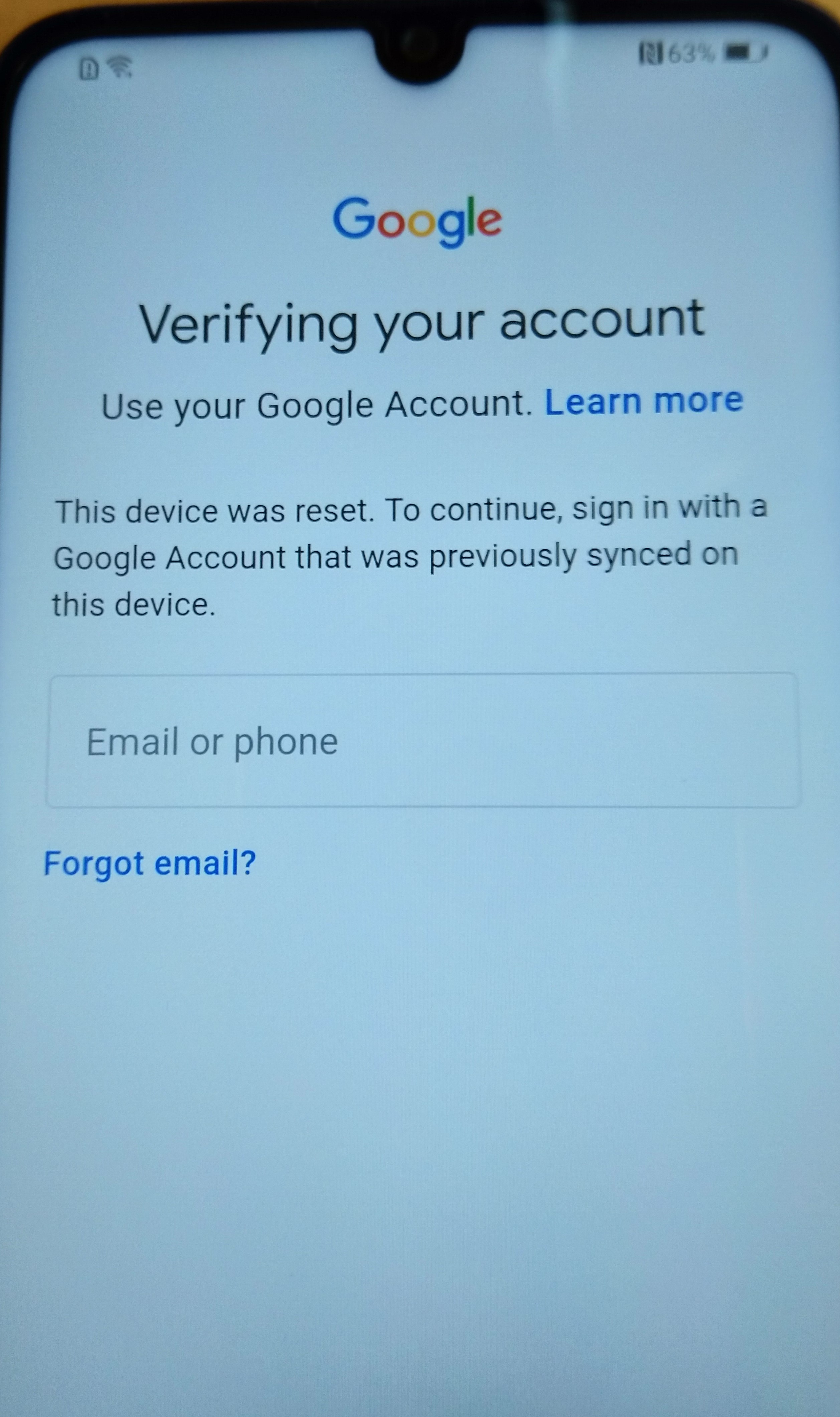 |