Getting started with Performance Guard integration to CapaInstaller
This guide describes how to implement the Performance Guard integration in CapaInstaller. The integration collects the Utilization Index, the startup time, and the logon time of your computers and stores them in the CapaInstaller database.
Set up the integration
Section titled “Set up the integration”-
Obtain a new CapaInstaller license with the Performance Guard integration enabled.
-
Upgrade CapaInstaller with the CapaInstaller Setup Wizard, and patch the system.
-
Apply the license. You can also apply the new license after this step.
-
In the console options, define the Performance Guard Settings.
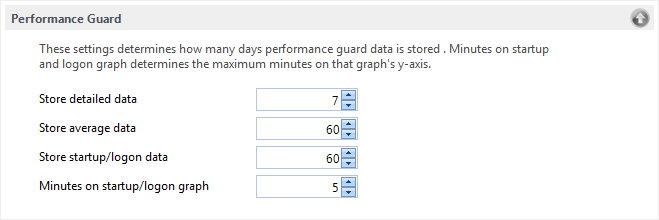
- Store detailed data specifies the number of days detailed data is kept in the database.
- Store average data specifies the number of days average data is kept in the database.
- Store startup/logon data specifies the number of days startup and logon data is kept in the database.
The Replicator service deletes data that is older than these settings.
-
Create a schedule for the computer package PerformanceGuard v5. The package installs the Performance Guard agent and collects the data, so schedule it to run always, or at least once a day.
-
Link the PerformanceGuard v5 package to your test group.
-
When the test is complete, promote the PerformanceGuard v5 package to production.
-
Promote the Agent and the Agent service to production.
-
Repeat steps 5 and 6 for production.
Collected data
Section titled “Collected data”Detailed data is collected every time the PerformanceGuard v5 package runs. The data is visible in the console as soon as it’s collected.
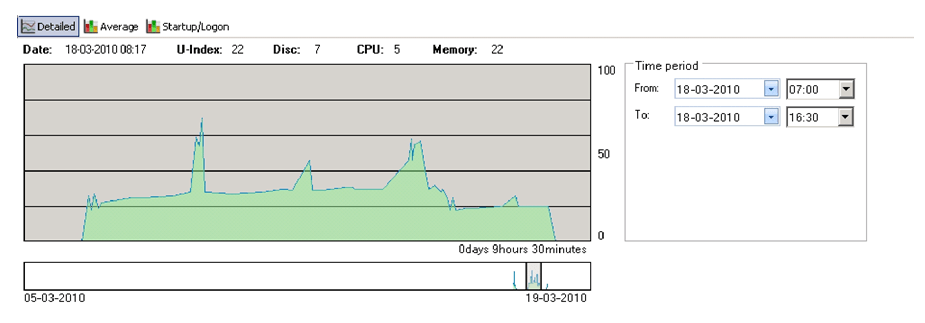
A Utilization Index between 70 and 80 is considered high utilization.
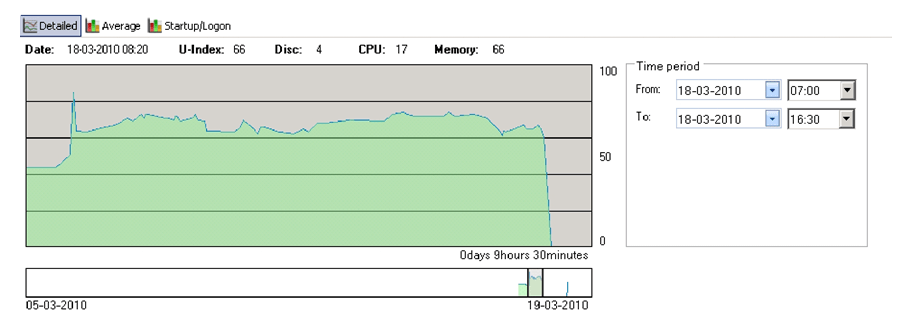
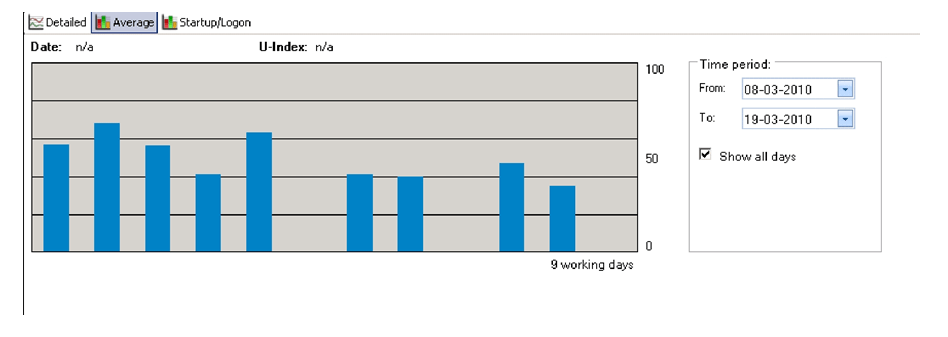
Average data is calculated from the utilization of previous days. It’s collected once a day.
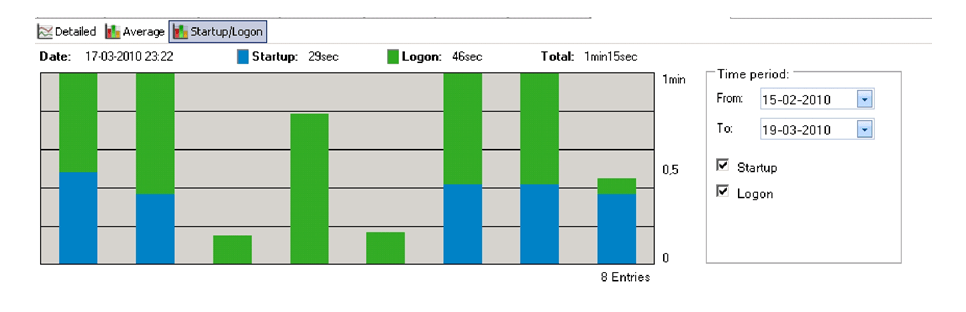
Startup and logon data is collected when the user has started the computer and logged on. If the user logs on within 5 minutes after startup, the startup and logon are shown as a single column. Otherwise, they’re shown as two columns. If the user logs off and on again, only the logon time is reported.
Views and reports
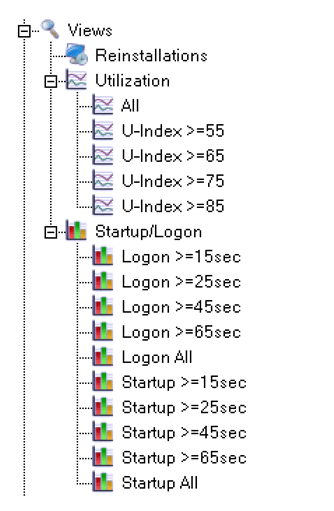
Section titled “Views and reports”Create Utilization, Startup, and Logon views in CapaInstaller. For more information, see Performance Guard Views.
With the Reporter, you can add information about utilization, logon, and startup to a standard report.