

Create Software Vendor Report
A software vendor report shows the units that have software matching a name, version, or vendor, for example all Microsoft software. You can show it in the content view or deploy it to Reporting Services.
Specify the software vendor report
Section titled “Specify the software vendor report”-
Select the Reporting and Queries plugin.
-
On the toolbar, select Software.
-
Select Tools → Software Vendor Report….
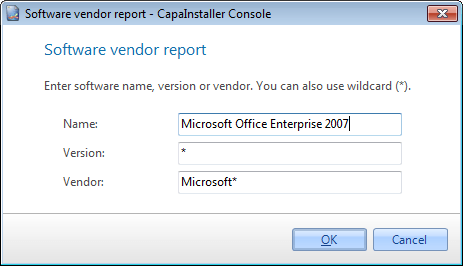
-
Enter a Name, Version, or Vendor. You can use
*as a wildcard, for exampleMicrosoft*. -
In Unit status, select All, or select the unit statuses to include.
-
Select OK.
The software vendor report is kept for the current console session. It isn’t saved in the database. To keep it, deploy it to Reporting Services.
Show the software vendor report
Section titled “Show the software vendor report”-
In the Software tree view, right-click Application groups.

-
Select Software Vendor Report.
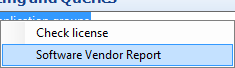
The software vendor report is shown in the content view.
Deploy the software vendor report
Section titled “Deploy the software vendor report”Select File → Deploy to reporting services…, and select Software Vendor Report in Deploy item. For more information, go to Deploy to reporting services.