

Change log options
The following is a description of the options for the change log. To open them, select Tools → Options…, and then select Change Log.
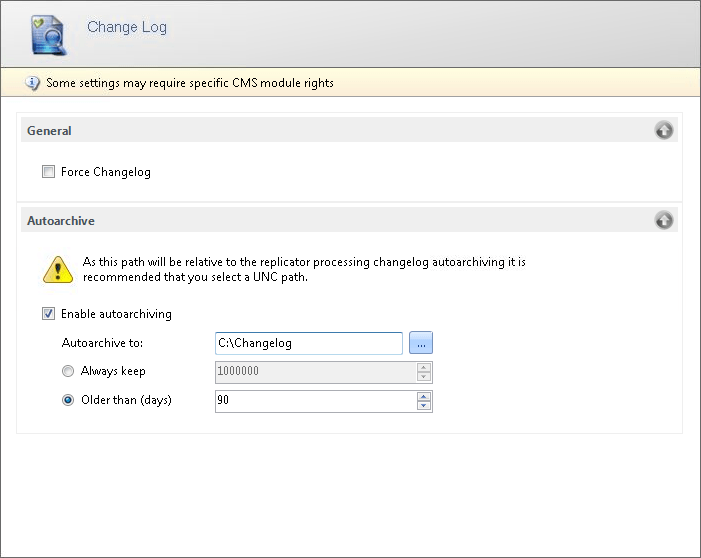
General
Section titled “General”| Element | Description |
|---|---|
| Force Changelog | Requires users to enter a changelog comment when they make changes in the console. |
Autoarchive
Section titled “Autoarchive”Automatic archiving moves old change log items out of the database and into archive files.
| Element | Description |
|---|---|
| Enable autoarchiving | Turns on automatic archiving of change log items. |
| Autoarchive to | The folder where archived change log items are saved. The archive is written by the Replicator that processes the autoarchiving, so the path is relative to that server. Use a UNC path. If the folder doesn’t exist, you’re asked whether to create it. |
| Always keep | Archives the oldest change log items until this number of items is left in the database. The value must be from 10,000 to 10,000,000. The default is 1,000,000. |
| Older than (days) | Archives change log items that are older than this number of days. The default is 90 days. |
Select either Always keep or Older than (days).
The Replicator runs the autoarchiving at most once every 24 hours. The archived items are removed from the database and saved as comma-separated files named Changelog_<date>_<number>.csv. When a file reaches its maximum size, it’s compressed to a .zip file, and a new file is started.
Full-Text indexing
Section titled “Full-Text indexing”| Element | Description |
|---|---|
| Enable Full-Text Index | Uses the SQL Server full-text index when you search the change log. This makes searches faster. The setting is only available when a full-text index exists on the change log table in the database. |
For how to create the full-text index, go to Changelog full-text index search.