

Create a static group
A static group contains the units you add to it yourself. You create it with the Create Group wizard, which is also used for department, AD and dynamic groups.
Create the group
Section titled “Create the group”-
In Configuration Management, expand your Configuration Management Point.
-
Right-click Groups (or a folder under Groups) and select Create group….
-
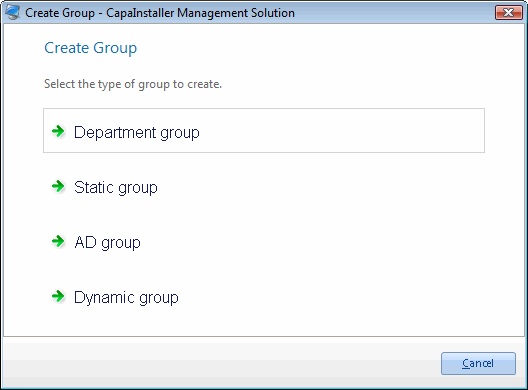
On the Create Group page, click Static group.
-
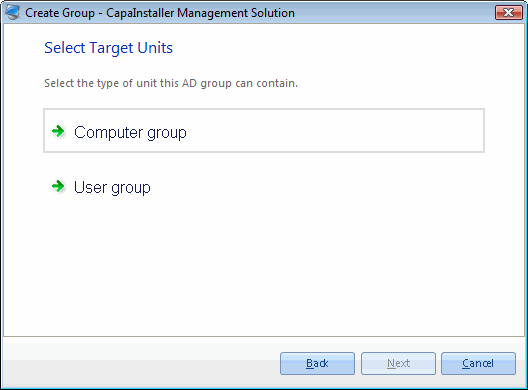
On the Select Target Units page, select the type of unit the group can contain: Computer and Devices group or User group.
-
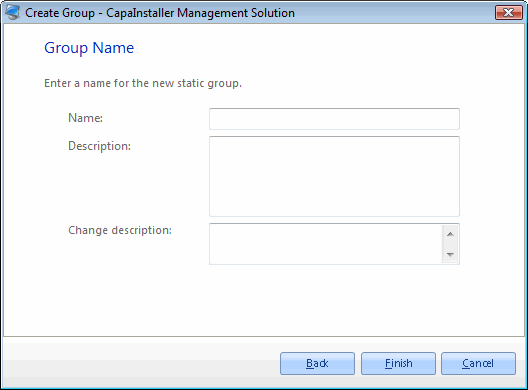
On the Group Name page, enter a Name and, optionally, a Description. The name must be unique among the groups on the point.
-
Optional: enter a Change description. If your system requires a change description, you must enter one.
-
Click Finish.
-
Choose what to do next:
- I am done closes the wizard.
- Create another group at the same location starts the wizard again.
- Create a Wake On LAN schedule for the new group opens the schedule form. This option is only shown for computer groups.
The group appears under Groups. To add units to it, see Edit a group.