

Disk configuration
The following is a description of disk configuration. Before an OS can be deployed to clients, the global disk configurations have to be defined. You can create configurations needed for each of the desired platforms. The different configurations will be visible in the OSD client before the OS is deployed.
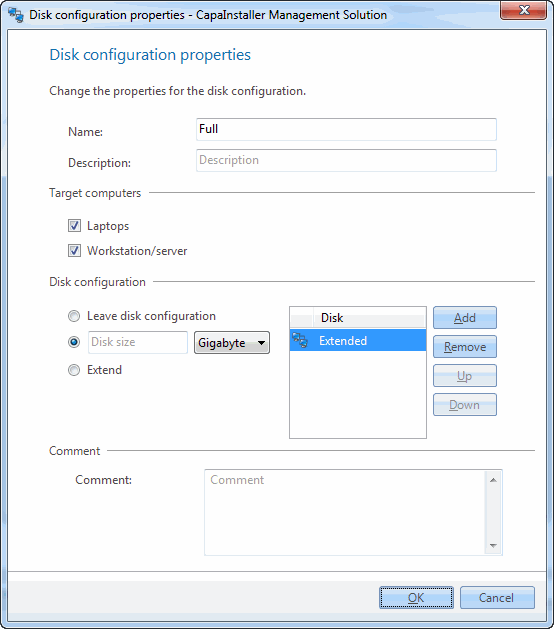
| Element | Description |
| Name | Specify the name of the configuration. The name you specify will be displayed in the client OS window before the actual OS installation is started. |
| Description | Enter a description of the disk. |
| Laptops | Select this check box if the disk configuration should be available for installation on a laptop computer. |
| Workstation/server | Select this check box if the disk configuration should be available for installation on a workstation or a server. |
| Leave disk configuration | Select this option if you want to leave the disk without repartitioning. |
| Disk size | Select this option if you want to specify the disk size. You can specify the size as a physical size or as a percentage. |
| Extend | Select this option if you want to take the remaining free space on the disk and create a last partition. |
| Change description | Enter a custom description that will be added to the change log. |