

Package Creation Summary
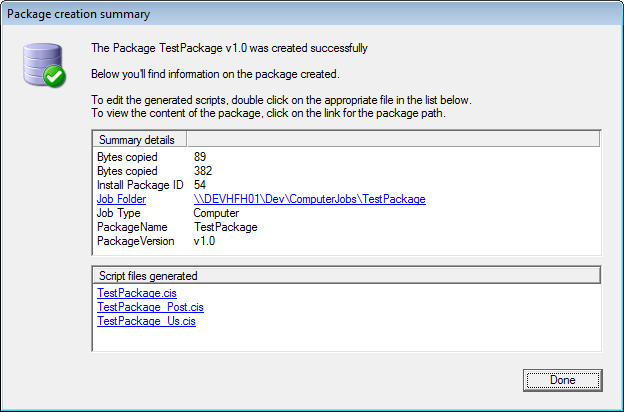
CIPC Package creation summary dialog is displayed when a package has been generated. The dialog is divided into 2 sub-areas; the summary details and the script file generated.
| Element | Description |
| Summary details | The summary details contain information about the package, such as the package name and version, the job type, the job folder, the number of bytes copied, and the install package ID in CapaInstaller. The job folder is a link: double-click it to open the package location. |
| Script files generated | The Script files generated section contains the scripts created. In the example above an Install, a Post and a User configuration script have been generated. Double-click a script to open it in the preferred script editor from Tools → Options → Settings. If no editor is set, Notepad is used. |
Click Done to close the dialog.
If generation fails, CIPC shows an error summary instead, with the error message. Use the ScriptGenerate Output, ScriptGenerate Log, Stack Trace, and Application Log buttons to see the details.