

Updates
Updates repair or replace software that is installed on a computer. Every update that is available on Microsoft Update is made up of two components: update information (also called metadata) and the update files. The metadata contains the properties of an update and lets you quickly determine what the update is for. The metadata package is typically much smaller than the update files. The update files are the files required to install the update on a computer.
Under each Patch Management group, the Updates folder sorts the group’s updates by status:
| Status | Description |
|---|---|
| Approved for installation | The computers in the group install the update. |
| Approved for removal | The update is removed from the computers in the group, if the update can be removed. |
| Not approved | The update isn’t available to the computers in the group. |
| Declined | The update isn’t available to any computers, and you don’t get a status for it. Declined updates are shown in All updates → Declined. |
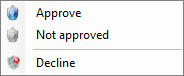
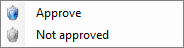
Right-clicking updates gives you the following options. Which options are shown depends on the folder you’re in.


| Element | Description |
|---|---|
| Approve | Approves the selected updates for installation in the selected group. |
| Not approved | Sets the selected updates to Not approved in the selected group. |
| Decline | Declines the selected updates. Only available under All updates. |
Related tasks
Section titled “Related tasks”| If you want to… | You can… |
|---|---|
| Automatically approve updates | Approval rules |
| Approve updates | Approve updates |
| Decline updates | Decline Updates |
| Learn more about classifications and categories | Categories and Classifications |