

OS Deployment points
The following is a description of a CapaInstaller OS deployment point, its purpose and functionality. A CapaInstaller OS deployment point is a logical collection of necessary objects required to perform a successful OS deployment. A CapaInstaller OS deployment point contains the objects shown below. Numerous OS deployment points may exist and there may be a relation between these. The idea is to have separate environments for building, testing and implementation. By building a robust process around OS Deployment, you achieve high quality and a more flexible environment where both development and implementation can take place at the same time without any interference.
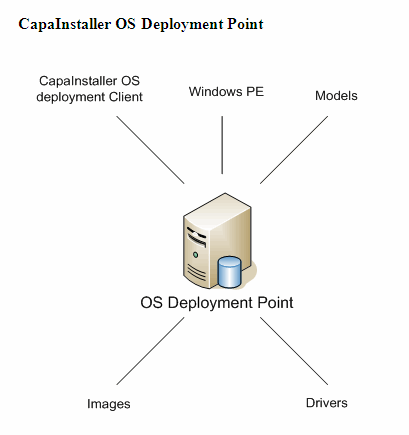
| Element | Description |
| CapaInstaller OS deployment client | For further details, OSD client process. |
| Windows PE | For further details, WinPE. |
| Models | For further details, Models. |
| Images | For further details, Images. |
| Drivers | For further details, Drivers. |
Field descriptions
Section titled “Field descriptions”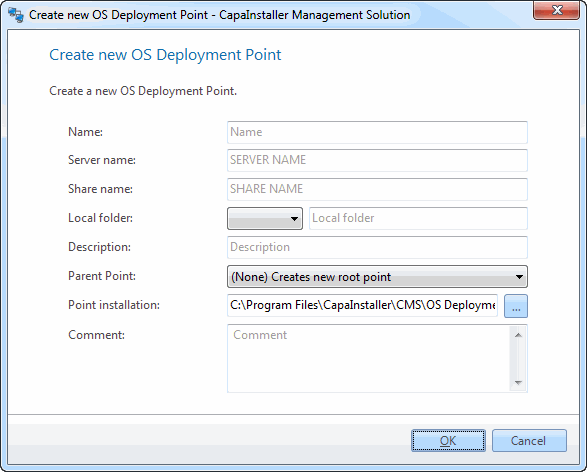
| Element | Description |
| Name | Specify a name for the CapaInstaller OS deployment point. |
| Server name | Specify the name of the server on which you want the CapaInstaller OS Deployment point to be installed. |
| Share name | Specify the name of the share on which you want the CapaInstaller OS Deployment point to be placed. Be aware that the share name will be reused when the CapaInstaller OS Deployment server is installed. |
| Local folder | Specify the local device on which you want the share to be created. |
| Point installation | Specify the folder that contains the CapaInstaller OS Deployment media. |
| Description | Enter a description of the CapaInstaller OS Deployment point. |
| Parent point | Select the parent CapaInstaller OS Deployment point, which defines the relation to other points. |
| Change description | Enter a custom description that will be added to the change log. |
Right-click options
Section titled “Right-click options”Right-clicking a deployment point gives you the following options. Some options are only shown on points that you can change, and Promote is only shown if a child point exists.
| Option | Description |
|---|---|
| New | Creates a new OS Deployment server, image, driver or script on the point. See Create a new OS Deployment server. To create a new point, right-click the OS Deployment root node and click Create OS Deployment Point…, see Create a new OS Deployment point. |
| Open in Windows Explorer | Opens the point’s share. |
| Promote | Lets you promote the items on the CapaInstaller OS Deployment Point (DP) to another DP. This option is only available if a child DP has been created.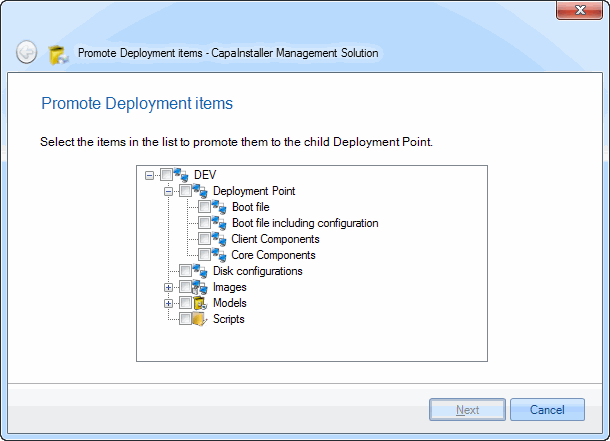 |
| Import… / Export… | Imports or exports images, models, drivers and scripts as a zip file. See Use Import in OS Deployment and Use Export in OS Deployment. |
| Configuration | Lets you configure the OSD loader, the OSD GUI and the installation types. For further details, see Configure an OS Deployment point. |
| Boot Image | Manage drivers… adds drivers to the boot image, Create boot file… builds a new boot image, and Update OSDClient Bootfiles on all Servers… copies the boot image to the point’s OS Deployment servers. See Create a boot image and Update OSD servers. |
| Disk configuration | Lets you configure the disk. For further details, see Configure a disk. |
| Sync with CapaOne… / Open CapaOne… | Shown when Deployment Templates are enabled. See Deployment Template. |
| Delete | Lets you delete the deployment point. You are asked to confirm this. To be able to delete an OS deployment point, you have to first delete the created OS deployment server.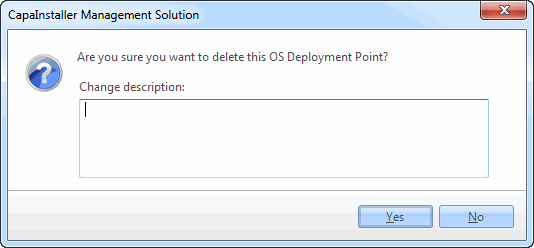 |
| Properties | Displays the properties for the deployment point. You can change the name and description.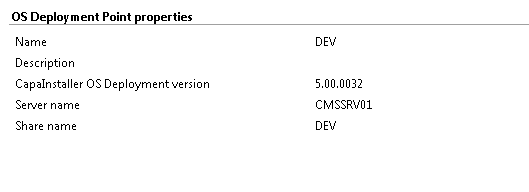 |