

Create a boot image
The following is a description of how to create boot images in CapaInstaller.
The boot image types that you can create depend on your setup:
- Create Boot Image for 64-bit UEFI systems: for 64-bit UEFI clients.
- Create Boot Image for 32-bit UEFI systems: for 32-bit UEFI clients. When Use OSDClient for Legacy clients is selected under Tools → Options → OS Deployment, the option is named Create Boot Image for 32-bit systems and is used for both legacy BIOS clients and 32-bit UEFI clients. This option isn’t available if the installed Windows ADK doesn’t support 32-bit boot files, for example the Windows ADK for Windows 11.
- Create Boot Image for legacy BIOS systems: only shown when Use OSDClient for Legacy clients isn’t selected.
| Step | Action |
| 1 | In the OS Deployment tree, right-click the root OS Point and select Boot Image → Create Boot File…. |
| 2 | Choose the type of boot image you want to create 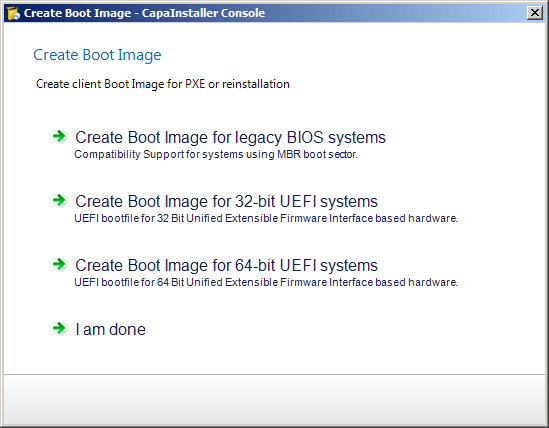 |
| 3 | For 32-bit and 64-bit UEFI systems, follow this guide: Creating an UEFI boot image ❗ UEFI Boot files It is necessary to create a boot file for both 32-bit and 64-bit systems when both types of systems have to be supported |
| 4 | Click I am done when done |