

Create a dynamic group
A dynamic group gets its members from a query. You create it with the Create Group wizard, which is also used for static, department and AD groups.
Create the group
Section titled “Create the group”-
In Configuration Management, expand your Configuration Management Point.
-
Right-click Groups (or a folder under Groups) and select Create group….
-
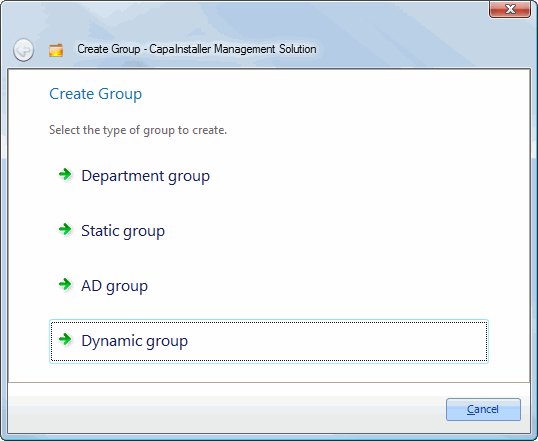
On the Create Group page, click Dynamic group.
-
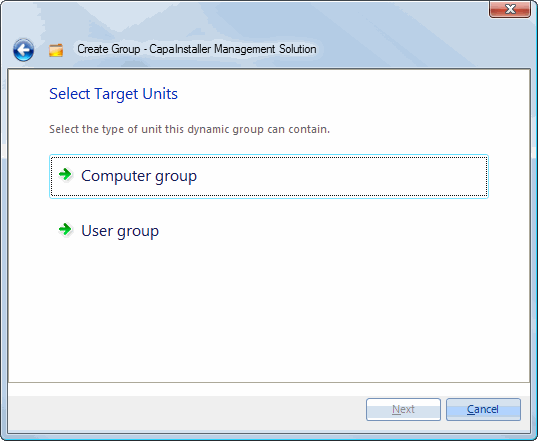
On the Select Target Units page, select Computer and Devices group or User group.
-
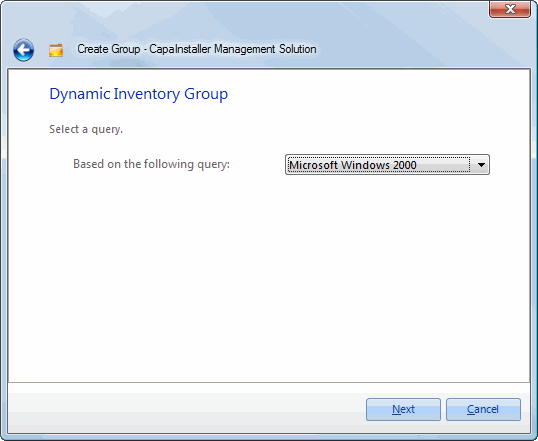
On the Dynamic Inventory Group page, select the query in Based on the following query, and click Next.
-
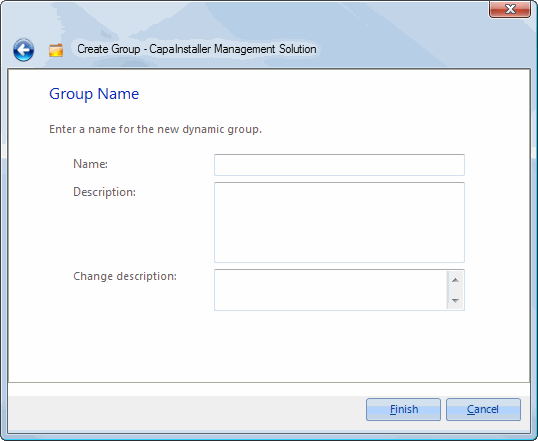
On the Group Name page, the name of the query is suggested as the group name. Change it if needed, and optionally enter a Description.
-
Optional: enter a Change description. If your system requires a change description, you must enter one.
-
Click Finish, and then choose I am done, Create another group at the same location, or (for computer groups) Create a Wake On LAN schedule for the new group.
The group appears under Groups. Its members are the units the query returns.