Use HTTPS in Backend, Frontend & OS Deployment Service
From CapaInstaller 6.6, the Back-end Service, the Front-end Service, and the OS Deployment Service can use HTTPS. You set up all three services the same way.
Add an HTTPS URL to a service
Section titled “Add an HTTPS URL to a service”-
In System Administration, right-click the service and select Service settings….
-
Open the Communication tab.
-
Add the
https://URL at the top of the Internal Url(s) or Public Url(s) list. The service uses the first URL in the list. If that URL fails, it uses the next one.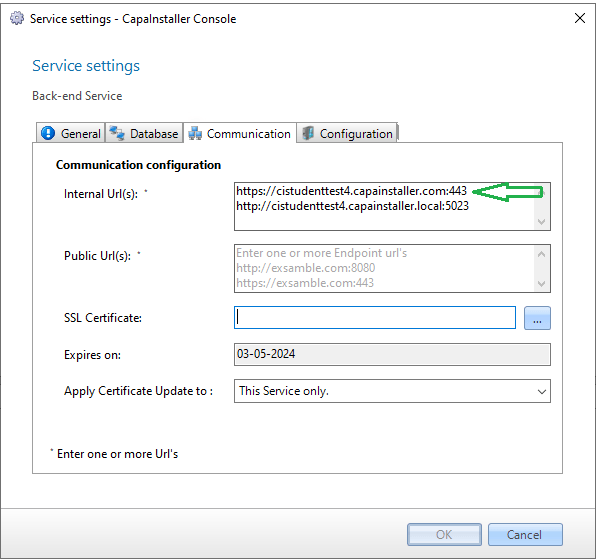
-
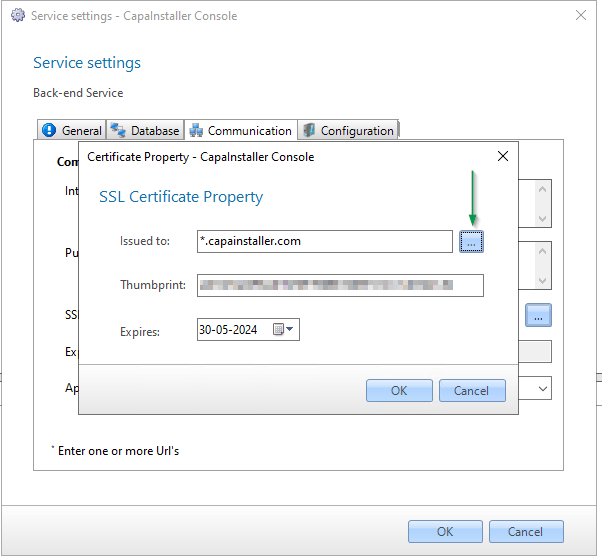
In SSL Certificate, click the browse button and select the certificate. If Apply Certificate Update to is shown, select whether the certificate applies to this service only, to all services on the server, or to all services on all servers. Click OK.
-
Restart the service so that it uses the new configuration.
Select the URLs that OS Deployment and MDM use
Section titled “Select the URLs that OS Deployment and MDM use”-
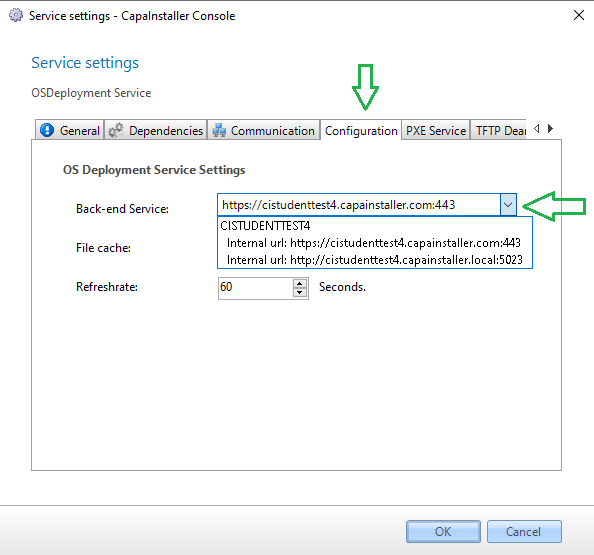
In the service settings of the OS Deployment Service, open the Configuration tab and select the Back-end Service URL that OS Deployment uses.
-
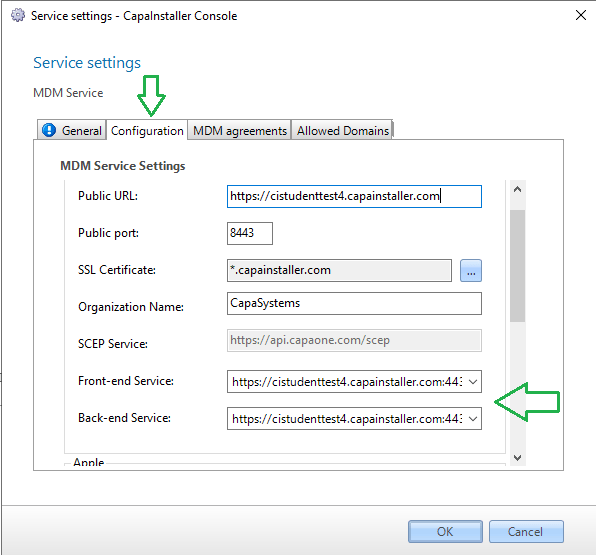
In the service settings of the MDM Service, open the Configuration tab and select the Back-end Service and Front-end Service URLs that MDM uses.