

Enrolling iPad OS
Device enrollment iPad OS version 13 and later (Via URL)
Section titled “Device enrollment iPad OS version 13 and later (Via URL)”| Step | Action |
|---|---|
| 1 | Enrolling iPad OS Device via URL after version 13! For some reason, Apple’s iPad OS devices report themselves as MacOS. A workaround for that is described below: First, go into settings, and in under safari: 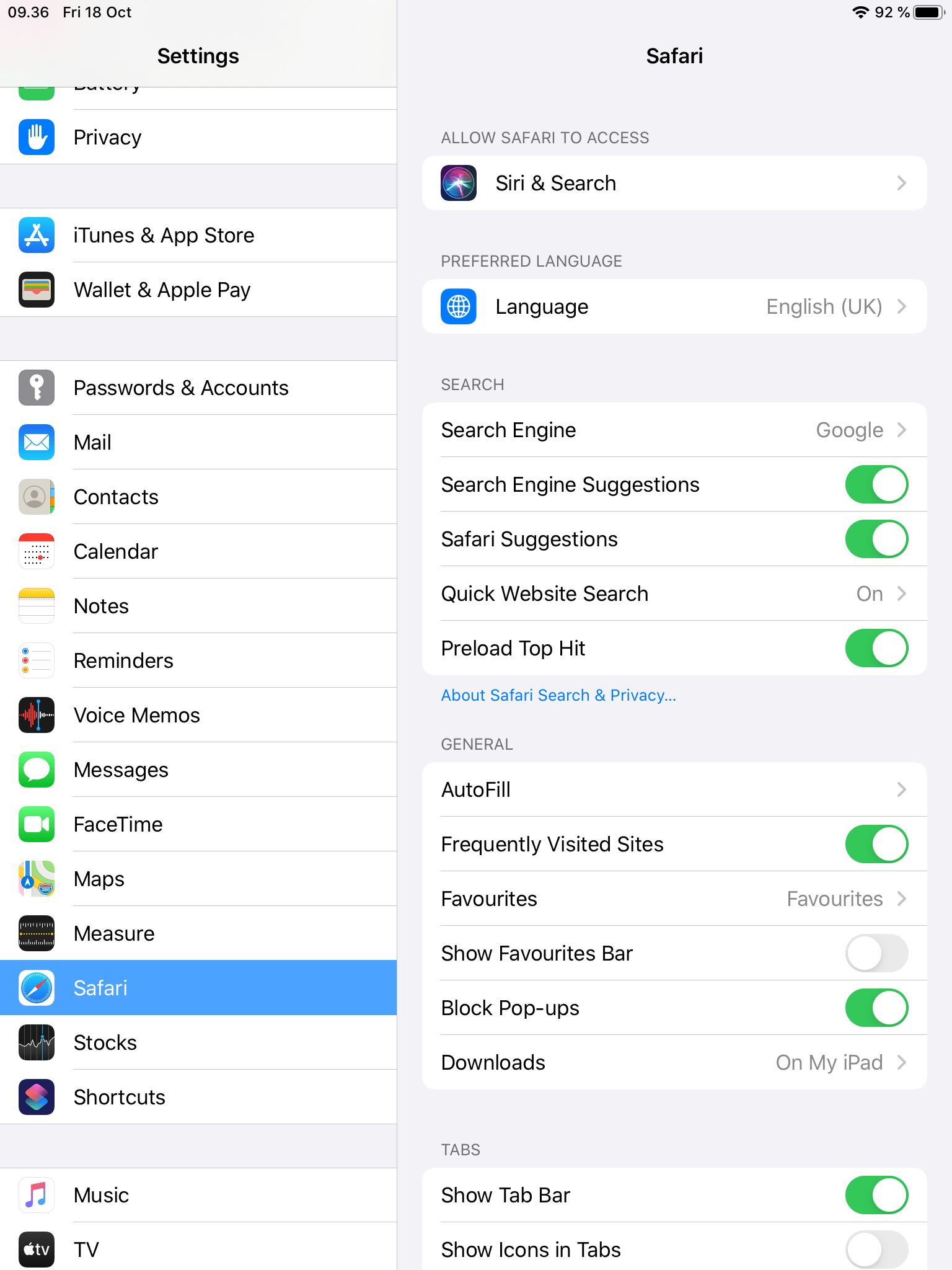 |
| 2 | Click on “Request Desktop Website”: 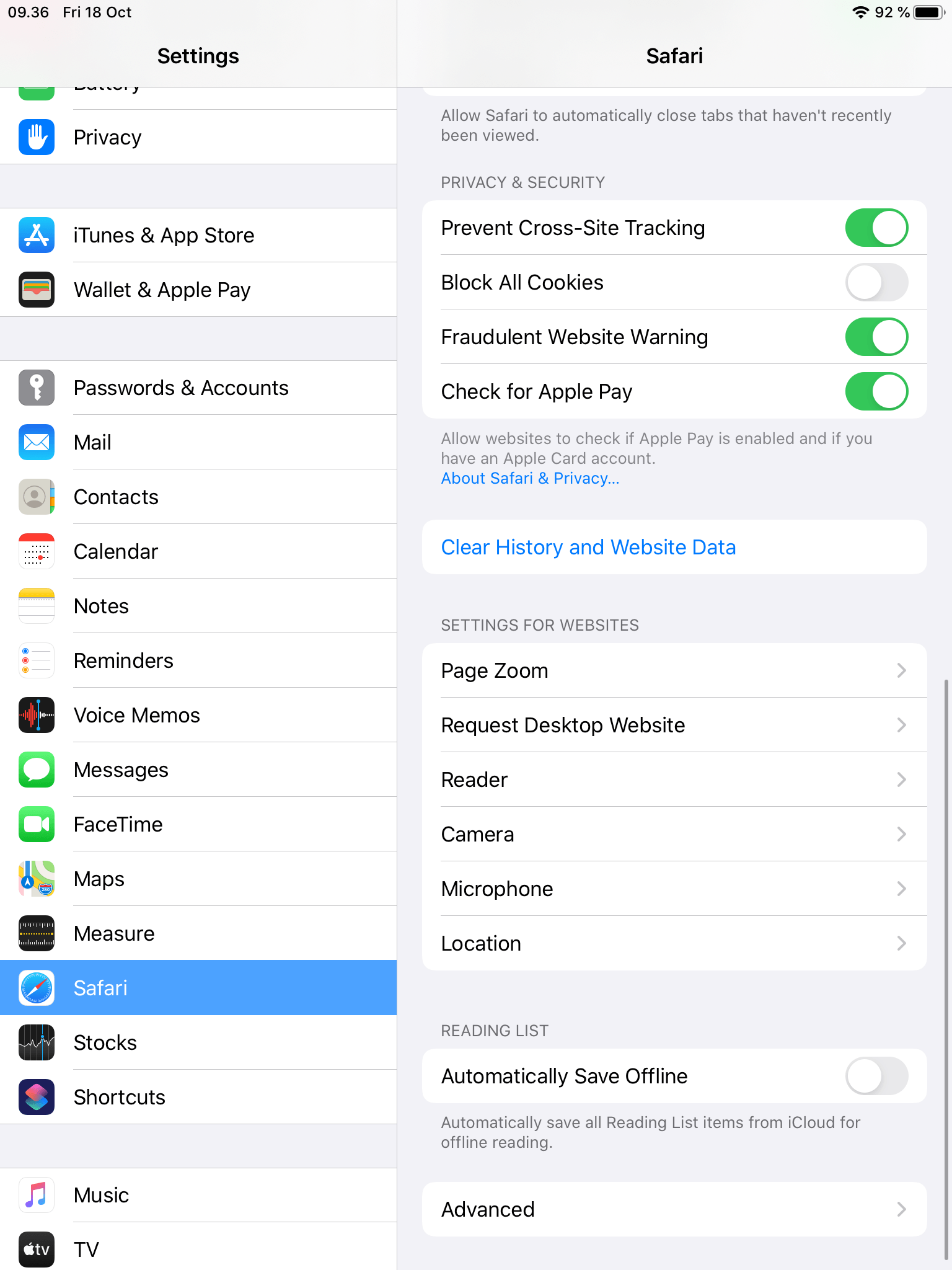 |
| 3 | Turn the setting OFF! |
| 4 | 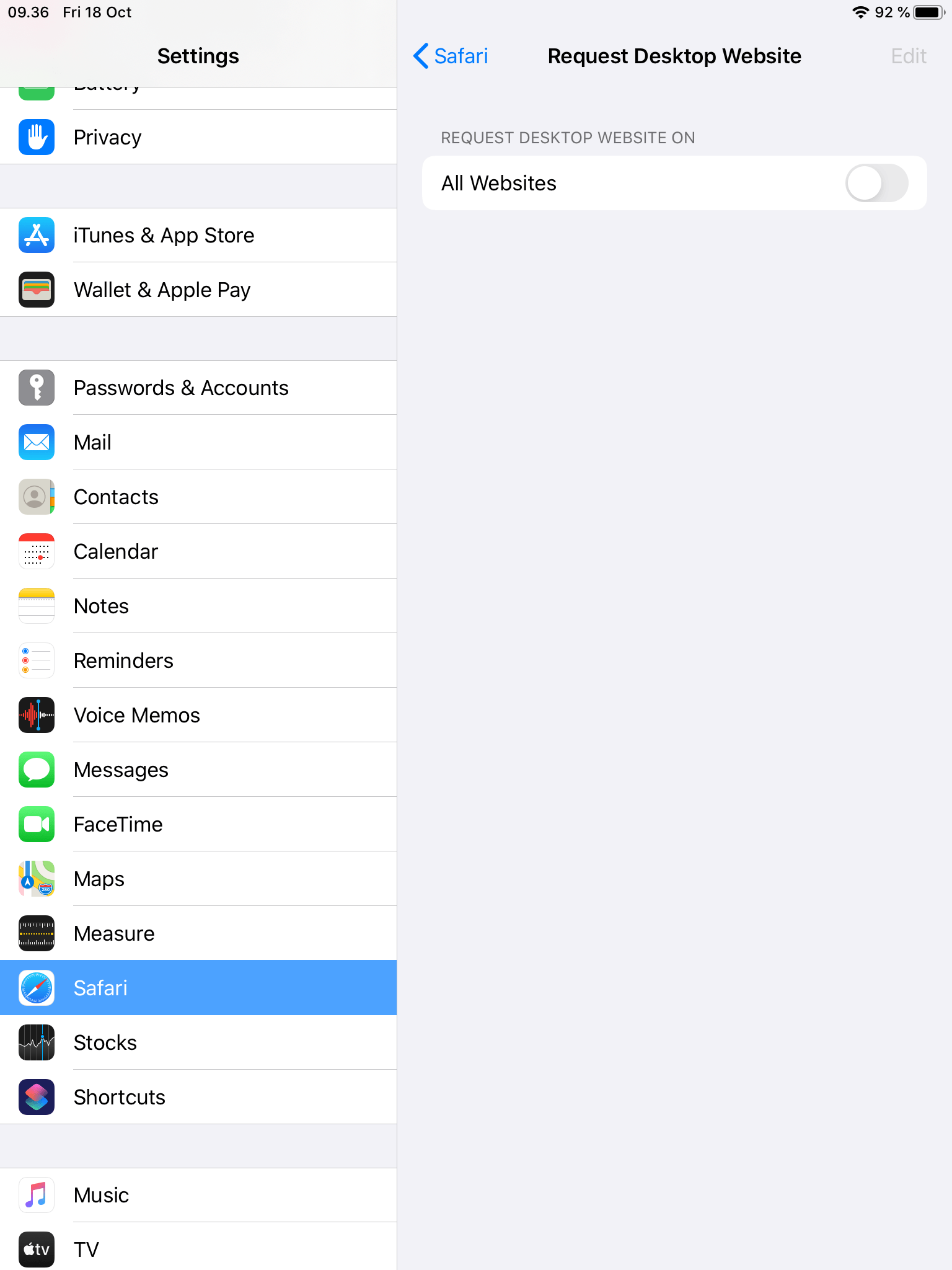 |
| 5 | Now go into a browser. |
| 6 | Insert the URL from your console. |
| 7 | Now you need to login: |
| 8 | When you have logged in, you need to choose “iPad” and click “Accept Terms And Enroll” 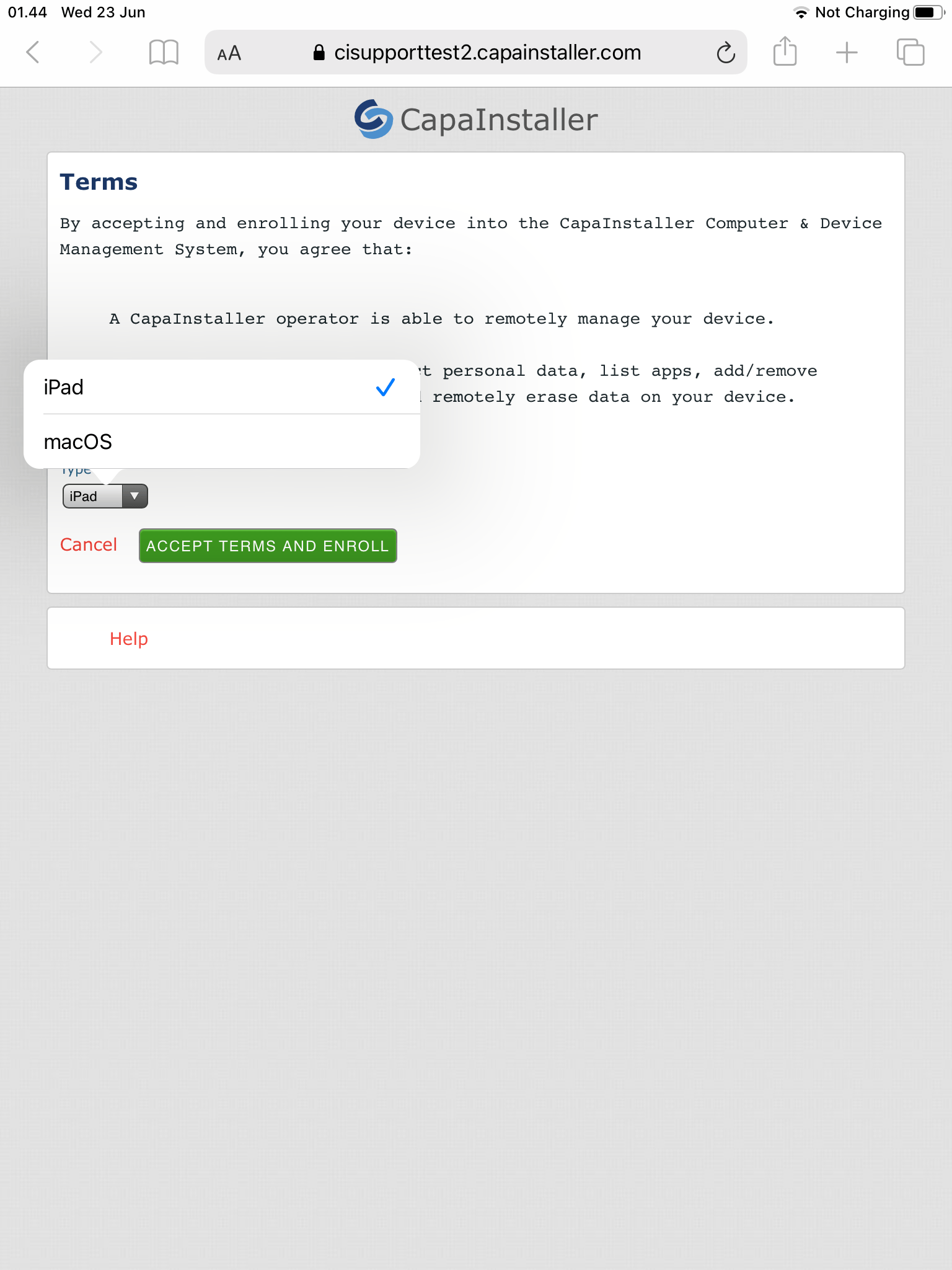 |
| 9 | Click “Allow” 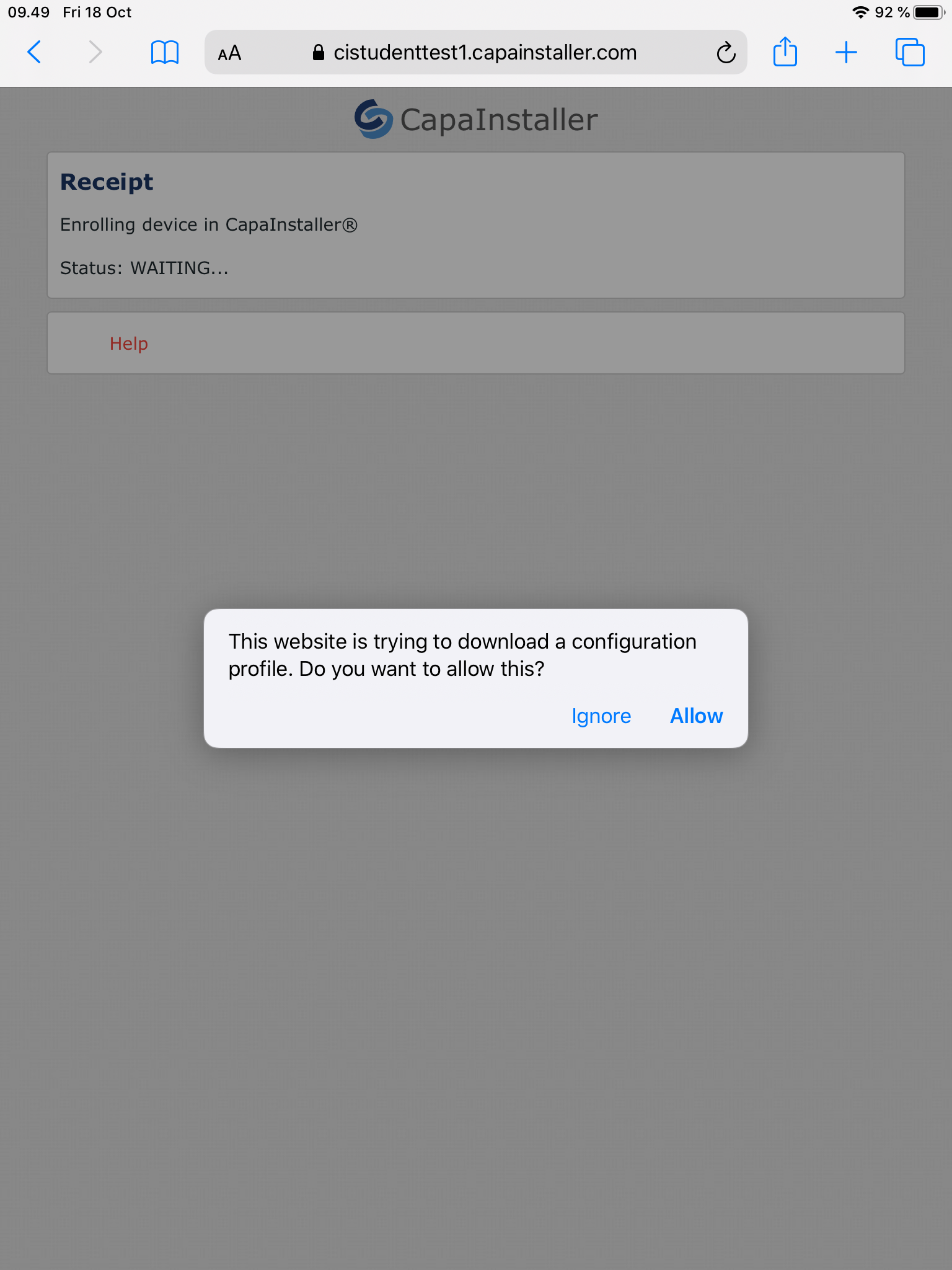 |
| 10 | Now go in settings, and click on “Profile Downloaded” 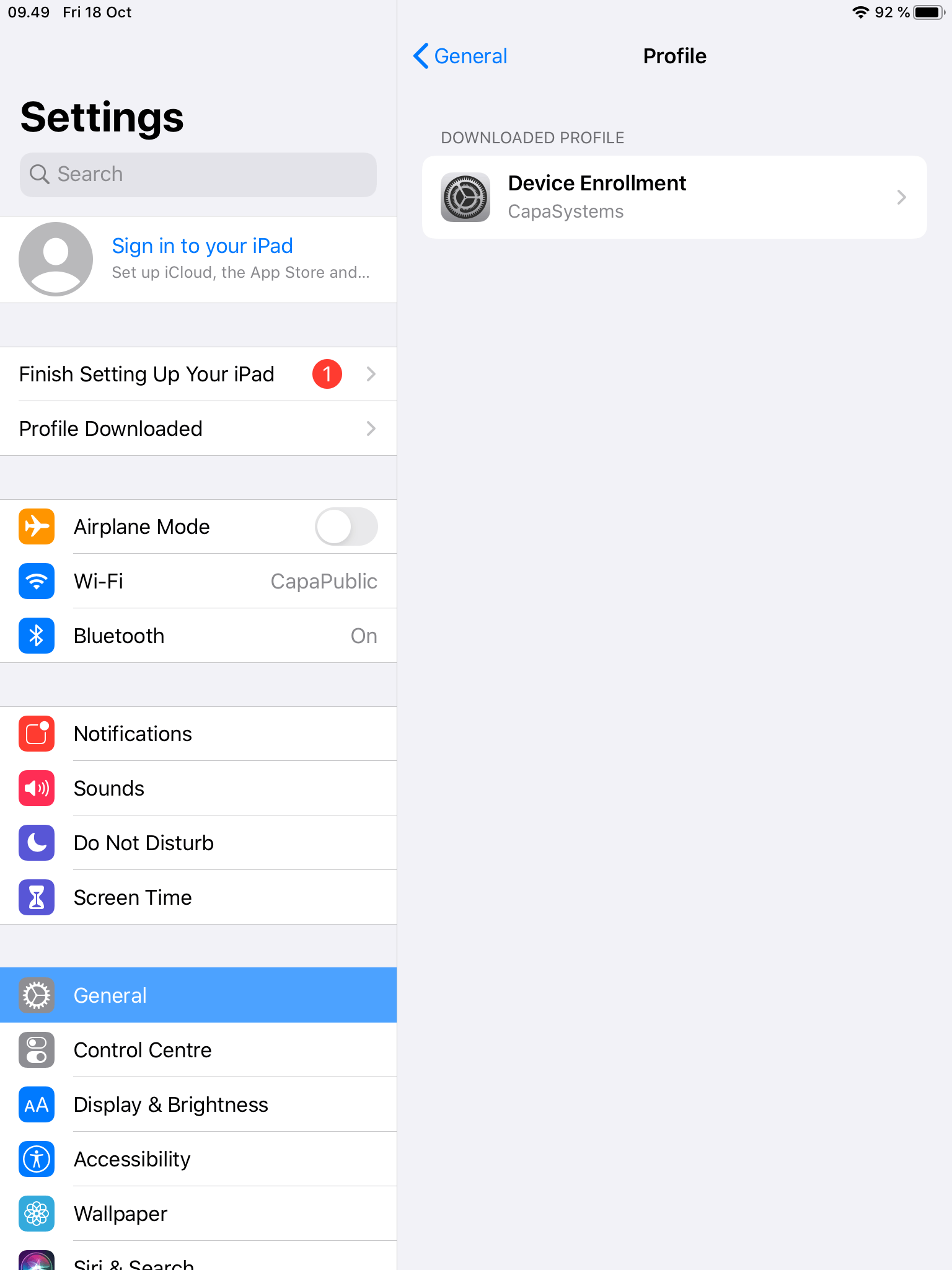 |
| 11 | Install your profile, and you have enrolled your iPad device successfully: 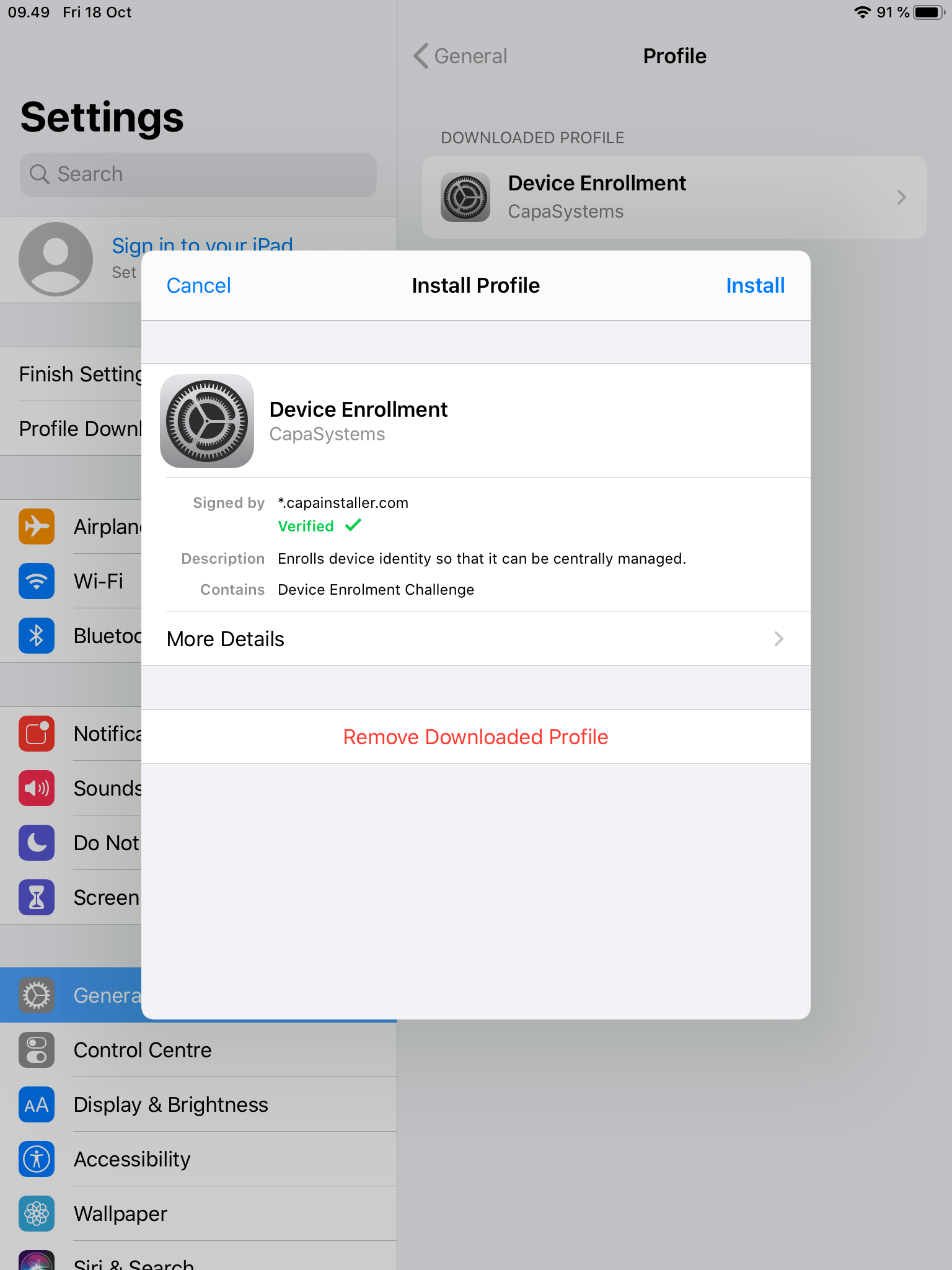 |