

Changelog full-text index search
A full-text index makes changelog searches faster, and lets the advanced search go further back than one year. If the change log contains more than 10 million records, you need the full-text index to use the advanced search.
To use the changelog full-text index search, you must install the SQL Server Full-Text Search feature, and create the full-text index on the text columns in the Changelog table.
-
Install the Full-Text Search feature on the SQL Server that hosts the CapaInstaller database. Run SQL Server Setup again, and add the feature Full-Text and Semantic Extractions for Search. On older SQL Server Express versions, the feature is only available in SQL Server Express with Advanced Services.
-
Create the full-text index on the columns
SystemDesc,UserDesc, andCreatedByin theChangelogtable. In SQL Server Management Studio, right-click theChangelogtable, select Full-Text index → Define Full-Text Index…, and follow the wizard.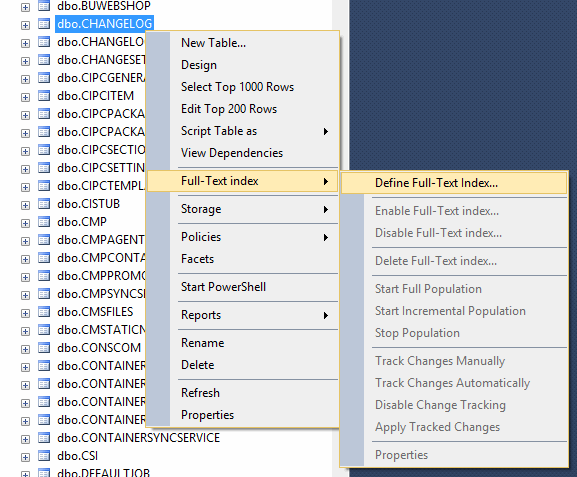
-
Wait until the full-text index is built. This can take some time, and the index can’t be used before it’s done.
-
In the console, select Tools → Options… → Change Log, and then select Enable Full-Text Index under Full-Text indexing. The setting is only available when the full-text index exists on all three columns.
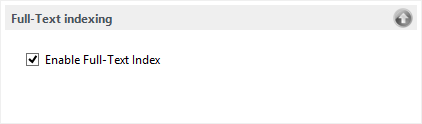
The changelog searches now use the full-text index. With the full-text index, you can only use a wildcard at the end of a word.