

Utilization View
The utilization views show which computers are above a specified utilization threshold, which is based on the performance of their CPU, memory, and hard drive.
This information can be used to determine which of the computers in the organization might be in need of maintenance or even hardware upgrades.
In order to gather utilization data on a computer, it needs to have the package ‘Performance Guard v4.1’ installed.
| Element | Description |
| Navigation pane | In the navigation pane, the Utilization views are available in Views. 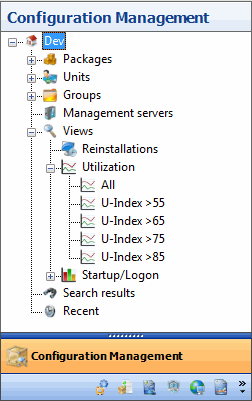 |
| Content view - Utilization views | When selecting ‘Utilization’ in the navigation pane the content view will be populated with all the existing utilization views. Here it is easy to see how many computers are performing unsatisfying. 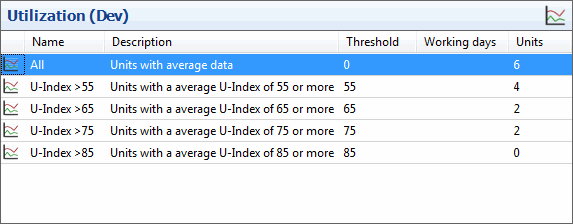 |
| Content view - Computers | When a utilization view has been selected in the navigation pane, the content view will be populated with computers above the threshold specified on the utilization view. 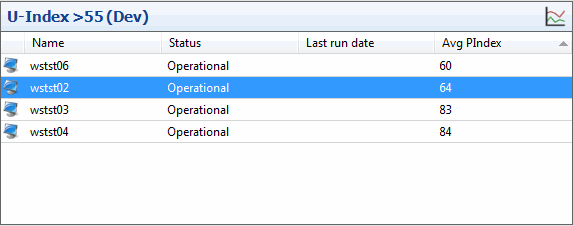 |
Right-clicking on a utilization view brings the following:
| Element | Description |
| Delete | This will delete the utilization view. |
| Properties | This will show the properties window for the utilization view. 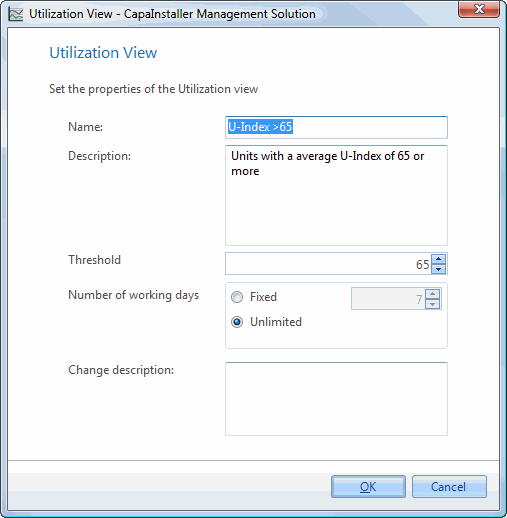 |
| If you want to… | You can… |
| Learn more about creating a utilization view | Create a utilization view. |
| Learn more about Performance Guard Integration | Performance Guard Integration. |