

Reinstall view
The reinstall view, called Reinstallations under Views in the console, shows all computers that are currently scheduled to be reinstalled or are in the process of being reinstalled.
A computer can either be directly scheduled for reinstallation or indirectly by being added to a reinstall group. It can only use one of those types at any given time.
The current state of the computer is shown in the view as well. The state is the progress that the computer reports during the reinstallation, for example Applying image 45% done. The console translates these standard states into the console language:
- Operational
- Pending Reinstallation
- Installing OS
- Installing (xx/yy)
Other states are shown as the computer reports them.
| Element | Description |
| Navigation pane | In the navigation pane, the reinstall view is available in Views. 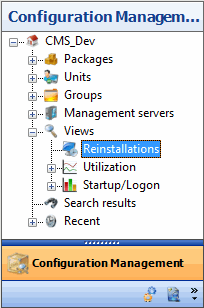 |
| The reinstall view | In the reinstall view, you can see if the unit has been scheduled to reinstallation directly, or indirectly through a group. The current state of the unit is also shown. 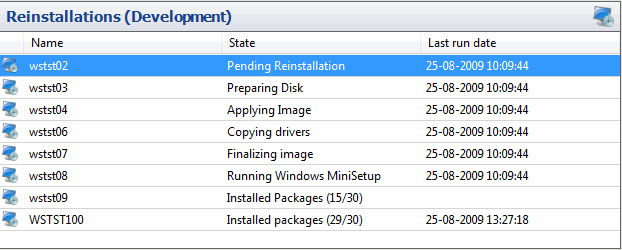 |
Related tasks
Section titled “Related tasks”| If you want to… | You can… |
| Learn more about reinstalling a unit | Reinstall a computer. |
| Learn more about reinstall groups | Reinstall groups. |