

Exchange Payload
Description
Section titled “Description”This payload can be used to configure a mobile device so it can connect to the company Exchange server.
Please note that an exchange payload can be made “general” and that there is no need for creating a payload for each individual employee.
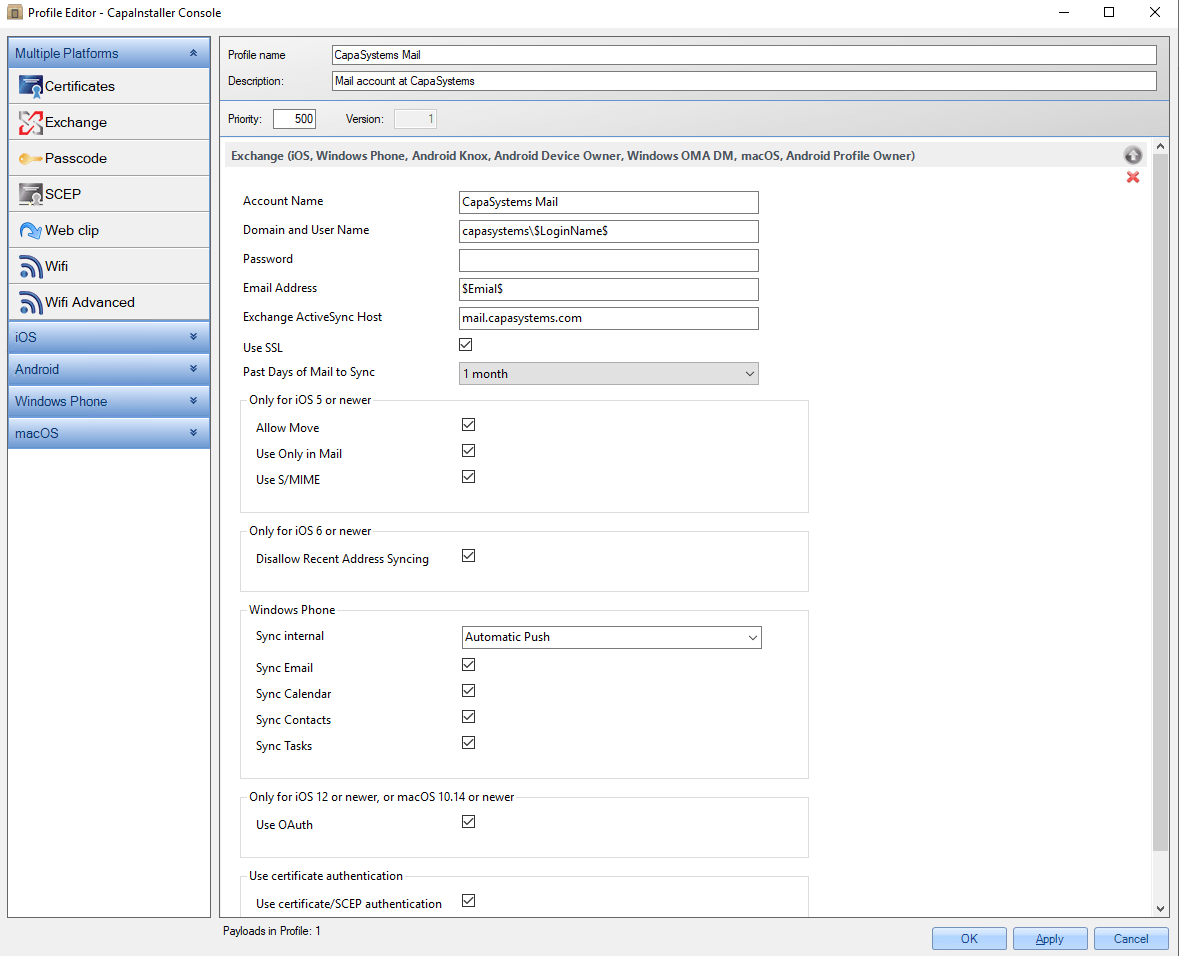
You can use user variables such as $LoginName$ and $Email$ in the fields. They are replaced with the values of the device’s primary user from Active Directory. For the full list, see Profile Editor.
Configuration
Section titled “Configuration”| MANDATORY | CONFIGURATION | DESCRIPTION | EXAMPLE |
|---|---|---|---|
| Yes | Account Name | Name for the Exchange ActiveSync/Web Services Account. this is used for the name of the payload. | |
| Yes | Domain and User name | This string specifies the user name for this Exchange account. If missing, the devices prompt for it during profile installation. Format is <domain>\<username>, for example mydomain\$LoginName$ |
capasystems$LoginName$ |
| Password | Optional. The password of the account. Use only with encrypted profiles | ||
| Yes | Email Address | Specifies the full email address for the account. The owners (primary user) email address must be injected upon delivery to the device. If not present in the payload, the device prompts for this string during profile installation. In OS X, this key is required. | $Email$ |
| Yes | Exchange ActiveSync Host | Specifies the Exchange server hostname (or IP address). In OS X, this key is required. | mail.capasystems.com |
| Use SSL | Specifies whether the Exchange server uses SSL for authentication. | ||
| Past days of Mail to Sync | The number of past days of mail to synchronize. (set I days) No limit = 0. (Not documented in Profile Reference) | 1 Month | |
| ONLY FOR IOS 5 OR NEWER | |||
| Allow Move | Optional. Default false. If set to true, messages may not be moved out of this email account into another account. Also prevents forwarding or replying from a different account than the message was originated from. | ||
| Use Only in Mail | Optional. Default false. If set to true, this account will not be available for sending mail in third party applications.. | ||
| Use S/MIME | Optional. Default false. If set to true, this account supports S/MIME. | ||
| ONLY FOR IOS 6 OR NEWER | |||
| Disallow Recent Address Syncing | If true, this account is excluded from address Recents syncing. This defaults to false. | ||
| WINDOWS PHONE | |||
| Sync internal | How often the device will sync with the Exchange server | ||
| Sync Email | Whether to synchronize email between the device and the server | ||
| Sync Calendar | Whether to synchronize the calendar between the device and the server | ||
| Sync Contacts | Whether to synchronize contacts between the device and the server | ||
| Sync Tasks | Whether to synchronize tasks between the device and the server | ||
| ONLY FOR IOS 12 OR NEWER, OR macOS 10,14 OR NEWER | |||
| Use OAuth | Specifies whether the connection should use OAuth for authentication. If enabled, a password should not be specified. | ||
| USE CERTIFICATE AUTHENTICATION | |||
| Use certificate/SCEP authentication | Specifies whether the connection should use certificate authentication for Exchange. |
End-user action
Section titled “End-user action”As a normal bulk deployment doesn’t know the end-users password, it will be empty. On the mobile device, the user will normally be prompted for the password, when the mail client is opened or after the profile is installed. Then the End-user can enter the correct password.
iOS example
Section titled “iOS example”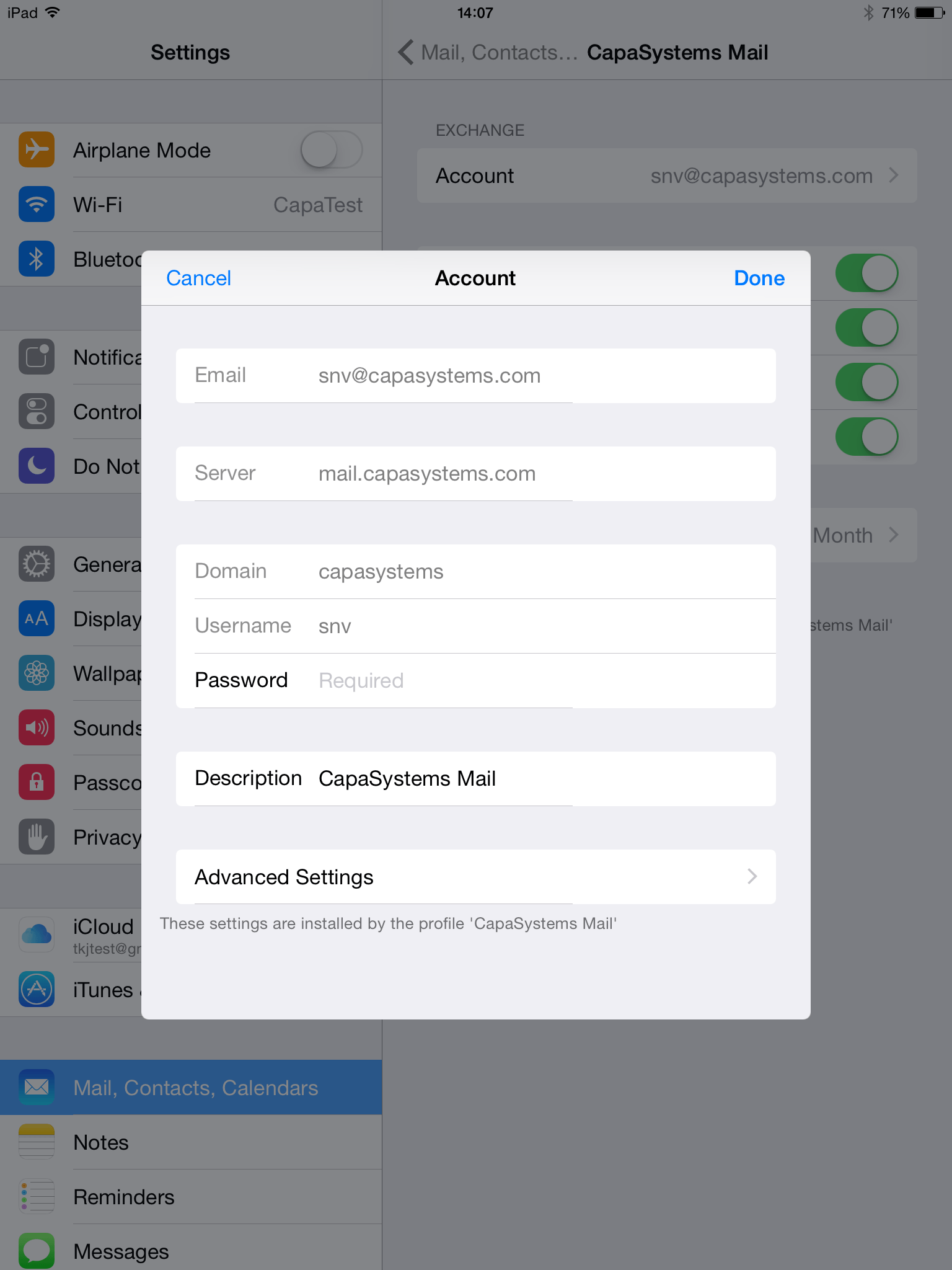
Android example
Section titled “Android example”| Samsung Knox device | Native Android device |
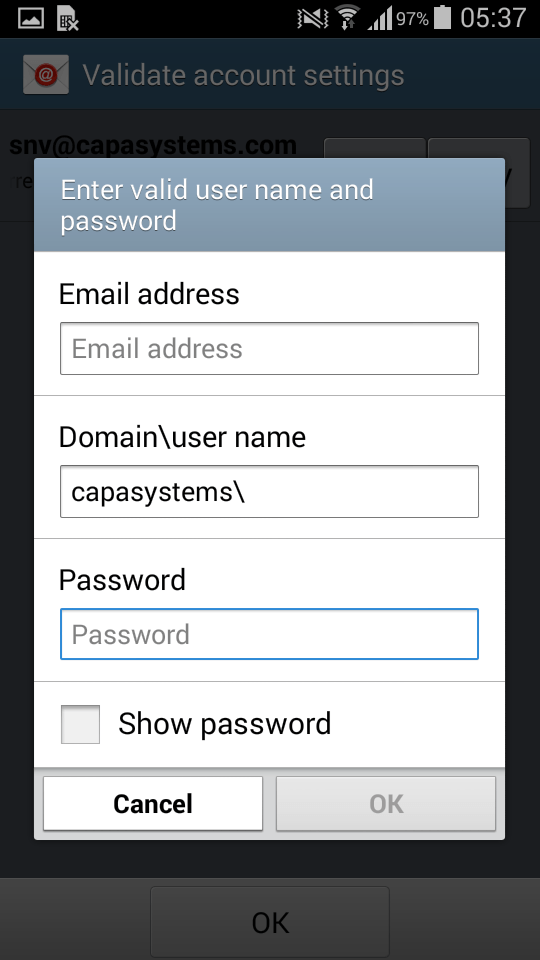 |
Native Android devices do not allow Exchange Account profiles. |