

Network Boot Profiles
Network Boot Profiles offers a fine grained way of delivering a customized boot configuration to a specific subset of devices, based on their network cards MAC adress.
This functionality offers control over the following network boot options:
- Direct the correct boot profiles to relevant groups of devices
- Block boot replies to irrelevant groups of devices
- Optimize download performance for specific devices during network boot
Requirements
Section titled “Requirements”Open Network Boot Profiles
Section titled “Open Network Boot Profiles”In the CapaInstaller console, go to System Administration, right-click OS Deployment Services in the service tree, and click Network Boot Profiles…. The Network Boot Profile window lists the existing profiles. Click New to create a profile, or select a profile and click Edit or Delete.
When you save a new profile, you’re asked whether to apply it to all PXE servers.
Device selection
Section titled “Device selection”To add a new profile, first give it a name and a description, and then choose which devices the profile affects.
Managed Devices: consists of devices already enrolled in CapaInstaller.
Vendors: makes it possible to create a match for all devices with a specific vendor prefix to their network cards MAC adress.
| Add a device |
|---|
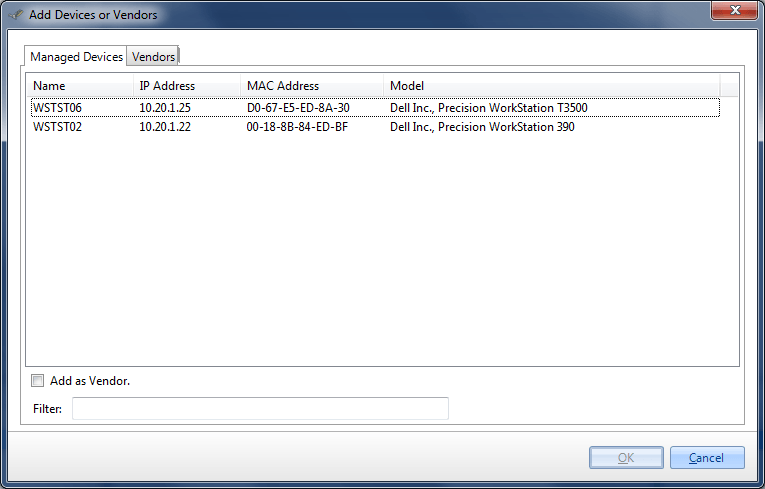 To add a specific subset of devices make a selection from the relevant list |
| Add a Vendor |
|---|
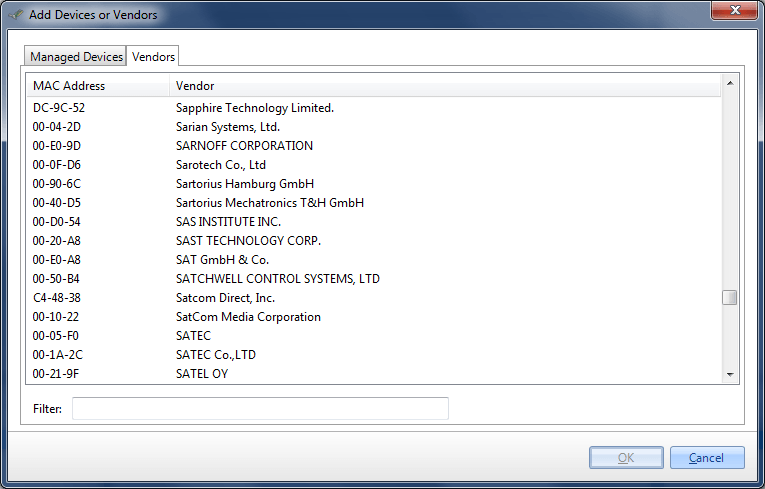 To add all devices with network card MACs registered to a specific vendor, select from the list |
All device recognition is MAC address based and the relevant network boot profile will only be offered to devices matching the selected criteria.
Configuration
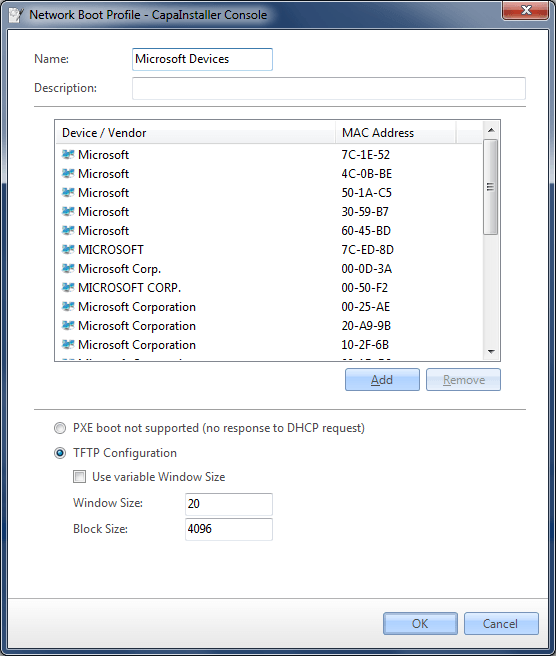
Section titled “Configuration”For the selected devices, choose Default Configuration, TFTP Configuration or PXE boot not supported (no response to DHCP request). Generally two types of configurations are available: Configurations aimed at specific network cards to improve performance with these or configurations disabling network boot responses to specific network adapters / devices.
Performance
Section titled “Performance”Booting from the network requires a download of an initial boot image. CapaInstaller uses the TFTP standard for this initial download.
Trivial File Transfer Protocol
Trivial File Transfer Protocol (TFTP) is the network protocol used for downloading all files during network boots, including the boot image. TFTPis an inherently slow protocol because it requires one ACK packet for each block of data that is sent. The server will not send the next block in the sequence until the ACK packet for the previous block is received. As a result, on a slow network, the round-trip time can be very long. This can be improved by configuring TFTPwindowing. TFTPwindowing enables you to define how many data blocks it takes to fill up a transfer window. The data blocks are sent back to back until the window is filled, and then an ACK packet is sent. The result is fewer ACK packets and much faster download times for the client.
Use variable Window Size: Allows the client and server to determine the largest workable window size, resulting in improved TFTP performance. Provides the ability to dynamically determine the optimal window size
Window Size: Increasing this, increases the amount of blocks sent every transfer window, this might improve performance, but some network cards don’t react well to large windows sizes resulting in actual decreased performance. Consult the specifications for the specific network card or device to determine the maximum window size in bytes.
More about the TFTP Windowsize Option - RFC7440
Block Size: The size of each block sent every transfer window. Increasing this can improve performance, but some networks, devices or network cards may not support larger blocksizes depending on LAN MTU or the NICs largest memory block size.
More about the TFTP Blocksize Option - RFC2348
No response
Section titled “No response”A configuration configured not to respond to network boot requests, offers the possibility to have network equipment listening to DHCP or BOOTPon the same subnet as computers that need to be able to network boot, without affecting the operation of these devices. Typical examples are IP telephony gateways, certain routers or printers that should not be offered a network boot image download. This way you can control this functionality directly in CapaInstaller instead of in the DHCP server configuration or by separating these on isolated subnets.
| Profile Configuration |
|---|
 |