
Export reporting history
Introduction
Section titled “Introduction”Reporting Services is a link between two reports, for more information about one of the items in the report. Reporting Services drill down is implemented in the reports with a hyperlink from one report to another report. The hyperlink is placed in one of the columns in the report and when clicking the hyperlink a new report is displayed with more information about the clicked item. In CMS it is possible to drill down with a computer, user, device, software, update, or package.
When a report with drilldown support is displayed, a number of drilldown Reports is selectable in a dropdown box. The available drilldown reports is located in the database and are deployed when enabling drilldown for a Reporting Services report.
| Step | Action |
| 1 | Click on File. |
| 2 | Click on Deploy to reporting services or Deploy predefined reports to reporting services. 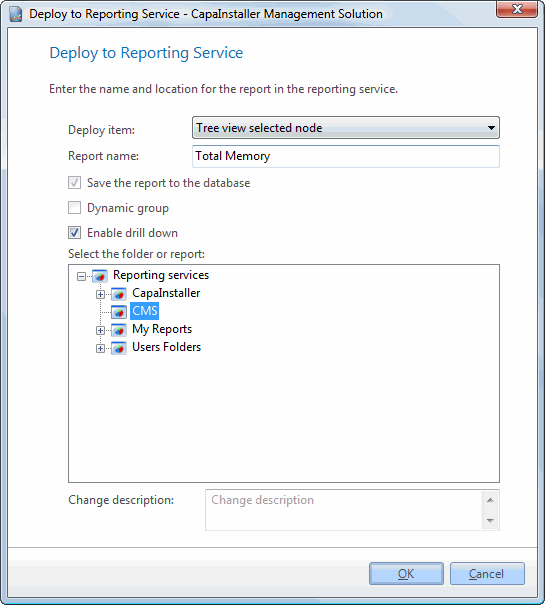 Or Or 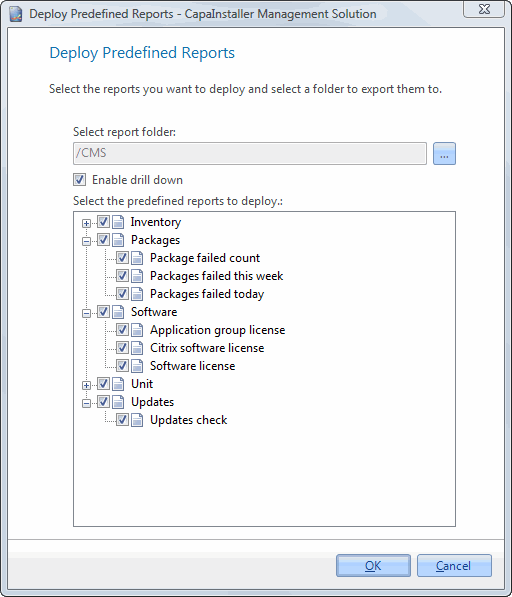 |
| 3 | Check the checkbox  . . |
| 4 | The drilldown reports it automatically deployed to folder /CMS/Drill down on the Reporting Services |