

Create a Package using Package Creator
CIPC offers a graphical interface for step-by-step package design. Use this procedure to create a package that is ready for testing.
-
Click New, or select File → New Package.

-
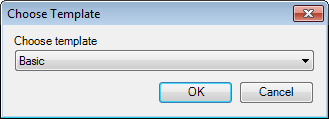
In Choose Template, select the template that matches the installation technology of the application, and click OK. See Templates.
-
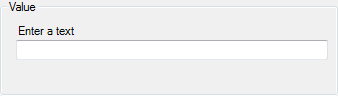
Enter values for the items in the tree view. Press Enter to move to the next item. The validation field at the bottom of the window lists the items that still need a valid value. See Treeview details.
-
When validation is complete, click Generate, or select Tools → Generate.

-
In the Package creation summary dialog, double-click a script to open it in your preferred script editor, and customize it as needed. See Package Creation Summary.
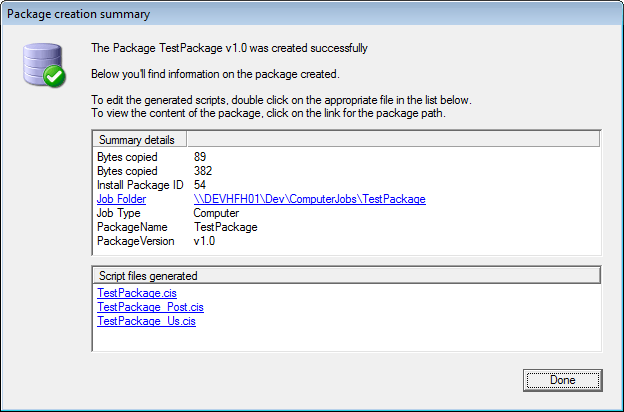
The package appears in the CapaInstaller Console under Packages on the selected management point, as a computer job or a user job depending on Job type. It’s linked to the selected management server and to its replica servers, and you can assign it to computers or users.
What Package Creator creates
Section titled “What Package Creator creates”When you generate a package, CIPC creates this folder structure on the share of the management point:
| Folder | Content |
|---|---|
ComputerJobs\<Name>\<Version> or UserJobs\<Name>\<Version> |
The job folder. The summary dialog links to it. |
...\<Version>\Kit |
A copy of all files and subfolders in Source root. |
...\<Version>\Zip |
The package files compressed into CapaInstaller.kit. |
...\<Version>\Scripts |
The generated scripts: <Name>.cis for install, and <Name>_uninstall.cis, <Name>_post.cis, and <Name>_us.cis if you enabled uninstall, post-procedure, or user configuration. The extension is .wsf if you selected Always use *.wsf script extensions in the options. |
If you generate the same package name and version again, CIPC moves the existing scripts to Scripts\BACKUP before it writes the new ones. Changes you made to the old scripts aren’t carried over, so copy them into the new scripts.
If generation fails, a summary dialog shows the error message. Use the ScriptGenerate Output, ScriptGenerate Log, and Application Log buttons to see the details.