

Assign Deployment template to a Installation type
You can assign a deployment template to installation types on an OS Point or on a Business Unit. A template assigned to the installation type takes priority over the templates assigned to the Business Unit and the OS Point.
-
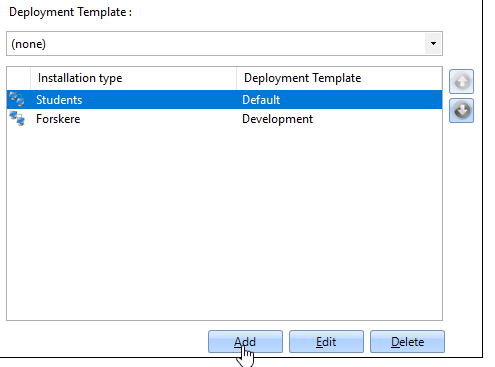
Open the list of installation types:
- For an OS Point: open the configuration of the OS Point and select the Installation types tab.
- For a Business Unit: open the properties of the Business Unit and select OS Configuration.
-
Select Add to create an installation type, or select an existing installation type and select Edit.
-
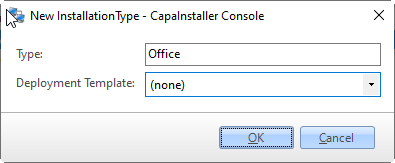
In Type, enter the name of the installation type.
-
In Deployment Template, select the template. Select (none) if the installation type shouldn’t have a template.
-
Select OK, and then select OK to save the configuration.
The template name appears in the Deployment Template column of the installation types list.