

Replicator Service Properties
Introduction
Section titled “Introduction”When the Replicator Service is deployed you have various properties you can change to make it fit your needs or environment. When you first install a replicator on a new machine, you should review and adjust these settings as required, but they can be changed afterward. You may need to return to these settings as you work with and fine-tune the solution. Each of the settings available in each tab of this window is described below.
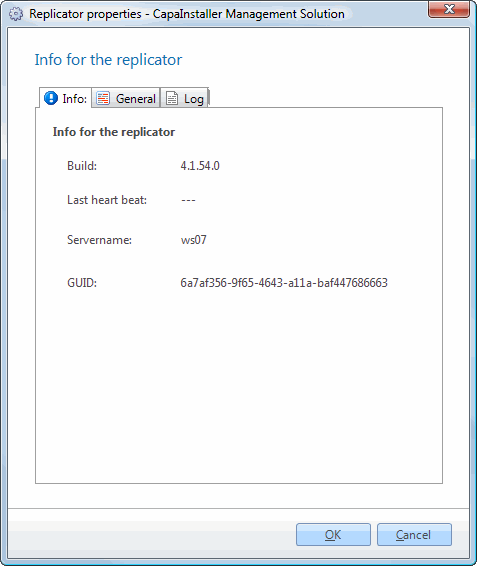
The main Replicator window shows you information about the replicator that is running.
Each time the Replicator Service starts it will look at the Management Point it is linked to, to see if there is a newer version available. If a new version is available it will update itself, and post the new build version to the database so you can see on the properties if the replicator is updated.
Each time the replicator is starting a new cycle in one of its assigned tasks it will update the last heartbeat and it’s the easier to see if it’s still alive.
| Element | Description |
| Build | The version of the replicator service. |
| Last Heartbeat | The date for when the replicator last reported that it is alive. |
| Server name | Name of the server running the Replicator Service. |
| GUID | Unique Identifier for the Replicator Service. |
General
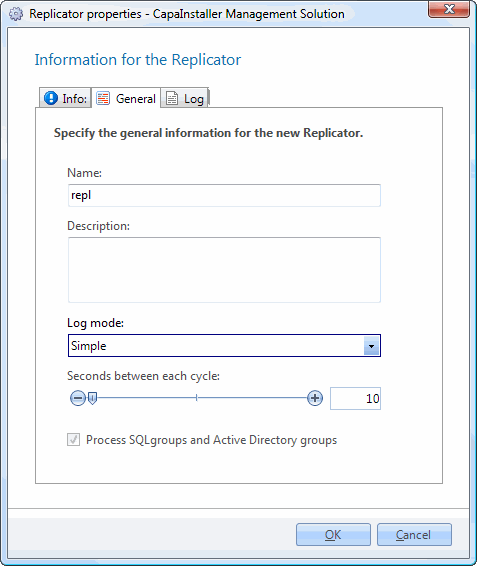
Section titled “General”The General tab shows you General information for the Replicator.
| Element | Description |
| Name | The Name of the replicator. This name is just a display name and can be changed. |
| Description | A description of the replicator. Is usually added by the Administrator of the system to describe the replicator to managers. |
| Log Mode | Sets the log mode: - Simple: Logs schedule progress and errors. - Advanced: Extends simple log with progress logs of each task the replicator is running. Use Simple for daily usage and only use advanced for error tracking. Advanced logging mode can generate many logs. |
| Second between each cycle | Number of seconds between each check for new tasks. The default is 10 seconds, and the replicator will then every 10 seconds check if any of the tasks it has to or is processing has changed configuration. |
| Process SQL and Active Directory groups | When chosen lets this replicator process SQL and Active Directory groups. This task is the only database related and will not need any access to any Management Server. This task can be processor and memory consuming because it is manipulating large amounts of data in memory, and is accessing the Active Directory. In very large environments it is recommended to have one replicator dedicated to this task. |
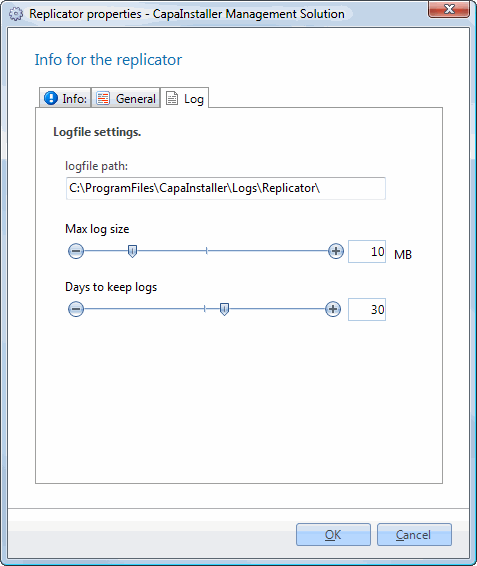
The Replicator keeps a log of all of its actions. Using the default installation settings, Replicator log files are stored in C:\Program Files\CapaInstaller\Logs\Replicator. The log files are named as the tasks they are related to. E.g. Unit.log will show logs related to Units. When in Advanced Log Mode it will create a <Task>_Debug.log (Unit_debug.log) where you can see the progress of units
| Element | Description |
| Logfile path | Path to where the logs are located. |
| Max log size in MB | Max size for each log file. When a log file reaches max size it will be truncated to a history log file and then emptied. |
| Delete log older than | Log files older than this will be deleted. |