

Device Link to CapaOne
This guide shows you how to link your devices to CapaOne. There are two options, both shown below:
- Run a PowerShell script on the client.
- Pass the CapaOne Agent Package to the client.
How to link your device with CapaOne with CapaSystems CapaOne Agent Package:
| Description | |
|---|---|
| 1 | In your root Configuration Management Point, go to Applications and Packages → Computer Packages → CapaInstaller. Here you find the CapaOne Agent package. To use it in another Configuration Management Point, promote it from the root point. 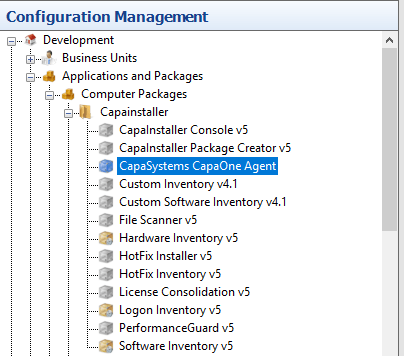 |
| 2 | Link the package to the computers. 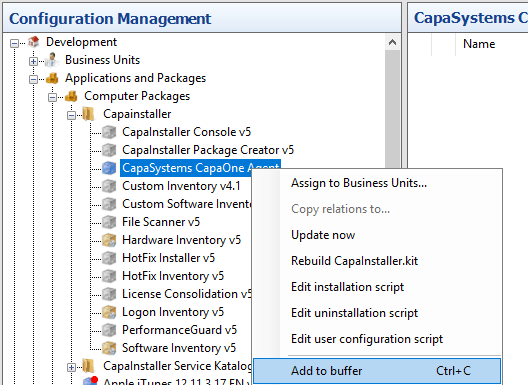 |
| 3 | When the package status is Installed on the client, and Hardware Inventory has run, right-click the client and select CapaOne dashboard…. The device opens in the CapaOne dashboard at https://dash.capaone.com. 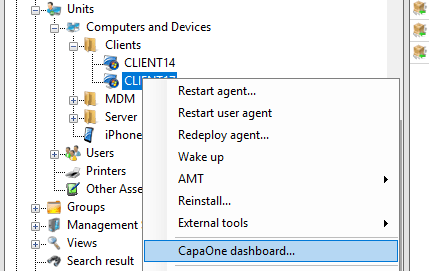 |
| 4 | Sign in to https://dash.capaone.com, and verify that you can see your client in your dashboard view. 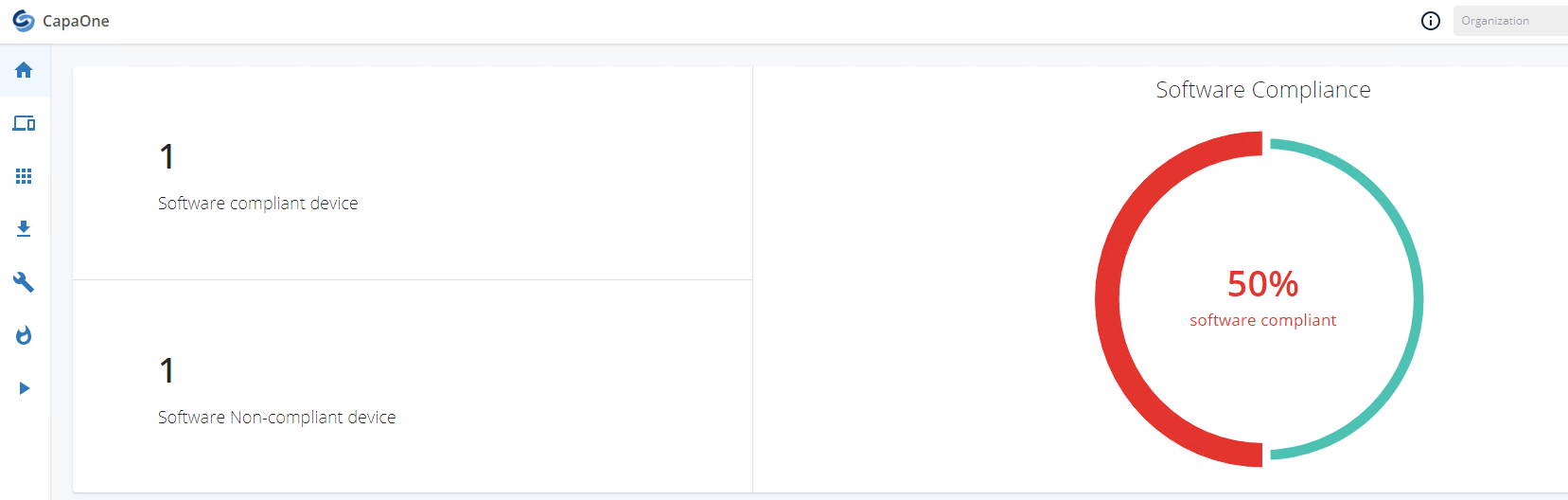 |
How to link single devices to CapaOne with PowerShell script:
| Description | |
|---|---|
| 1 | Sign in to your https://dash.capaone.com account. 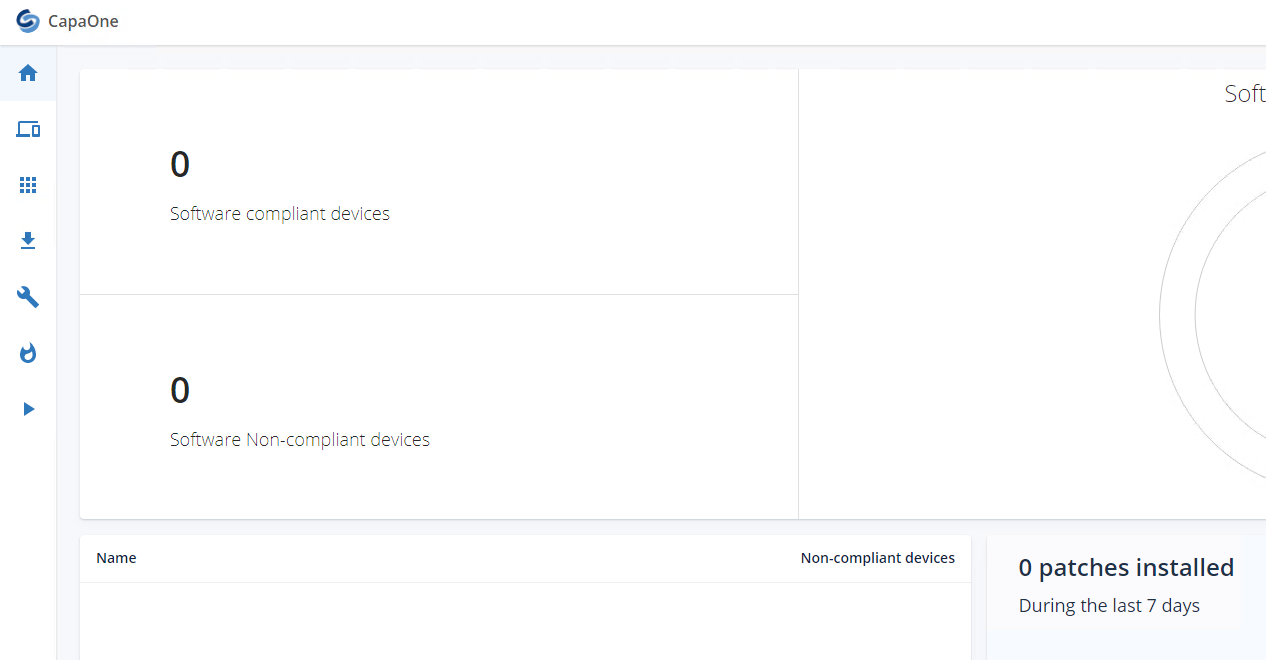 |
| 2 | Click the Download and install agent tab, and copy your PowerShell script. 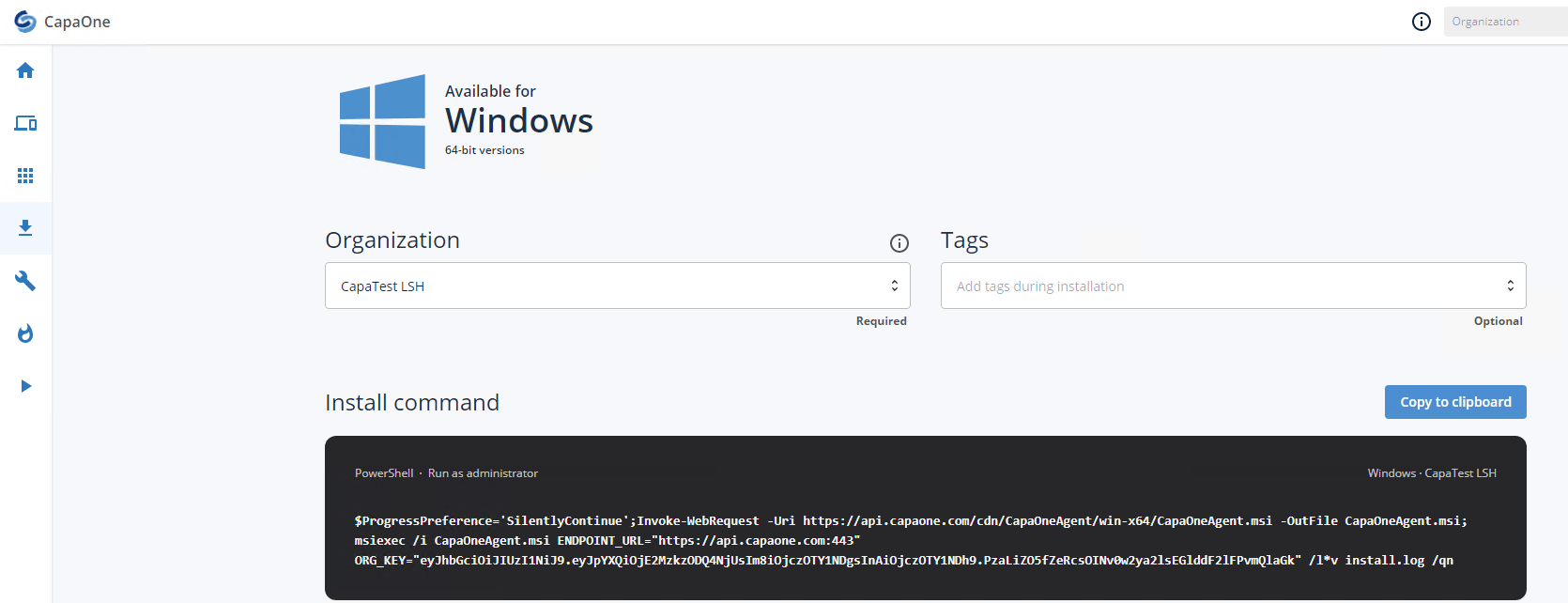 |
| 3 | Paste the PowerShell script into PowerShell on the client, and run it. 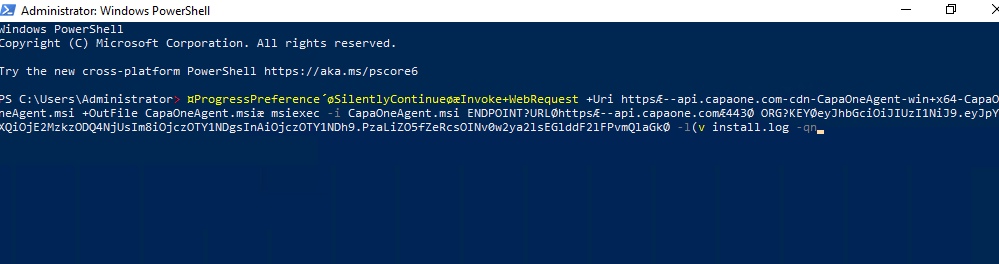 |
| 4 | Make sure that the client is now linked to CapaOne in your https://dash.capaone.com account. 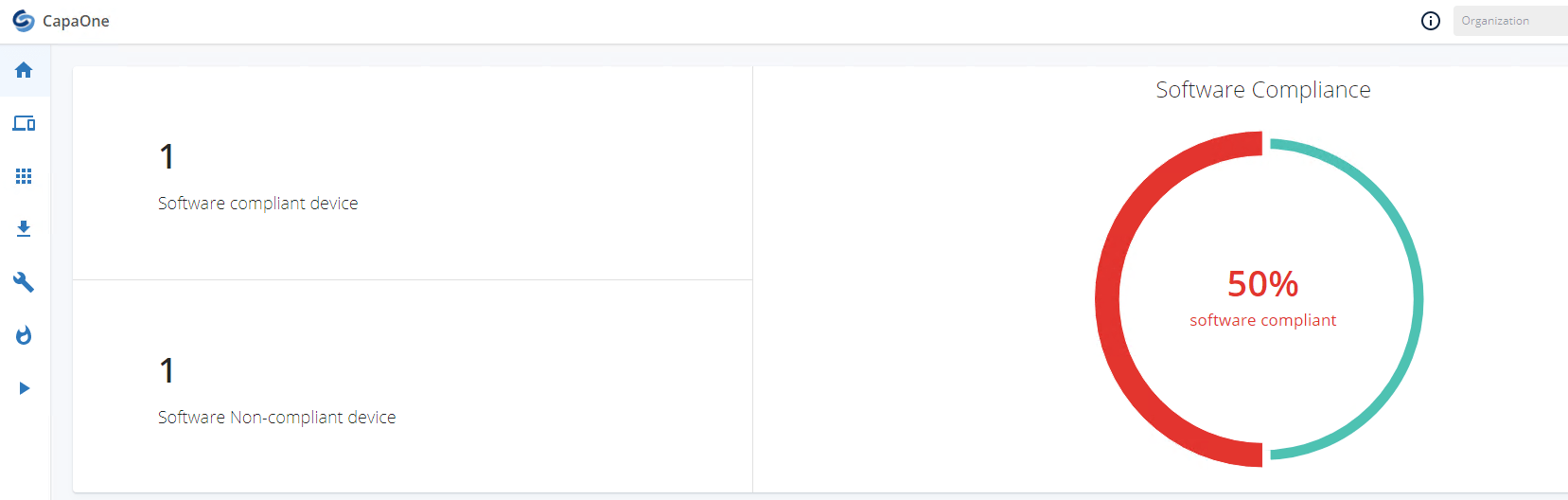 |