

Create Security Profiles
A profile gives the members of an Active Directory group access to the CapaInstaller Console. After you create the profile, you can link Management Points to it and set its security rights.
-
In System Administration, expand Security Management.
-
Right-click All profiles and select New….
-
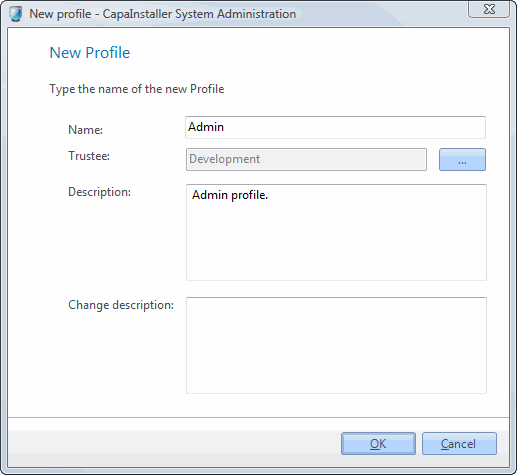
Enter a Name for the profile.
-
Next to Trustee, click … and select the Active Directory group whose members get the profile.
-
Optionally, enter a Description.
-
Optionally, enter a Change description for the changelog.
-
Click OK.
The profile appears under All profiles. Next, link Management Points to it. See Link Configuration Management Points.
Read more: Profile rights