

Data Connection Service
The Data Connection Service gives programs and services outside the firewall access to the CapaInstaller database. It provides HTTP communication to services placed outside the primary firewall, so you don’t have to allow SMB and SQL server traffic through the firewall.
Services such as the Replicator Service and the Synchronization Service can connect to the database through a Data Connection Service. You select this on the Database tab of the service settings of each service.
- The default port is
5026. - A Management Point must exist before you can deploy the service. See Deploy Data Connection Service.
To open the settings, right-click the Data Connection Service in System Administration and select Service settings….
General
Section titled “General”This tab resembles the property page of the service in Services in Windows.
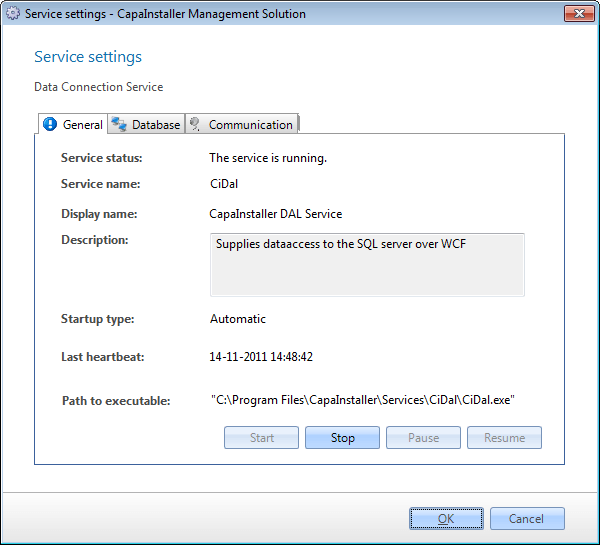
| Element | Description |
|---|---|
| Service status | Status of the Data Connection Service, as shown in Services in Windows. |
| Service name | The name of the service used by the operating system. |
| Display name | The name shown in Services in Windows. |
| Description | Description of the service. |
| Startup type | Automatic, manual, or disabled. The default value is automatic. |
| Last heartbeat | The time of the last heartbeat from the service. |
| Path to executable | The full path to the program that the service starts. |
Database
Section titled “Database”On the Database tab, you change the authentication method to the SQL server.
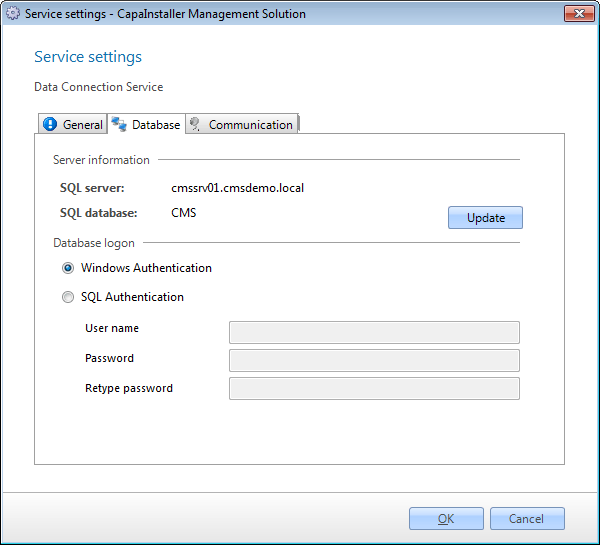
| Element | Description |
|---|---|
| SQL server | The SQL server that the Data Connection Service connects to. |
| SQL database | The SQL database that holds the CapaInstaller database. |
| Update | Updates the service configuration with the current database. |
| Windows authentication | The Data Connection Service connects to the database with the computer account of the server. |
| SQL server authentication | The Data Connection Service connects to the database with the credentials in the User Name and Password fields. |
| User Name | The user name used to connect to the database when SQL server authentication is selected. |
| Password | The password for the user name. |
Addresses
Section titled “Addresses”On the Addresses tab, you change the URL, the ports, and the certificate.
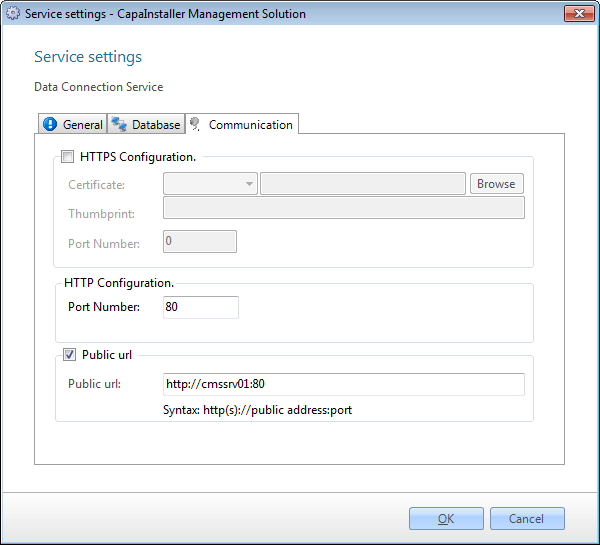
| Element | Description |
|---|---|
| Port number (HTTP) | The port number used for HTTP communication. |
| HTTPS Configuration | Enables HTTPS for the service. |
| Certificate | The certificate used for HTTPS. Click Browse to select a certificate. |
| ThumbPrint | The thumbprint of the certificate. |
| Port Number (HTTPS) | The port number the service listens on for HTTPS. |
| Public URL | The URL used to communicate with the service from outside the firewall. |
Click OK to save your changes, or Cancel to close the dialog without saving.