

Database Checker
The Database Checker is used to verify that the CapaInstaller database layout is correct according to the released version. The Database Checker will download an XML file from the web, which is the released version, and compare it with your currently running CapaInstaller database. Your running CapaInstaller database layout is referred to as the CurrentDatabase, and the released database layout from the XML file downloaded from the web is referred to as XmlLayout.
Database Checker is meant to be used when unexpected SQL errors are found in log files. Then run the Database Checker to make sure the database is compliant.
Database Checker will check the following items in the database
| Item | Description |
|---|---|
| Tables | First, check if each table exist, and then for each table checking the following items - Columns exist - Columns datatype and datatype size is equal - Primary key exists - Index exist - Unique Constraint exist - Foreign key exists - Trigger exist |
| Views | Does the view exist, and are the script identical |
| Stored Procedures | Does the Store Procedure exist, and are the script identical |
| User-Defined Functions | Does the User-Defined Function exist, and are the script identical |
| Roles and Rights | Do each role exist, and does it contain the right |
Errors and warnings
Section titled “Errors and warnings”| Issue type | Description |
|---|---|
| Error Critical | These are critical errors found in the current database, that needs to be fixed, for the CapaInstaller system to be running correctly. |
| Error | These are errors found in the current database, that needs to be fixed for the CapaInstaller system to be running correctly. |
| Warning | These warnings are issues found in the current database, that should not exist in the layout. It could be tables, columns, etc. added by the user. |
| OK |
Run the Database Checker
Section titled “Run the Database Checker”| Step | Action |
|---|---|
| 1 | Go to System Administration, and click Actions and then the Database Checker menu item. 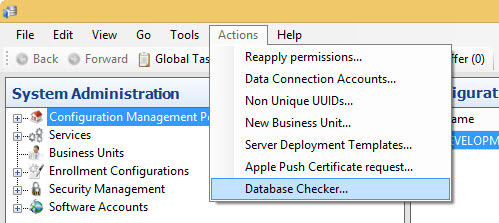 |
| 2 | Opening the Database Checker will look like this 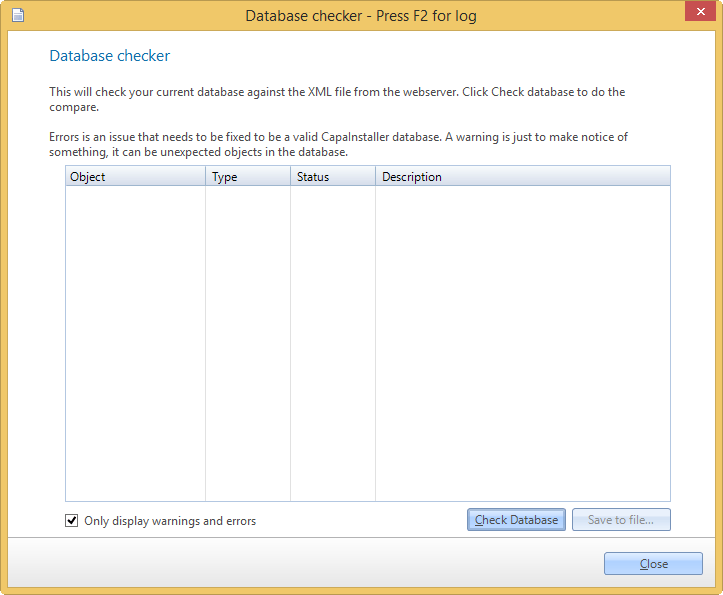 |
| 3 | Click Check Database to start comparing the current database layout, with the layout from the XML file from the web. Select Only display warnings and errors to hide the items that are OK. If no errors or warnings are found, the Database Checker will look like this 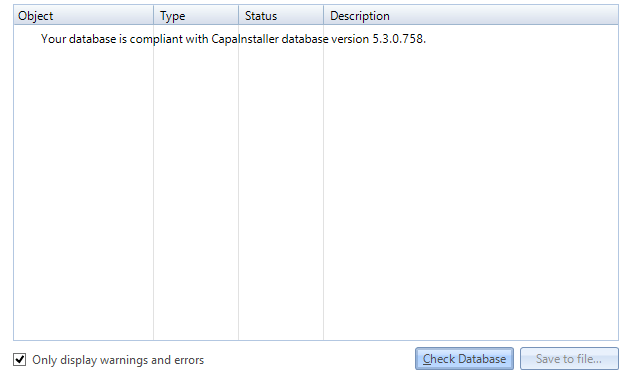 |
| 4 | The Database Checker will look like this if errors or warnings are found in the database layout. 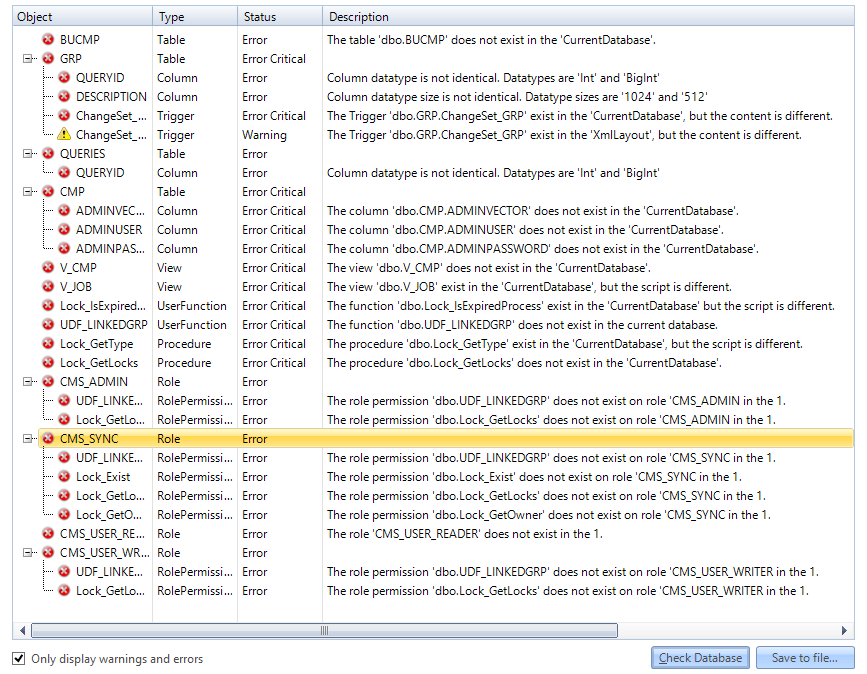 |
| 5 | Click Save to file… to save the errors and warnings into a text file. You choose the location of the file, and then you can send the text file to CapaInstaller Support. To see the Database Checker log, press F2 in the dialog. 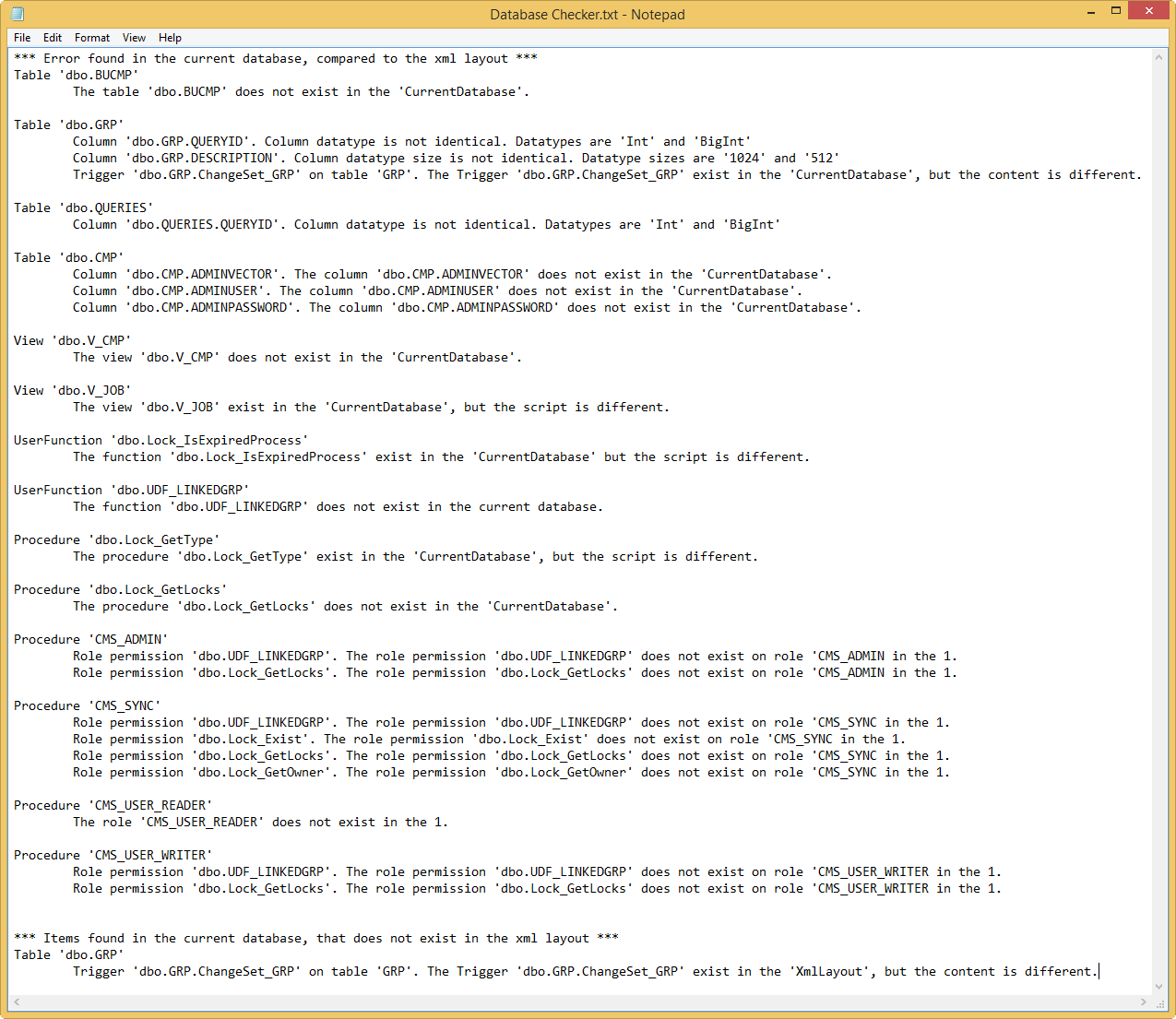 |