

Treeview details
The following is a description of the tree view on the main menu screen. Which sections you see depends on the template you selected.
| Element | Description |
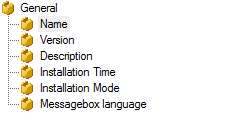 |
The General section defines initial values and options for the package. Each of the possible settings is described below. The settings displayed will depend on the template and the generator. Further detail General settings |
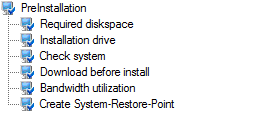 |
The PreInstallation section defines the preinstall task that is executed prior to the application installation. Each of the possible settings is described below. The settings displayed will depend on the template and the generator. Further detail Preinstallation |
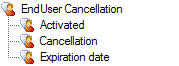 |
The End User Cancellation section defines options that may allow users to postpone the installation. This setting supports the change management process, regarding the release. Further detail End user cancellation |
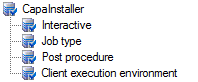 |
The CapaInstaller section defines how your packages will interact with the CapaInstaller Management Solution. Further detail CapaInstaller settings |
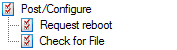 |
The Post/Configure section defines reboot options and defines a post check to decide whether an installation has completed successfully or not. Further detail Post Configure setting |
 |
The User configuration section is used to specify that user settings should be applied as part of the package installation. The technique used makes it possible to target both logged on users and users that log on after the package has been installed. Further detail User configuration |
 |
Use the report section to define various reporting options. Further detail Reports |
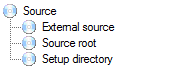 |
The Source section is used to identify the content of the package. Further detail Source |
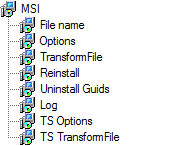 |
From the MSI section, it is possible to control how the installation is done, specify options, transforms, and define behavior if started on a terminal server. The settings displayed will depend on the template (Windows Installer and Windows Installer patch). Further detail MSI |
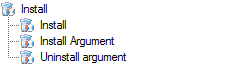 |
The Install section applies to the Generic Installer, InstallShield, and WiseInstaller templates. Further detail Install section |
| Installation mode | Controls how a virtual package is applied — Import, Activate, Deactivate, or Delete. Further detail Installation mode |
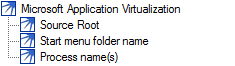 |
This template is to be used to create virtual Microsoft Application Virtualization packages. Further detail Softgrid |
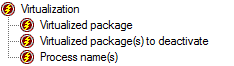 |
The Virtualization section is shown for the SWV template, used to deploy Symantec Workspace Virtualization (SVS) layers. Further detail Virtualization |
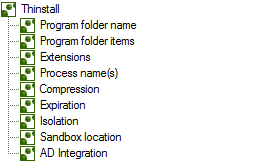 |
This template is to be used to create virtual Thinstall packages. Further detail Thinstall |