

Re-create Patch Management Point or Group
If you get a notification or the Points or Groups are marked as not existing on Wsus Server, then do the following to re-create the Patch Management Points and Groups on the Wsus Server.
| Step | Action |
| 1 | With deleted or missing Points or Groups, the treeview could look like this, with one or more Point and Group with black and white icons 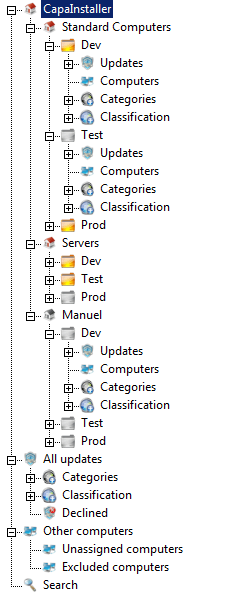 |
| 2 | The Notification looks like this 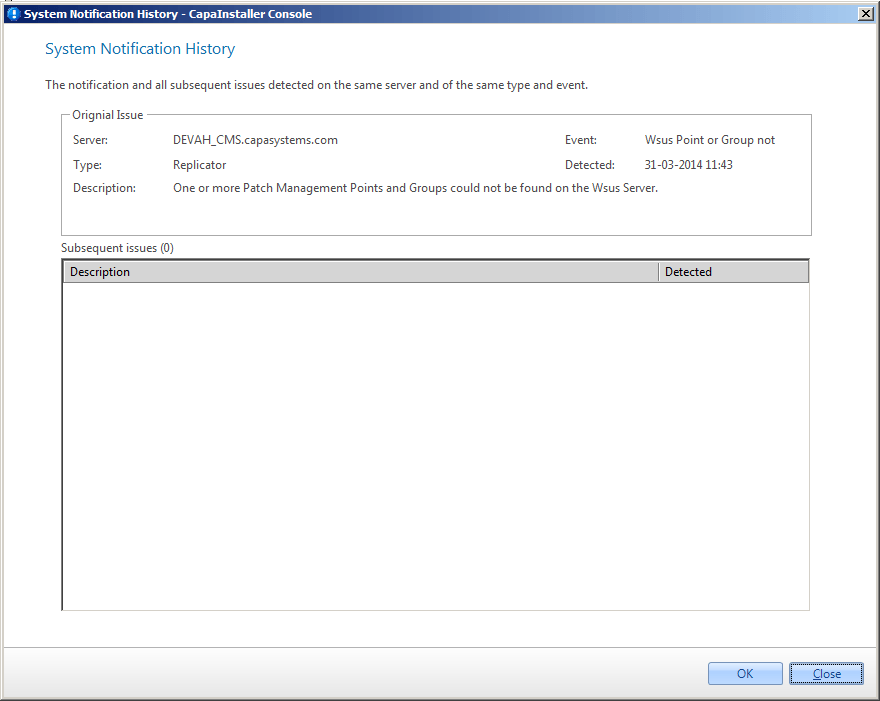 |
| Step | Action |
| 1 | Go to the System plugin. Find the Patch Management Service. Right-Click the Service and choose Service Management 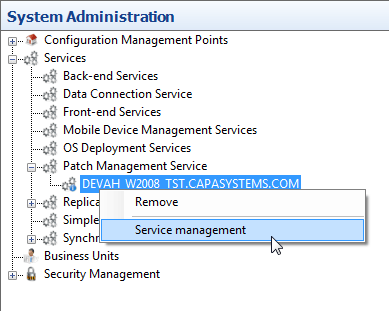 |
| 2 | Go to the Move tab and check the This Service has moved or uninstalled. This will have the service check if all Points and Groups exist on the Wsus Server. If they do not exist, the service will re-create it. After that, the update approval status from the database will be synchronized to the Wsus Server. 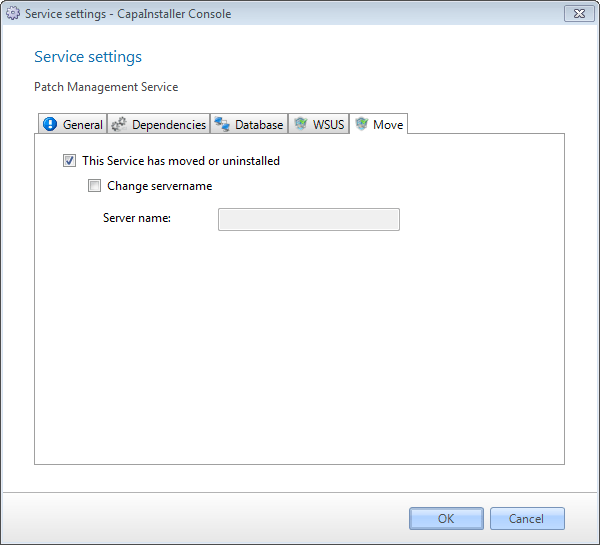 |
| 3 | Click OK |
| 4 | Then restart the Patch Management Service |
| If you want to… | You can… |
| Create a root point | Patch Management root points |
| Create a child point | Create a Patch Management child point |
| Move Service | Patch Management Service settings |
| Approve updates | Approve updates |