

Import a printer
A printer can be imported to CapaInstaller from Configuration Management using a lookup in the active directory.
| Step | Action |
| 1 | Right-click on the printers folder in Configuration Management, click Import. |
| 2 | Click Update and the printers will be loaded from the active directory. 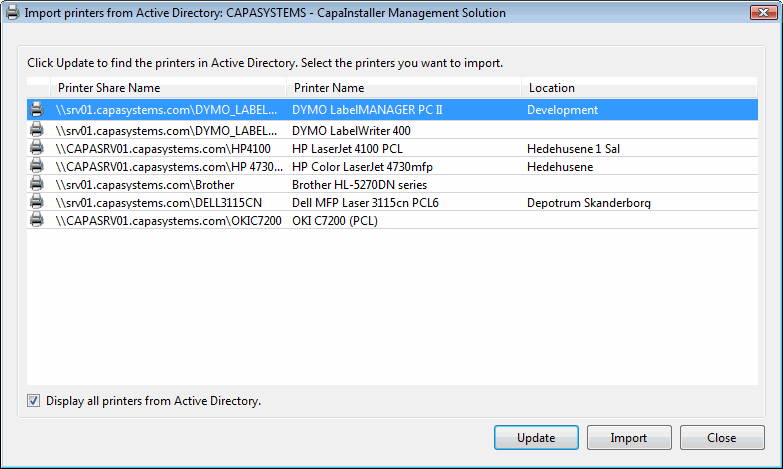 Display all printers from active directory will show those printers which already exist in CapaInstaller. Display all printers from active directory will show those printers which already exist in CapaInstaller. |
| 3 | Choose one or more printers from the list and click Import to import the printer. |
| Icon | Description |
 |
The green checkmark indicates that the printer has already been imported. |
 |
The printer icon indicates a printer that has not yet been imported. |
 |
The red symbol on the icon indicates an imported printer that has been deactivated. |