

Management server properties
You set up and customize the Management Server from its Properties, which are available in both System Administration and Configuration Management. The settings are then stored in the database, where they are accessible to the Replicator. These settings establish the location of each Management Server and the policies for replicating packages between Management Servers. The different properties are described below.
General
Section titled “General”The General tab enables you to establish the basic properties of the container, including its name, location, Replicator, and synchronization policy.
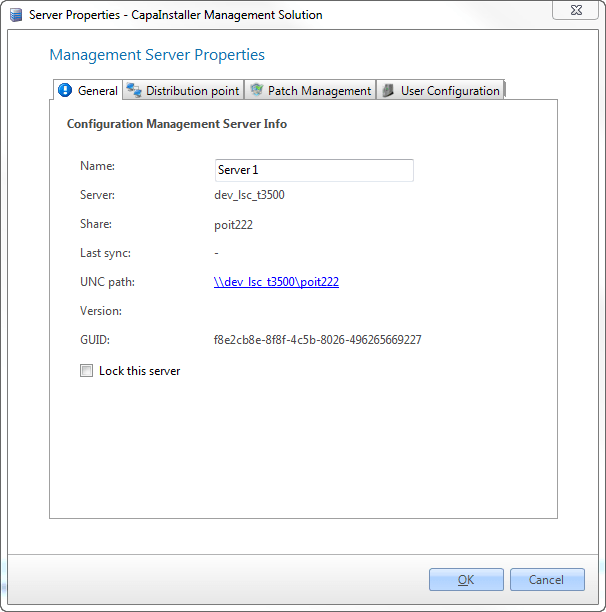
| Element | Description |
| Name | This is the name of the Management Server in the CMS console. |
| Server | This is the name of the server. |
| Share | This is the name of the share on the server. |
| Last sync | The last date the server was synchronized. |
| UNC path | This is the path to the \server\share |
| Version | This is the Version of the Management Server |
| GUID | This is the unique identification of the Management Server in the CMS system. |
| Lock this server | Locks the server for agent access |
Distribution Points
Section titled “Distribution Points”The purpose of “Distribution-point” is to allow clients to automatically use the nearest Container when downloading packages. The calculation is based on the client’s IP address.
Specify the IP ranges that the container should support.
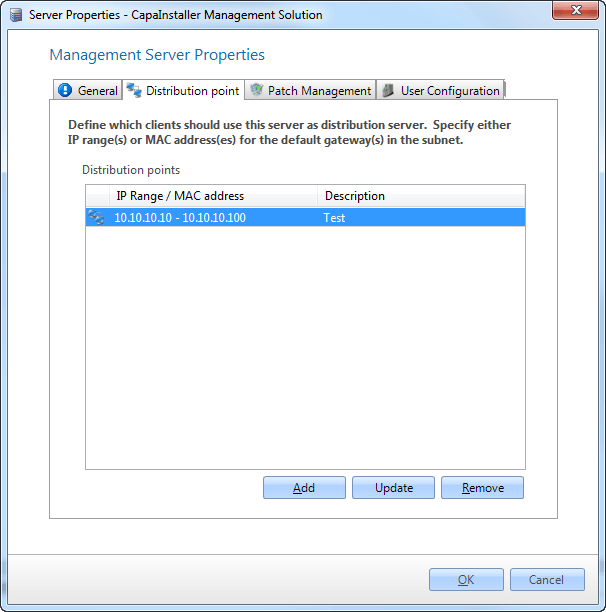
| Element | Description |
| Add IP Range | Enter an IP range. The range is not allowed to conflict with any existing IP ranges for this Management Server. |
| Description | An internal CMS description. |
| Distribution points | List of all IP ranges for this Management Server. |
Patch Management
Section titled “Patch Management”The Patch Management tab is only available when Patch Management is licensed.
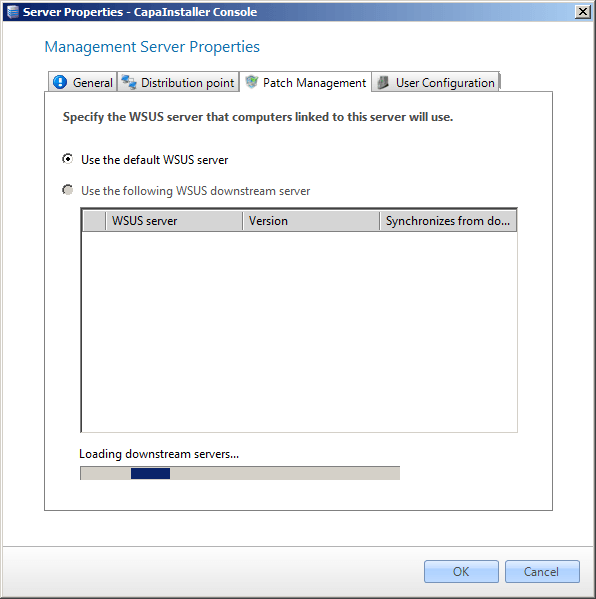
| Element | Description |
| Use the default WSUS Server | The default WSUS server will be used to handle this Management Server. |
| Use the following WSUS downstream Server | A specific WSUS server can be selected to handle this server. |
User Configuration
Section titled “User Configuration”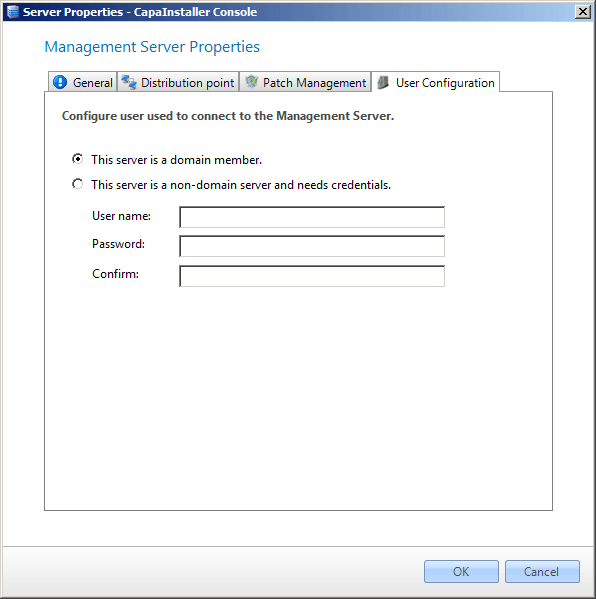
| Element | Description |
| This server is a domain member. | Select this if the server is a member of the domain. |
| This server is a non-domain server and needs credentials. | Specify the credentials that services and other components use to access the server. |