

Main window
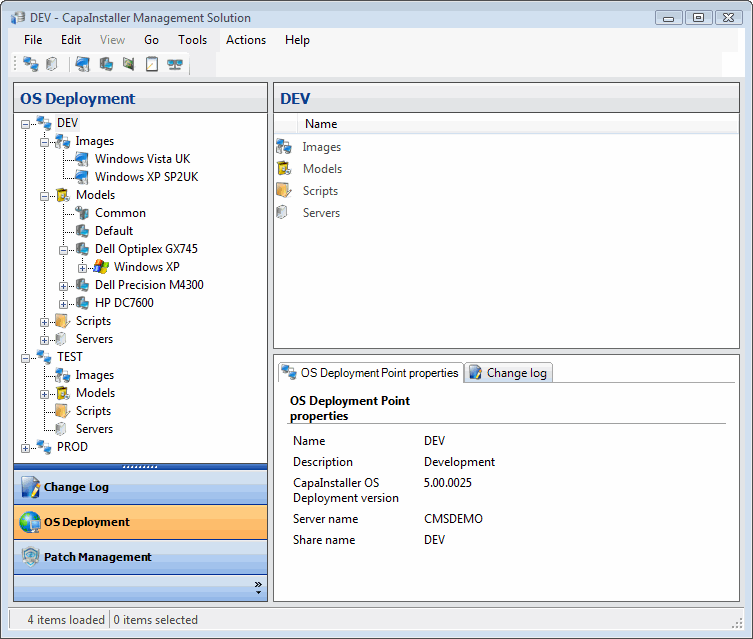
The following is a description of the main window – its structure and the different areas.
| Element | Description |
 |
Menu bar. |
 |
Toolbar. Each plugin has its own toolbar. |
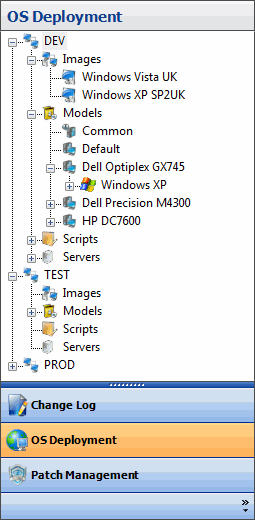 |
Navigation pane. Top most: The top most part of the navigation pane typically shows a treeview. Each plugin will have its own treeview with nodes that represent entities available for that particular plugin. Bottom most: Outlook-like navigation that is used to switch between plugins. It is possible to rearrange the order, minimize certain buttons, and also to hide unwanted buttons. |
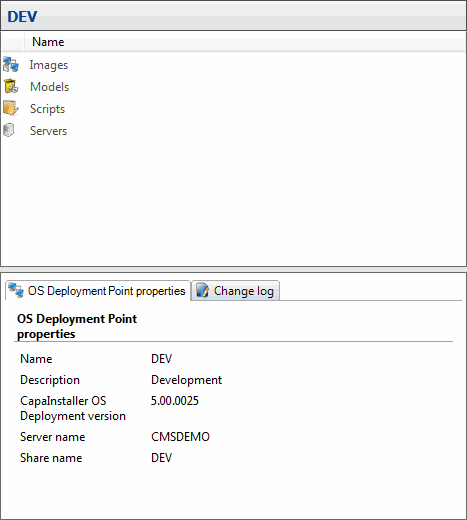 |
Content pane. This pane will change view depending on the selected item in the navigation pane. Detail view |
 |
Status strip. Some plugins will be using this part of the user interface to display various types of information. |