

Update now
Update now runs a synchronization job on demand, instead of waiting for the next scheduled synchronization. You can use it on packages in Configuration Management, on servers in System Administration, and on objects in OS Deployment.
Run Update now
Section titled “Run Update now”-
Right-click the package, server, or OS Deployment object, and then select Update now.
-
Choose the reach or the priority of the synchronization, as described below.
-
Optionally, enter a Change description. It’s saved in the change log.
-
Click Next. The synchronization jobs are processed and created in the database.
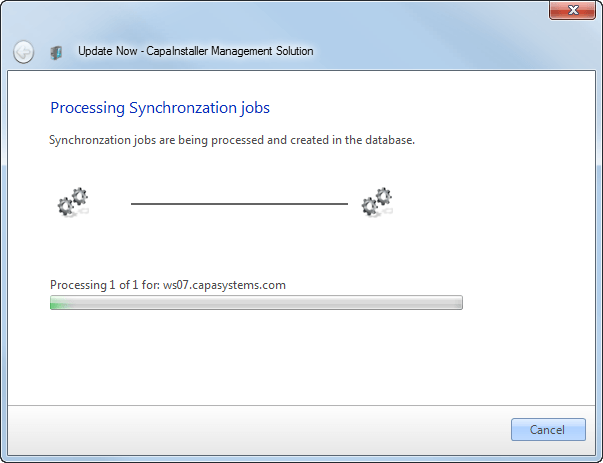
-
When the wizard shows Completed, click Close.
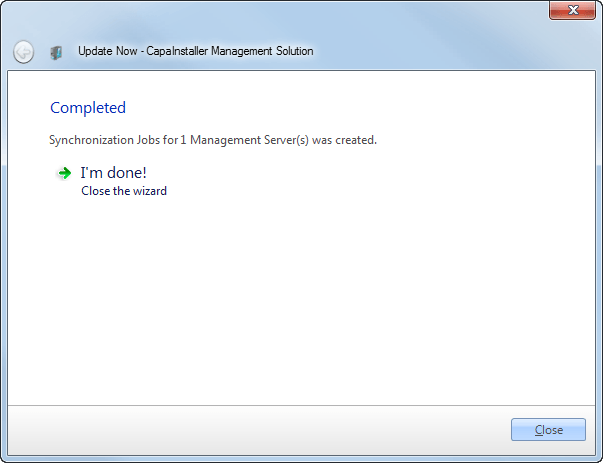
The synchronization jobs are created, and the files are transferred to the servers.
Reach for packages and servers
Section titled “Reach for packages and servers”When you run Update now on packages or on a server, you choose which servers the synchronization reaches:
| Option | Description |
|---|---|
| Sync only to Management Servers | The selected packages are updated on all Management Servers on the Management Point. These are the servers with a Front-end service. |
| Sync to Management Servers and Distribution Servers | The synchronization also includes the Distribution Servers. This is the default when the Management Point has Distribution Servers. The option is unavailable when there are no Distribution Servers on the Management Point. |
If none of the selected packages needs to be synchronized, for example because they aren’t linked to any server, you get a message, and no synchronization jobs are created.
For some Distribution Servers, Update now instead asks you to confirm that you want to start preloading packages on the Distribution Server now.
Priority for OS Deployment
Section titled “Priority for OS Deployment”When you run Update now in OS Deployment, you choose the priority the job uses to transfer its files:
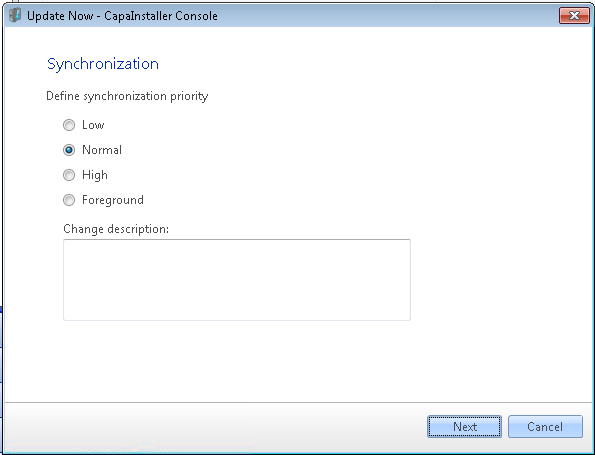
| Option | Description |
|---|---|
| Low | Transfers the job in the background with a low priority. Background transfers use the idle network bandwidth of the client to transfer files. This is the lowest background priority level. |
| Normal | Transfers the job in the background with a normal priority. Background transfers use the idle network bandwidth of the client to transfer files. This is the default priority level. |
| High | Transfers the job in the background with a high priority. Background transfers use the idle network bandwidth of the client to transfer files. This is the highest background priority level. |
| Foreground | Transfers the job in the foreground. Foreground transfers compete for network bandwidth with other applications, which can impede the user’s network experience. This is the highest priority level. |