

Disallowed applications
Introduction
Section titled “Introduction”Disallowed applications are available from Tools → Disallowed applications…. To help enhance security and maintain productivity, administrators can forbid specific applications from being run on client computers. The list applies to all computers. If a user tries to execute a forbidden application, the software metering in the CapaInstaller Agent will terminate the process.
You identify an application by its file name, including the file extension. Only .exe, .com, and .bat files can be disallowed.
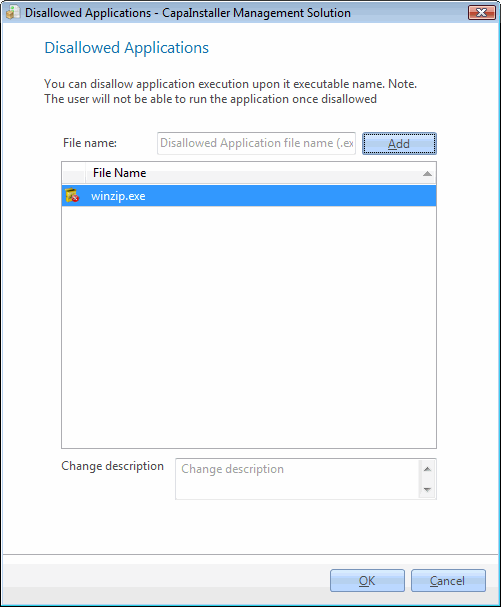
| Step | Action |
| 1 | Type the file name of the forbidden application, e.g. notepad.exe. |
| 2 | Click Add and the file is added to the list. |
| 3 | Enter a change description and click OK to complete. |
To allow an application again, right-click it in the list, click Delete, confirm, and click OK.