

Delete a unit in Configuration Management
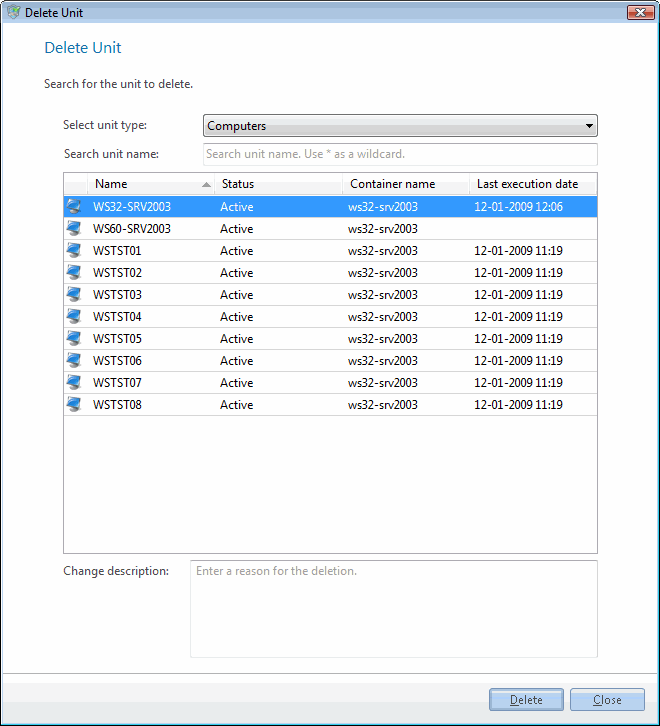
You can delete a unit either by right-clicking it and selecting Delete, or by selecting File → Delete unit… in Configuration Management. Deleting a unit ends its lifecycle in CapaInstaller, and it affects the items related to the unit. The Delete Unit window helps you find the unit and delete it.
| Element | Description |
|---|---|
| Select unit type | Choose the type of units you want to delete. |
| Search unit name | Enter a search text to find a specific unit or range of units. Use * as a wildcard. |
| Display duplicate units on serial number | Only for computers. Shows only units that have the same serial number as another unit, so you can clean up duplicates. |
| Change description | Enter a reason for the deletion. The reason is written to the change log. |
- In Configuration Management, select File → Delete unit….
- Choose the type of units you want to delete.
- Enter a search text to find a specific unit or range of units.
- Select a unit, enter a change description, and click Delete.