

CapaOne CustomApp Fails to Install in the Console
Problem
Section titled “Problem”You download a Custom App from CapaOne, import it into the CapaInstaller Console, and deploy it to an endpoint. The installation fails, and the package log shows an error similar to this:
2025-04-04 14:27:10 - Shell_Execute: Calling function with args: command: 'C:\ProgramData\CiBaseAgent\Temp\tmp-7-Zip\7z2408-x64.exe', arguments: '/S', wait: 'True', windowstyle: '0', mustexist: 'False', workingdirectory: ''2025-04-04 14:27:10 - ***************** Something bad happened at line 73: Exception calling "Shell_Execute" with "6" argument(s): "An error occurred trying to start process 'C:\ProgramData\CiBaseAgent\Temp\tmp-7-Zip\7z2408-x64.exe' with working directory 'C:\Windows\system32'. The system cannot find the file specified."2025-04-04 14:27:10 - SCRIPT ENDED WITH EXITCODE: -2146233087A PowerBrick in the Custom App is outdated and must be upgraded.
Solution
Section titled “Solution”-
Sign in to the CapaOne portal.
-
Under Windows, select Applications.
-
Find your application, select the three dots to the right of the name, and select Edit.

-
Select Open PowerBrick Editor.
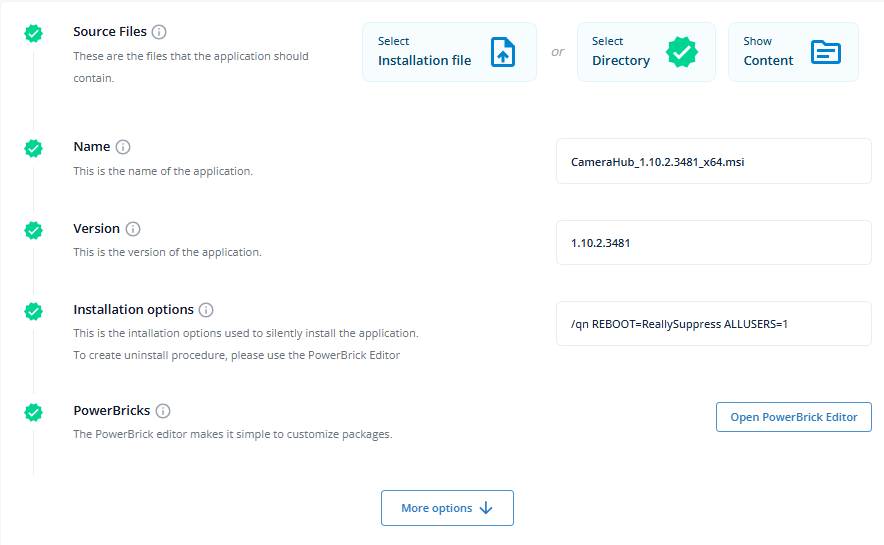
-
Find the PowerBrick with an exclamation mark. Select the three dots to the right of it, and select Upgrade.
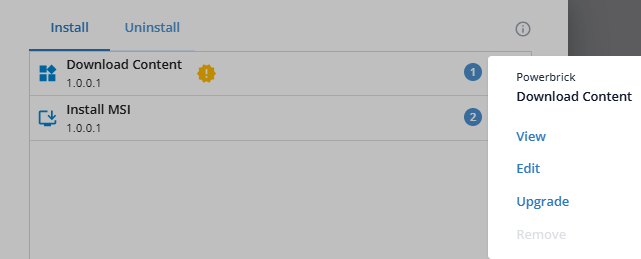
The exclamation mark disappears, and the PowerBrick is upgraded.
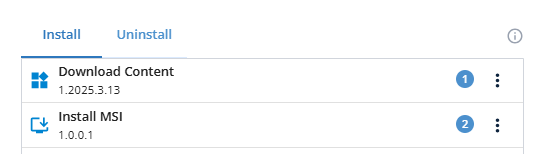
-
In the CapaInstaller Console, delete the earlier version of the package.
-
Download the Custom App again, and import it into the CapaInstaller Console.
Deploy the new package to the endpoint. The installation completes.