

CapaInstaller Setup Wizard Fails During Upgrade
Problem
Section titled “Problem”When you run the CapaInstaller Setup Wizard to upgrade to a newer version, the wizard stops with this message:
From CapaInstaller 5.4 it is required that Agent recognition to Use Unique Identifyer for Agent Recognition (UUID) is enabled.
This can be enabled from the CapaInstaller Console Options menu under System Administration -> Agent Recognition.
The Setup Wizard will not be able to continue before this setting is changed.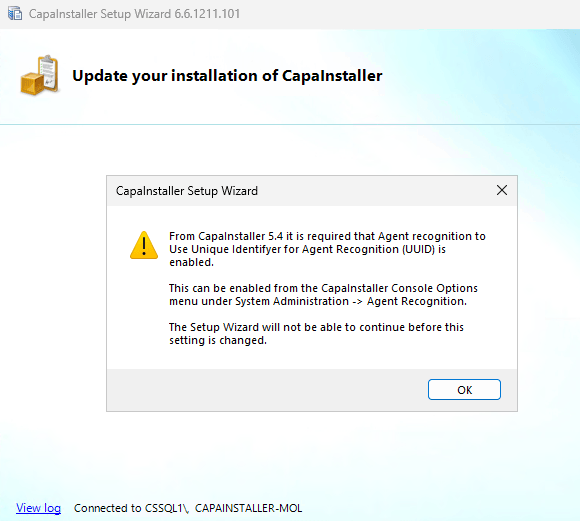
The Setup Wizard checks that UUID agent recognition is enabled in the CapaInstaller database. The database setting AgentRecognitionComputerUUID is missing or isn’t set to True.
Solution
Section titled “Solution”If you can’t enable the setting in the console options, set it directly in the database.
-
Open SQL Server Management Studio and connect to the CapaInstaller database.
-
Run this query:
UPDATE PROPERTIES SET VALUE = 'True' WHERE PROPERTY = 'AgentRecognitionComputerUUID' AND PLUGIN = 'SystemMa' -
If the Messages tab shows
(0 rows affected), the setting doesn’t exist yet. Run this query to create it: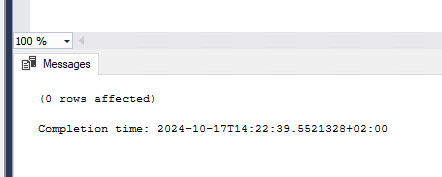 INSERT INTO PROPERTIES (PROPERTY, VALUE, PLUGIN) VALUES ('AgentRecognitionComputerUUID', 'True', 'SystemMa')
 -
Run the Setup Wizard again.
The Setup Wizard continues with the upgrade. The Setup Wizard log files are in %ProgramFiles%\CapaInstaller\Logs\Setup.