Units can be created in the Unit view in Asset Management. Device types can be any kind of device you have in your company e.g. firewalls, mobile devices, telephones, etc. Device types are placed in the Other assets folder, and you create the devices under them.
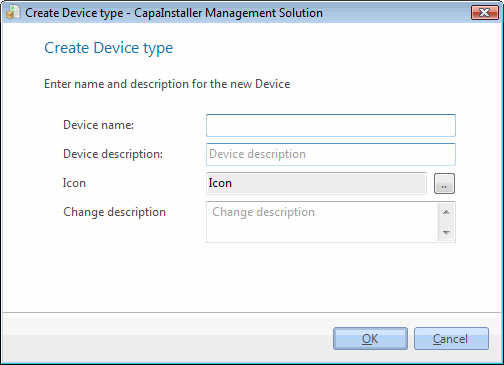
|
|
| Element |
Description |
| Device name |
Name of the new device type. Required and must be unique. |
| Device description |
Description of the device. |
| Icon |
Icon for the device. |
| Change description |
Description for the Changelog. |
|
|
| Step |
Action |
| 1 |
Open Asset Management in Unit view, right-click on the Other assets folder, and click New device type…. |
| 2 |
Type the device name you want, this must be unique and aligned with your company standards. |
| 3 |
Type a description of the device. |
| 4 |
Choose an icon to represent your device. |
| 5 |
Type a change description and click OK. |
| 6 |
The new device type is now visible in the Other assets folder. |
|
|
| If you want to… |
You can… |
| Edit a device type |
Right-click the device type and click Edit device type…, click OK when you have completed. |
| Delete device type |
Right-click on the device type and click Delete device type…. You can’t delete a device type that still contains devices. |
| Create a new unit |
Right-click the device type and click New unit…. See Create a new computer. |

