

Create a Patch Management Group
Creating the group creates it in both the CapaInstaller database and on the WSUS server. On the WSUS server, the group is named with its name and a unique identifier (GUID).
Groups are ordered in the sequence you create them, and the first group under a child point is the root group. Create the groups in the order updates should move through them, for example Test before Production. Only the last group under a child point can be deleted.
-
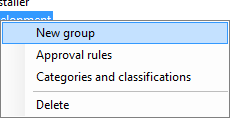
Right-click a child point and select New group. You can also select the child point and then select File → New….
-
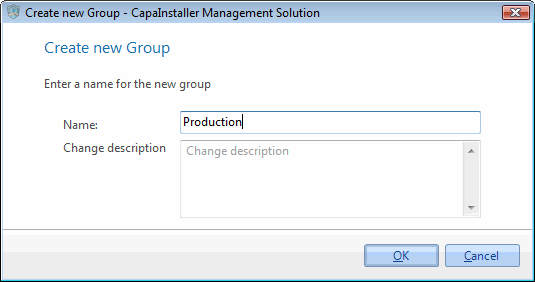
Enter a name for the group.
-
If necessary, write a change description.
-
Click OK to create the group.
The group appears below the child point in the tree view.
Related tasks
Section titled “Related tasks”| If you want to… | You can… |
|---|---|
| Create a root point | Create a Patch Management root point |
| Create a child point | Create a Patch Management child point |
| Re-create group | Re-create Patch Management Point or Group |
| Approve updates | Approve updates |